Contents
What are foreign language subtitles?
Why you need multi-language subtitles
How to add subtitles in foreign languages
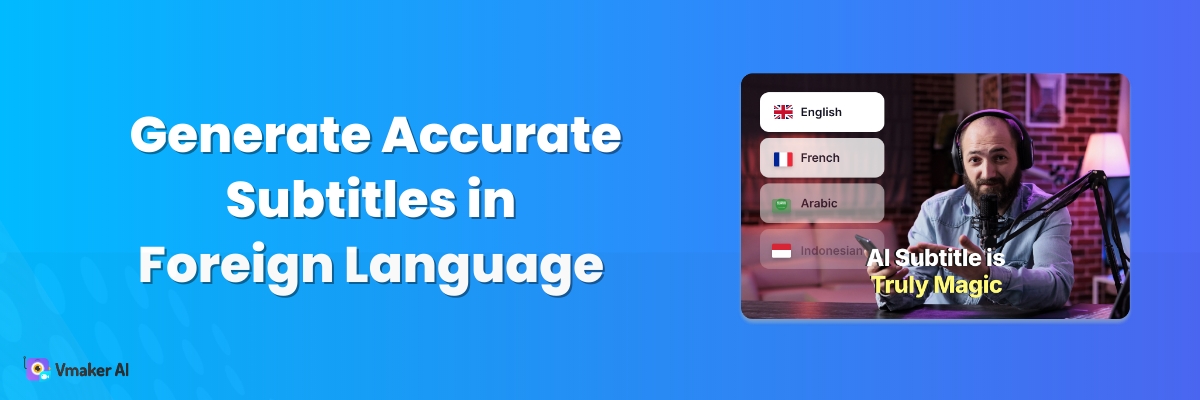
How to Generate Accurate Subtitles in Foreign Language
Have you ever written a strong script for a video, then dropped it because it wasn't in English?
Do you wish you could create videos in English to reach a wider audience?
Or do you create in your native language but worry the message gets lost in translation?
This is the same wall most content creators hit. New creators struggle to reach a wider audience. Established creators do not want to alienate the followers they already have.
The fix is simple: keep your script in one language, and translate the subtitles into the others.
Netflix, Hulu, Amazon Prime all do this. One master version, many subtitle languages.
Here is how it works.
What are foreign language subtitles?
Foreign language subtitles are the on-screen text of a video, but in a language other than the one being spoken.
Example: you record a video in English and add Chinese subtitles to reach a Chinese audience. Those Chinese captions are foreign language subtitles.
In the past, foreign language subtitles were done by hand. Studios and corporates hired multilingual translators to convert each video. Slow and expensive.
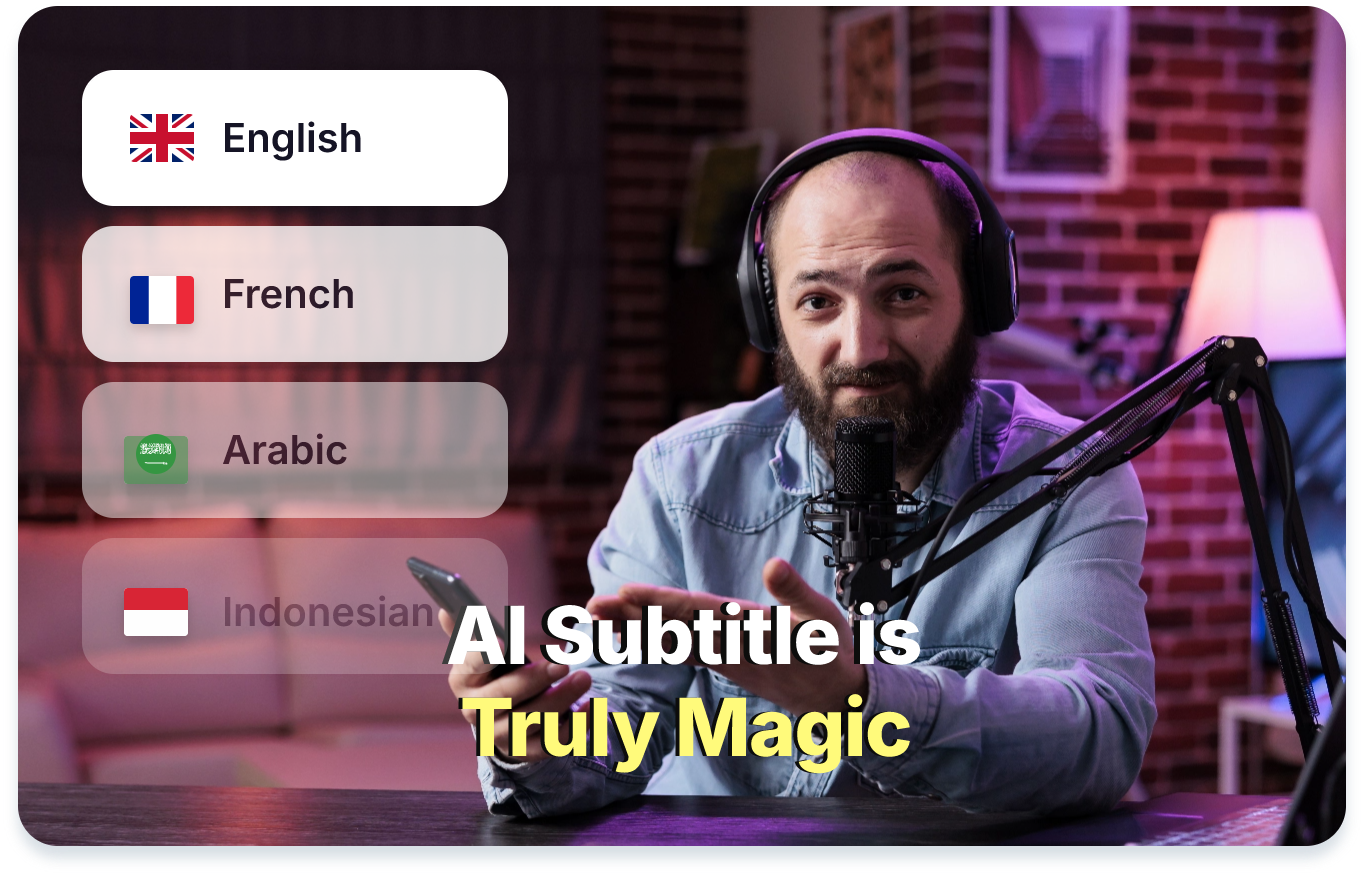
Today, AI handles this in a few clicks.
The tricky bit: a good subtitle translator does not just swap words. It captures the tone, the emotion, and the meaning. That is what separates a useful AI subtitle generator from a clumsy one.
Why you need multi-language subtitles
Foreign language subtitles help you:
- Reach a wider audience
- Expand into new countries
- Improve your video SEO
Social platforms now reach every corner of the world. Regional content matters more than ever.
And accuracy matters too. A creator's video can cross borders the moment it goes live. One culturally off-key caption can damage your brand.
So how do you add accurate foreign language subtitles? You need an AI subtitle generator that can both transcribe and translate.
How to add subtitles in foreign languages
Here is how to do it with the Vmaker AI Subtitle Generator in 5 steps.
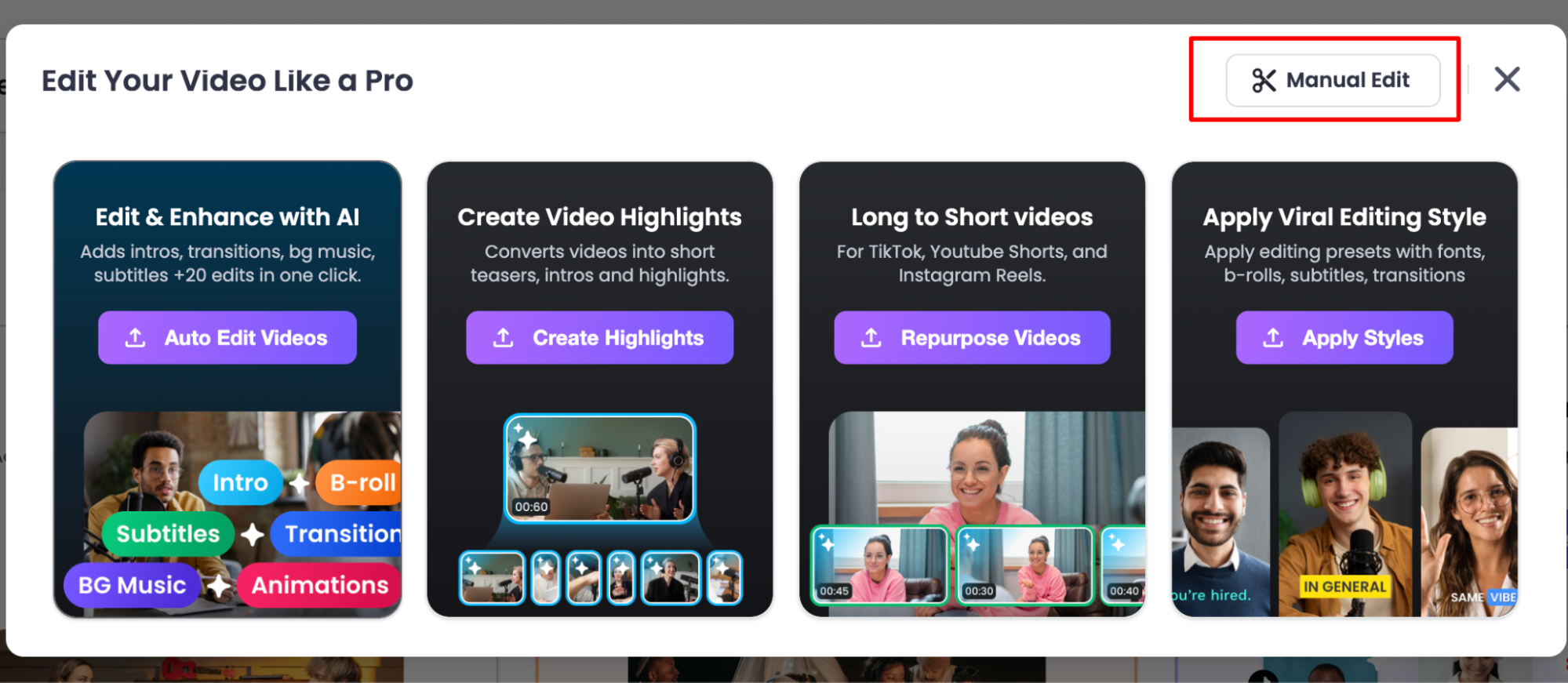
Step 1: Sign in and upload
After you sign in to Vmaker, click Edit Video and pick Manual Edit.
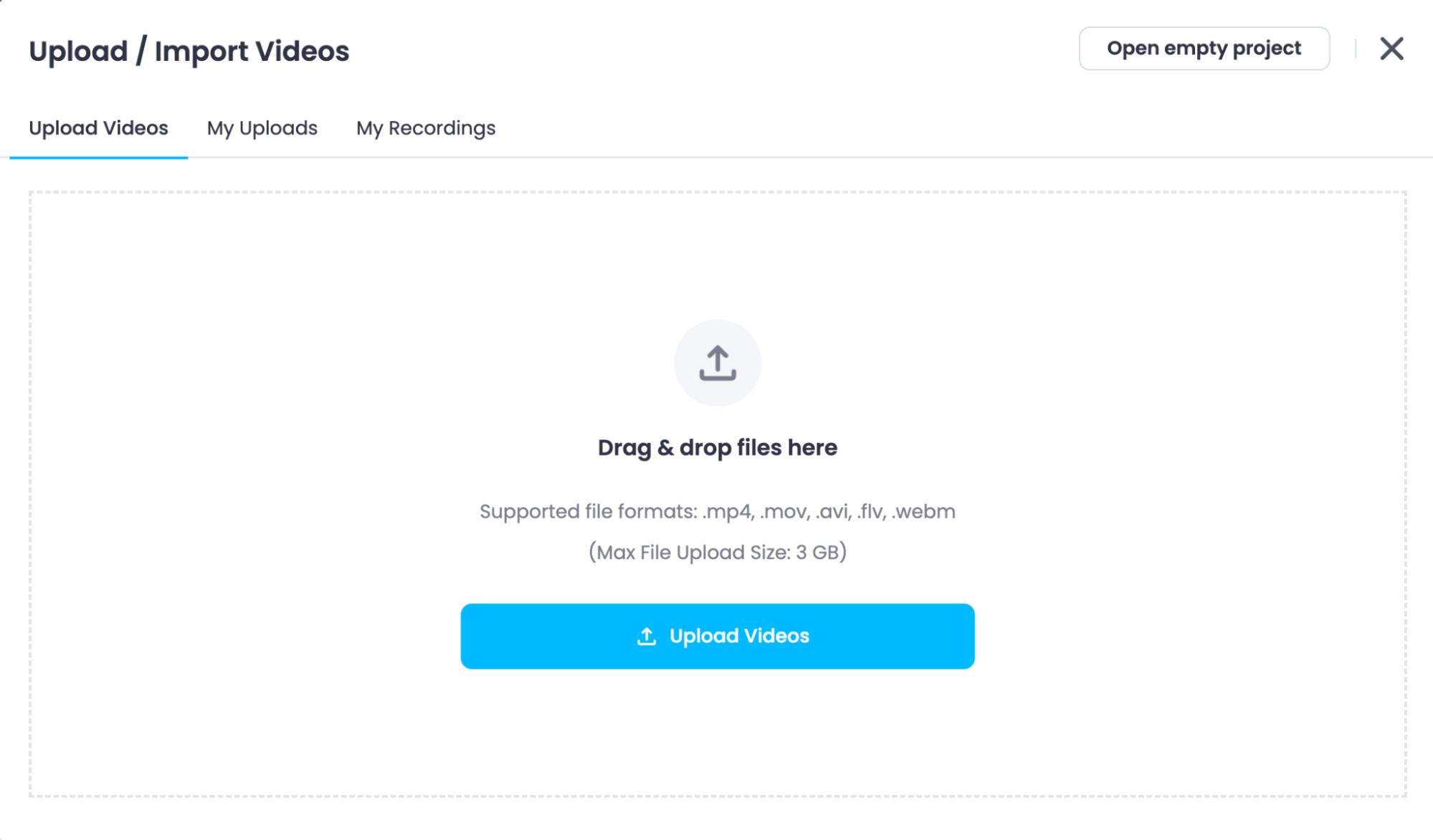
Upload a video from your device, or pick one from your library.
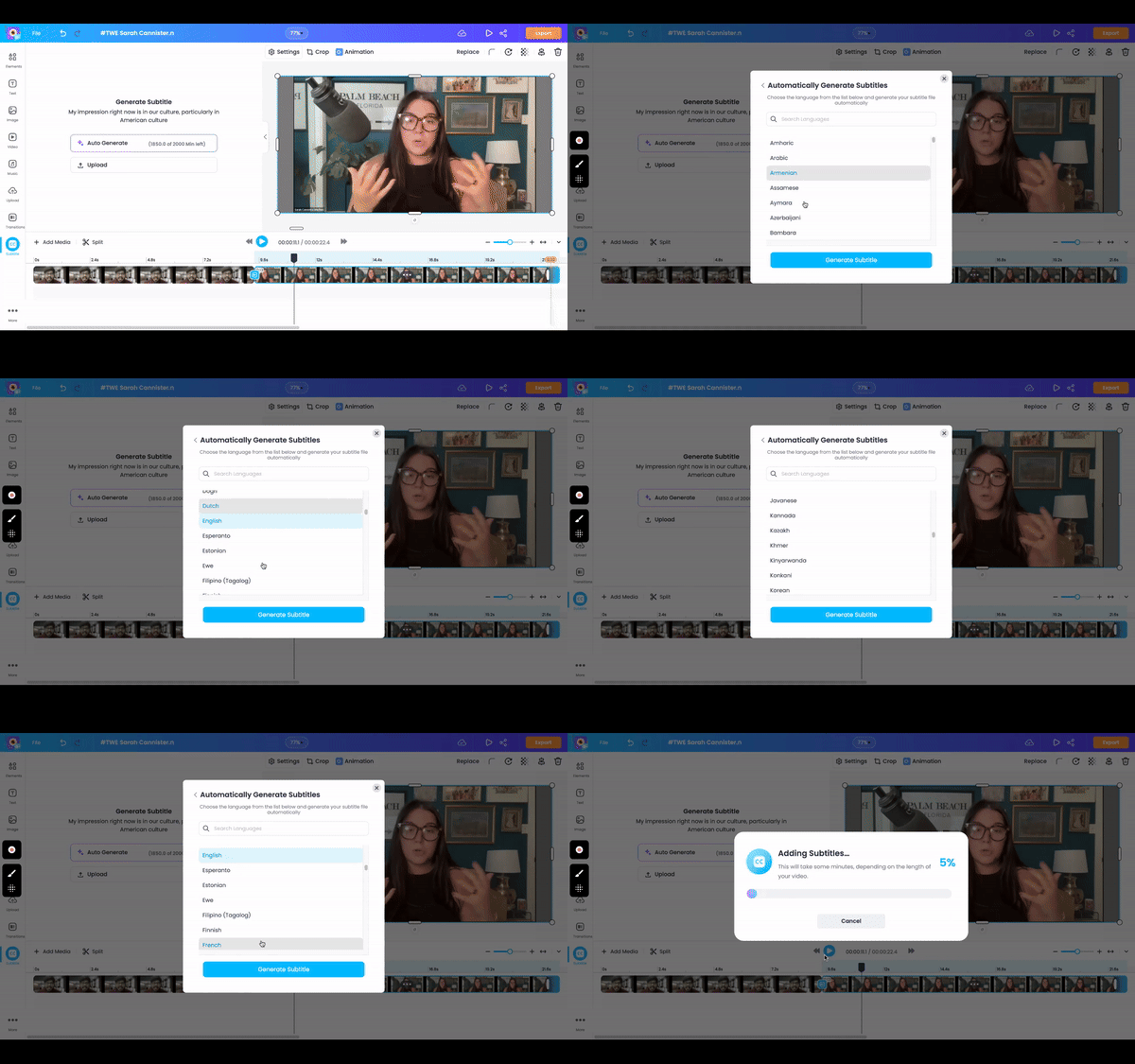
Step 2: Translate subtitles
Click Auto-Generate in the pop-up.
Pick the language you want to translate the video into. Click Generate Subtitles. Vmaker takes it from there.
Step 3: Style your subtitles
Once the subtitles appear, you can edit them on the left side of the screen. The subtitle track shows up in the timeline.
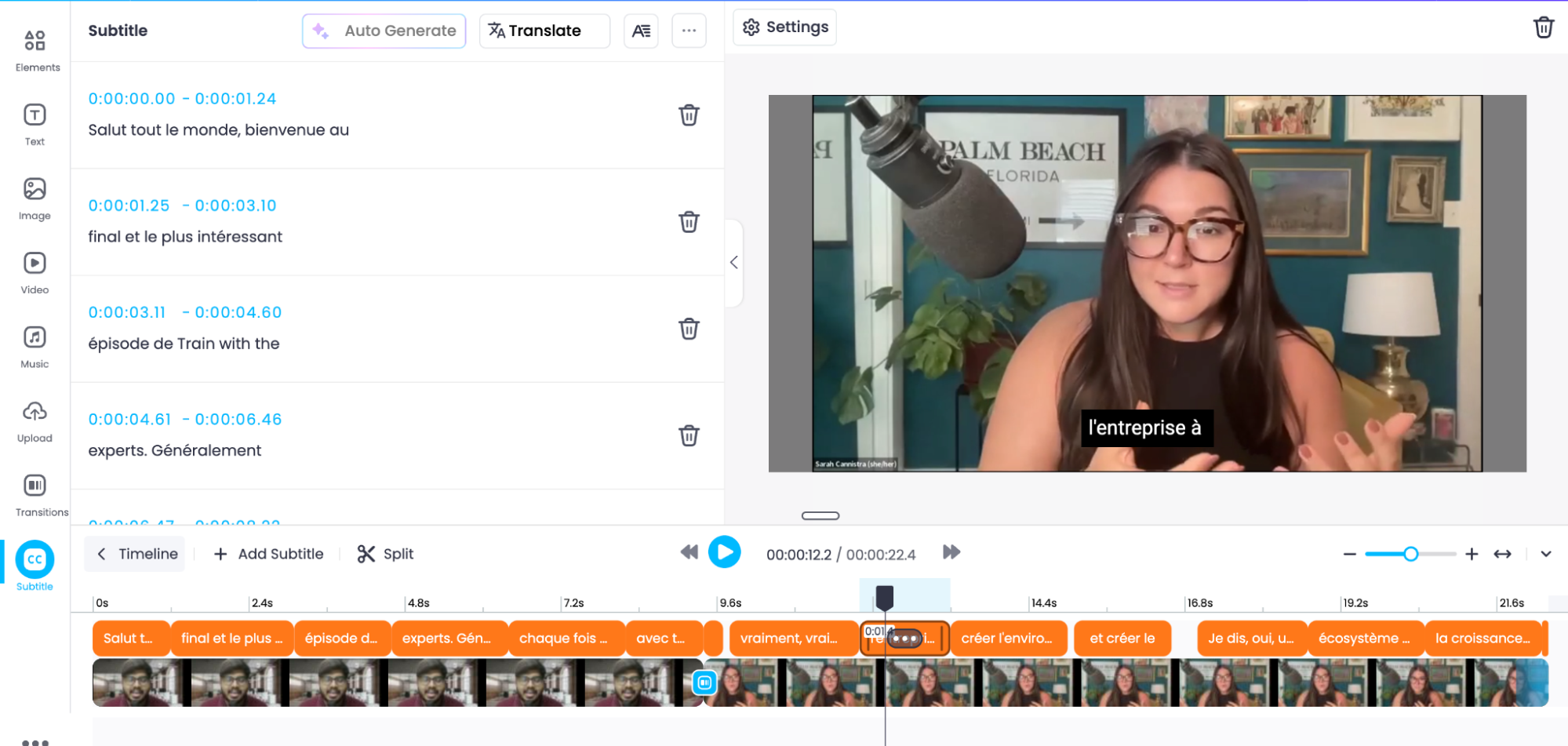
Add colour and style with one of Vmaker's 100+ presets and viral styles.
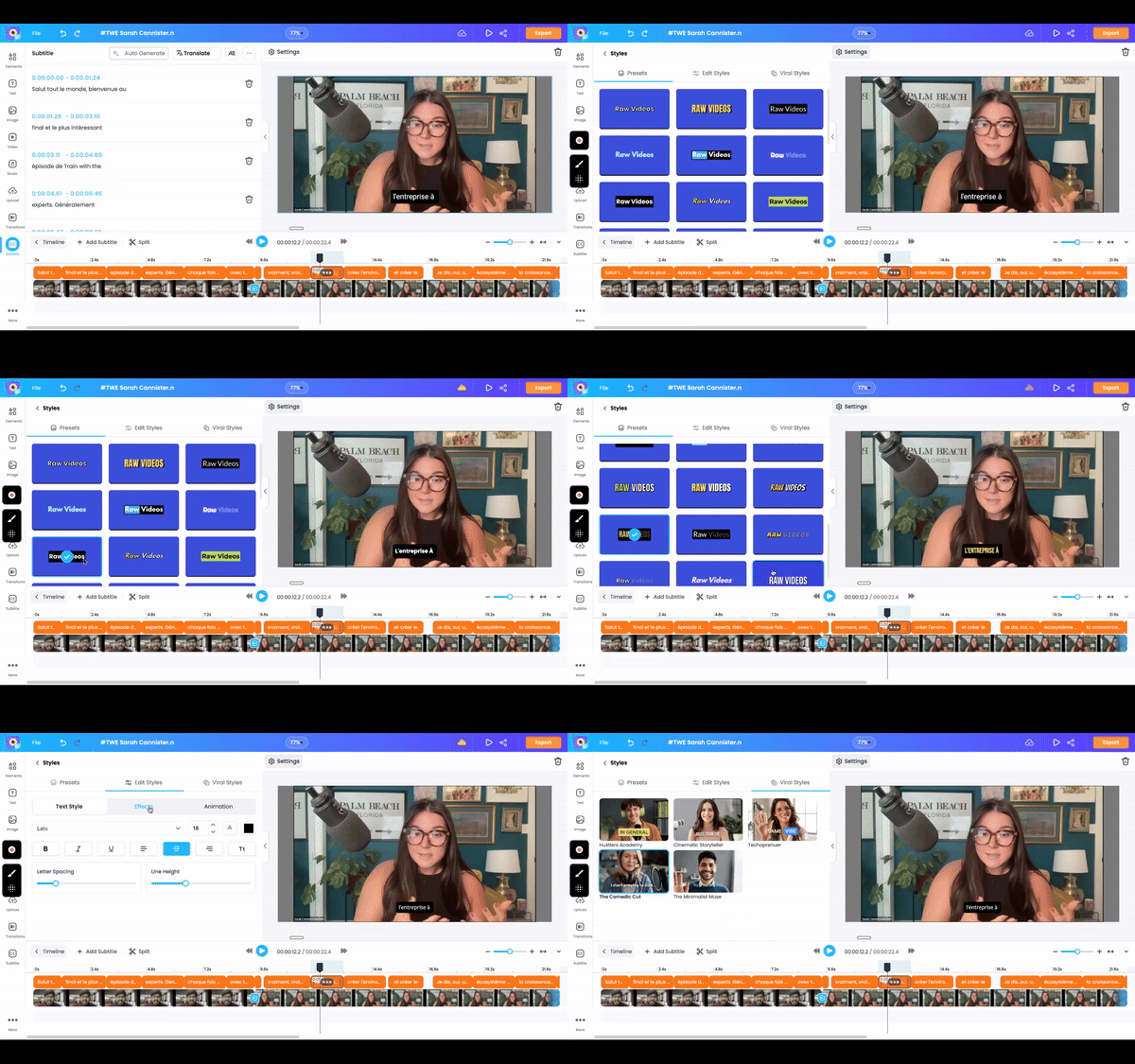
You can:
- Pick from 100+ presets
- Edit text style, font, effect, and animation by hand
- Use Viral Styles, the captions trending on social right now
That's it. In a few minutes you have a fully translated subtitle track.
Want a deeper walkthrough? Our YouTube tutorial covers it end to end.
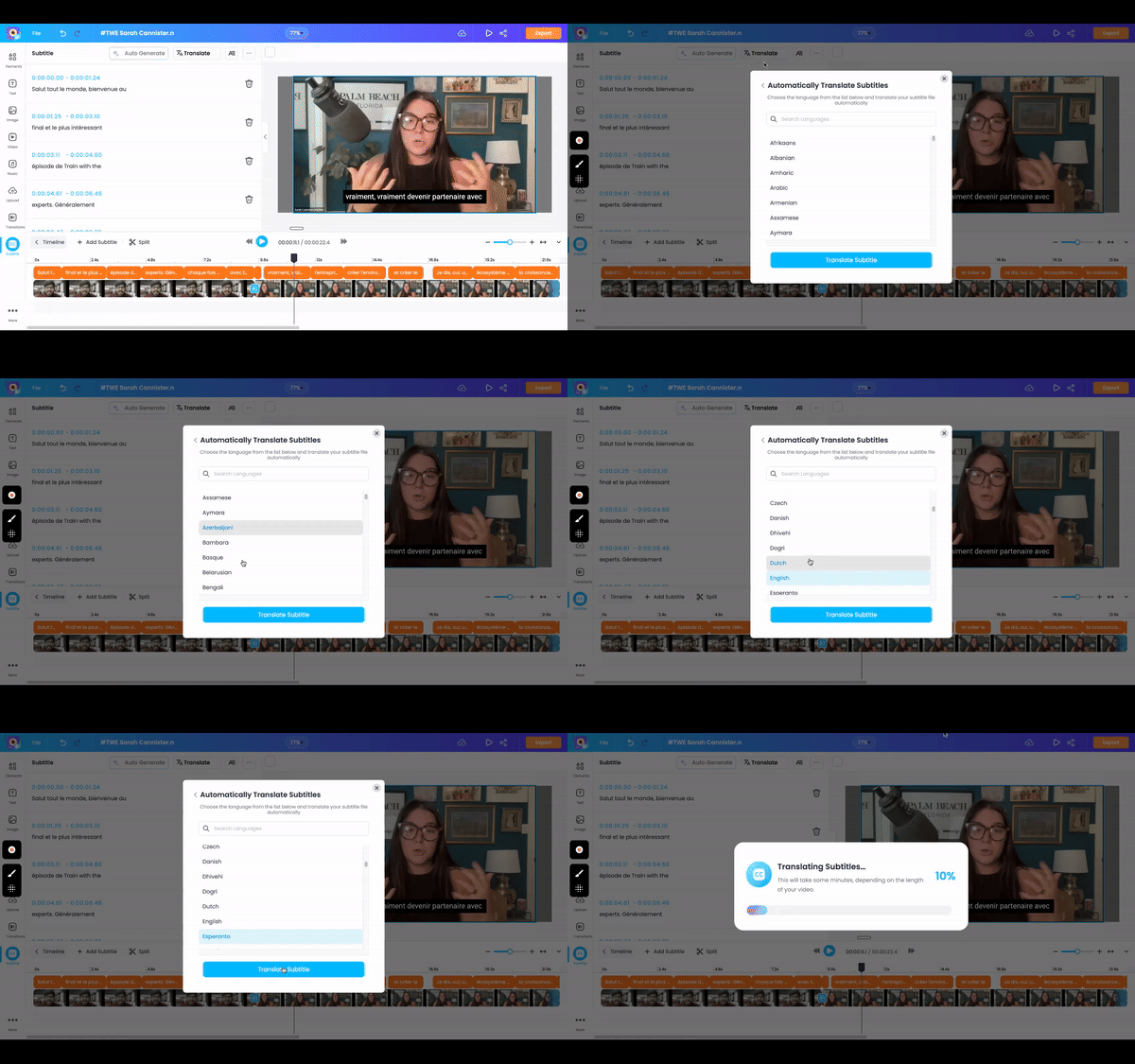
Already have subtitles in your video and just want them in another language? Vmaker can do that too.
Click Translate at the top of the Subtitles sidebar. Pick a language from the list of 100+. In a second or two, Vmaker translates your existing captions.
FAQs
How do I make subtitles in a different language?
You can either translate them by hand or use an AI subtitle generator. Hiring a human translator is slow and expensive. The faster path is a tool like Vmaker AI, which handles both transcription and translation in one place.
How do I convert subtitles to English on a video?
If your video already has subtitles in another language, Vmaker AI can translate them to English in seconds. The tool also lets you customise the colour, font, and style of the new captions.
How do I change my captions from Spanish to English?
Use the Vmaker AI video editor. Upload your video, click the Subtitles icon at the bottom left, then click Translate at the top. Pick English from the language list. The tool converts your Spanish captions to English instantly.
Recommended Readings:
How to Auto Caption Screen Recording Videos
How to Add Subtitles or Captions to Zoom Meeting Recordings
How to Turn Google Slides into Videos with Audio and Closed Captions
How to Record Zoom, Google Meet, or Any Online Meeting with Subtitles