Contents
4. Different types of tutorial videos
6. Why a script is the foundation of a good tutorial
7. Tips for a good tutorial video script
8. How to create a tutorial video by screen recording
10. Essential tips for tutorial videos
11. Best tutorial video examples
Best tutorial video maker tools
Ultimate Tutorial videos Guide with Tips and Free Template
Tutorials have existed for as long as people have been learning new things. Not everyone picks up a topic the same way, so there has always been a need for extra help in a different format. Over the years, that format has shifted, from text manuals to videos, and now to AI-powered interactive tutorials. This guide covers everything you need to know about tutorial videos.
What you will find in this guide
- What is a tutorial video?
- Why tutorial videos matter
- Key tutorial video stats
- Different types of tutorial videos
- What is a tutorial video maker
- Why a script is the foundation of a good tutorial
- Tips to write a good tutorial video script
- Free tutorial video script template
- How to create a tutorial video by screen recording
- Tutorial video ideas
- Essential tips for tutorial videos
- Best tutorial video examples
- Best tutorial video maker tools
1. What is a tutorial video?
Tutorial videos are step-by-step user guides that are specific and interactive. They walk a viewer through a task at their own pace.
2. Why tutorial videos matter
We live in a video-first world. The average person watches over 17 hours of online video per week. How-to and tutorial videos are in the top four content categories on YouTube.
People who buy a product do not have time for an onboarding call or a 40-page user manual. They want a tutorial video they can pause, rewind, and follow at their own pace. Self-learning makes the user feel in control.
AI video tools have lowered the barrier even more. Anyone can now make a polished tutorial video without a film crew.
3. Key tutorial video stats
- Users are 3x more likely to watch a YouTube tutorial than read a product's instructions.
- 83% more information is retained from video tutorials compared to text.
- 91% of people have watched an explainer or tutorial video to learn about a product.
- 89% of consumers want to see more video content from brands they support.
- 73% of consumers are more likely to buy after watching a video about the product.
- Viewers retain 95% of a message in a video, vs 10% from text.
- 97% of customers say video is an effective channel for onboarding new users.
- 86% of users have watched a video to learn how to use a software or mobile app.
- 78% of users want more video used in product onboarding.
- 65% of internet users look for product videos before they buy.
- Short-form tutorials (under 2 minutes) have seen a 150% jump in engagement on TikTok and Instagram Reels.
4. Different types of tutorial videos
Tutorial videos come in many flavours. The right one depends on what you are teaching and who you are teaching it to. Here are the six main types.
- Screen recording tutorial videos
- AI avatar tutorial videos
- Animation tutorial videos
- Instructor-led tutorial videos
- Whiteboard tutorial videos
- Presentation tutorial videos
Screen recording tutorial videos
Screen recording is the easiest way to make a tutorial video. You record your screen and explain each step. A webcam overlay adds a face to the voice. For example, a tutorial on how to edit videos on YouTube works best as a screen recording, since the viewer needs to see exactly what to click.
Bonus: Screen Recording 101. The Ultimate Resource Guide
AI avatar tutorial videos
AI avatar tutorials are one of the fastest-growing types. With tools like Vmaker's AI Video Generator, you can create human-like AI avatar presenters that narrate the tutorial without any camera setup. This is great if you do not want to be on camera, need tutorials in multiple languages, or want to scale production fast. AI avatars deliver scripts naturally with lip-sync accuracy in 100+ languages.
Animation tutorial videos
Animation works well when the tutorial does not need step-by-step screen demos. Viewers tend to engage more with animated content, so for concept-led tutorials, animation can lift the watch time.
Whiteboard tutorial videos
Whiteboard tutorials walk the viewer through a process visually. They land well for educational content. Modern whiteboard makers and AI drawing tools have made these easy to produce.
Instructor-led tutorial videos
Instructor-led tutorials are popular in eLearning. The instructor narrates and walks the learner through a topic. You can use a traditional camera and studio setup, or you can use a screen recorder with a webcam overlay, which is much faster and cheaper.
Presentation tutorial videos
Presentation tutorials use slides to break down complex info into simpler chunks. You can either save the slide deck as a video and add narration, or screen record the slideshow as you talk. Either way, a screen recorder is the simplest tool for the job. Read our full Ultimate Video Presentations Guide for more.
5. Tutorial video maker
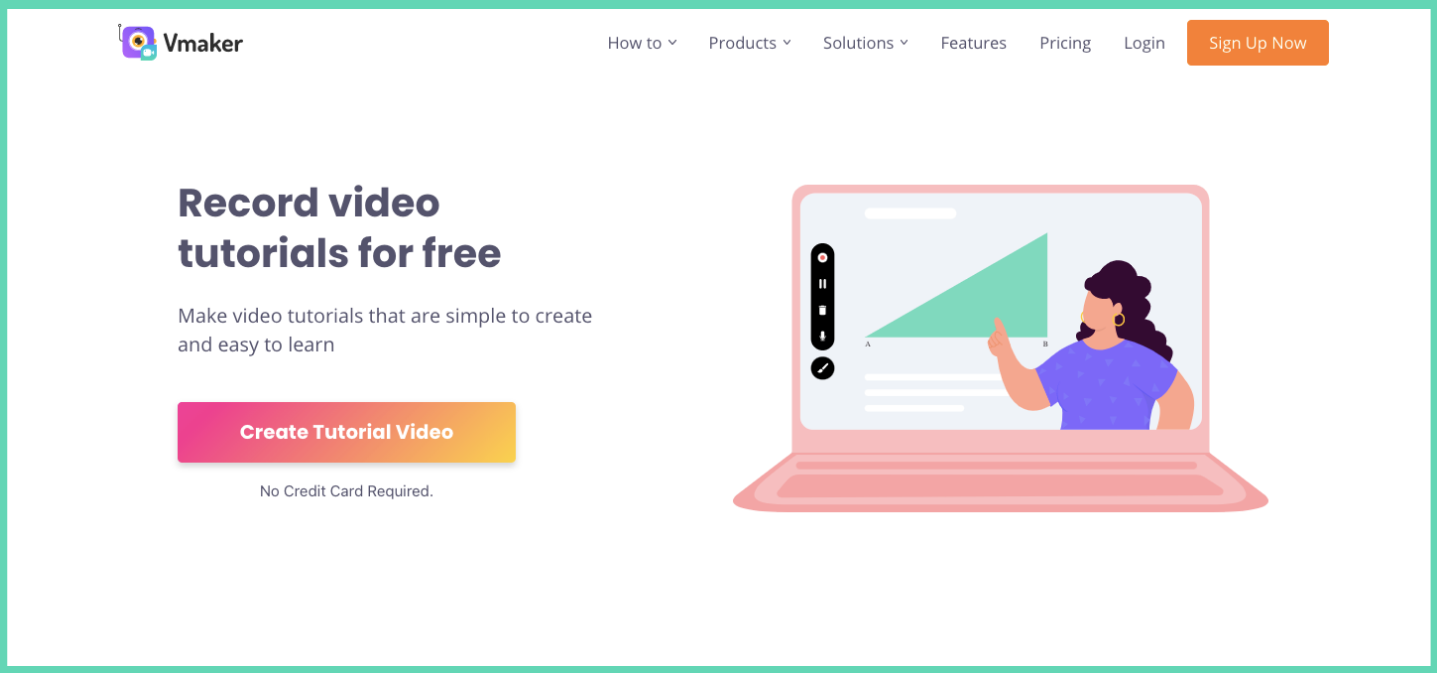
A tutorial video maker is an all-in-one suite for high-quality tutorial videos. In the past, you needed several tools. A screen recorder, a video editor, a hosting platform, and a voice-over tool. To ship a single tutorial.
Tools that used to be needed
- Screen recorder
- AI video editor
- Video hosting platform
- Voice-over recording tool
Today, all of this comes in one tutorial video maker. You record, edit, host, and share from the same place. Modern tools also include AI features like auto-subtitles, noise removal, and AI avatar narration. We will look at the best ones later in the blog.
But before any of that, your script. No tool can save a weak script.
6. Why a script is the foundation of a good tutorial
The script makes or breaks a tutorial video. Tutorials need to be specific. Extra information confuses the viewer. A clean script also helps AI tools generate better subtitles and translations.
7. Tips for a good tutorial video script
- Use simple language
- Cut anything that does not add value
- Match the script length to the target video duration
- Break the script into clear sections
- Record a mock recording to catch awkward parts before the final take
- Use AI writing tools to refine for clarity
- Add a clear call-to-action at the right point
Free downloadable tutorial video script
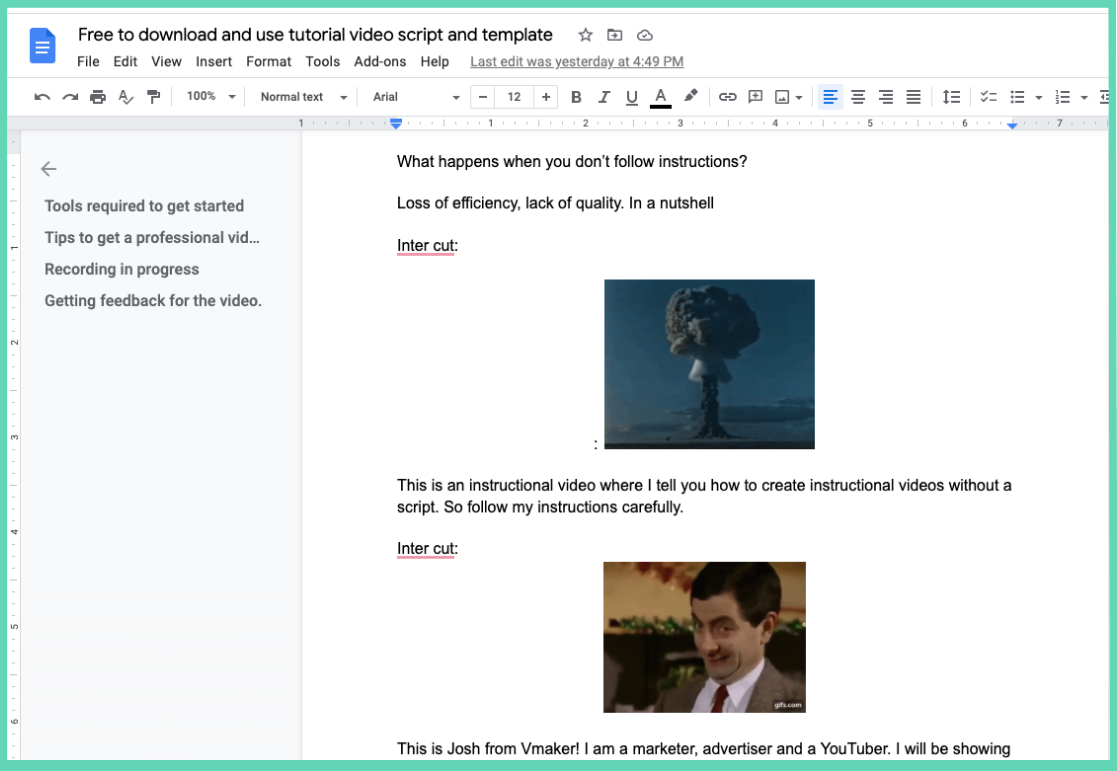
Here is a sample script we used for one of our own videos. Open it through the link below.
The final video version of that script:
8. How to create a tutorial video by screen recording
Screen recording is one of the easiest ways to make a tutorial video. Here is a quick step-by-step.
- Step 1: Define the goal of the video and pick the audience.
- Step 2: Choose a tutorial video maker with screen and webcam recording.
- Step 3: Write the script.
- Step 4: Run a mock recording to catch issues with the script and the recording setup.
- Step 5: Record the final take and clean it up in the AI video editor.
- Step 6: Add AI-generated subtitles for accessibility.
- Step 7: Publish on the platform your audience uses.
For a deeper walkthrough, read the full how to make a tutorial video by recording your screen guide.
Prefer to watch? Here is the video version.
9. Tutorial video ideas
Tutorial videos are easy to make boring. Here are a few ideas to make yours more engaging.
Write an engaging title
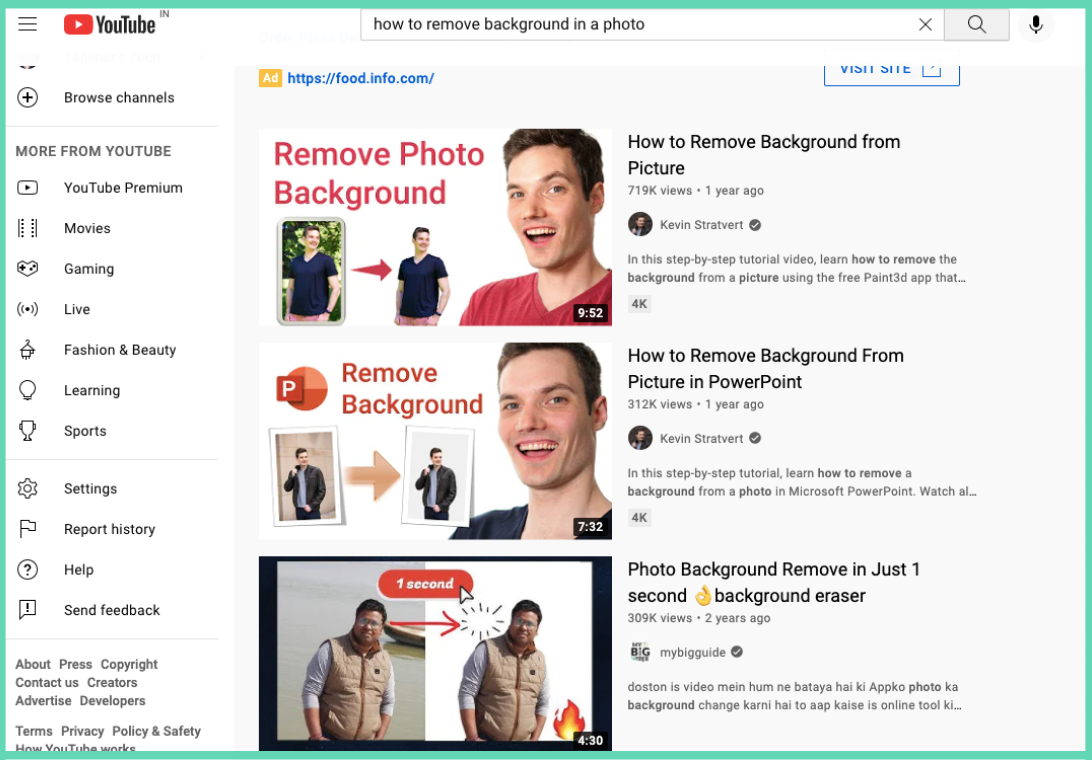
People search for a tutorial video when they cannot solve a problem on their own. Your title needs to mirror that problem and signal that the video has the answer.
In the example above, the search is "remove background from photo". The third result wins because the title says "Remove photo background in one second". Fast solution, clear promise.
Use an engaging thumbnail
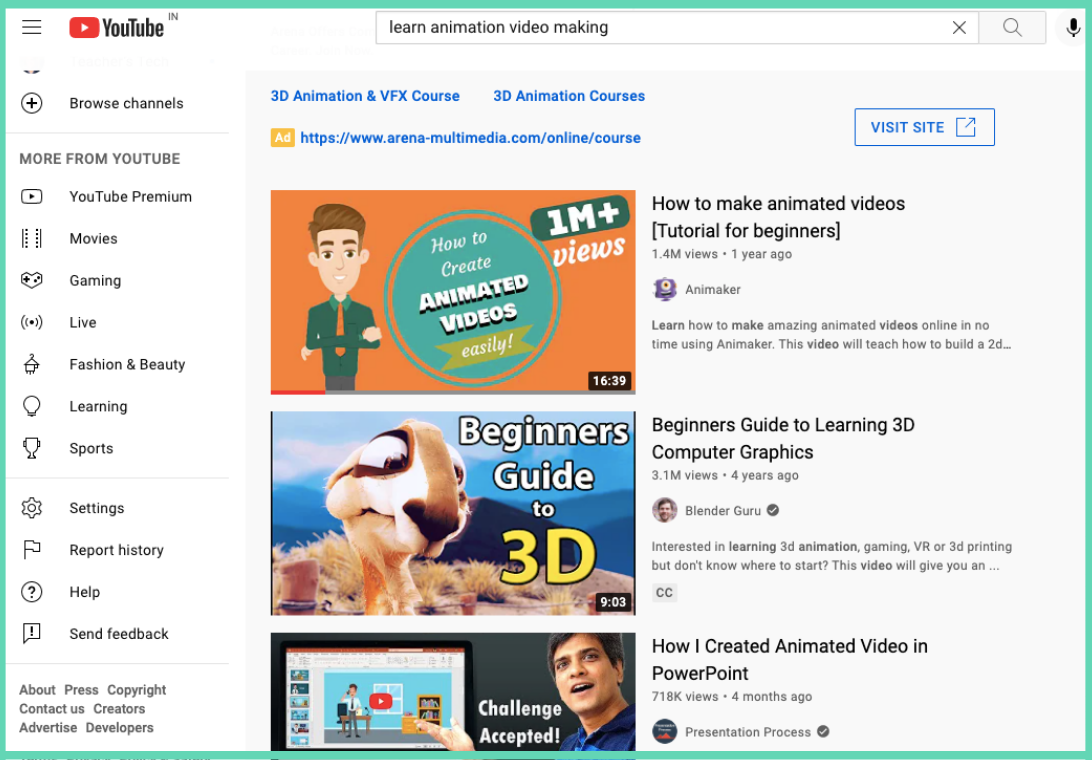
Most creators skip the thumbnail. A strong thumbnail can lift CTR. The first result above shows "easily" on the thumbnail. The viewer who is scared of animation feels less scared. They click.
Show key points and steps on screen
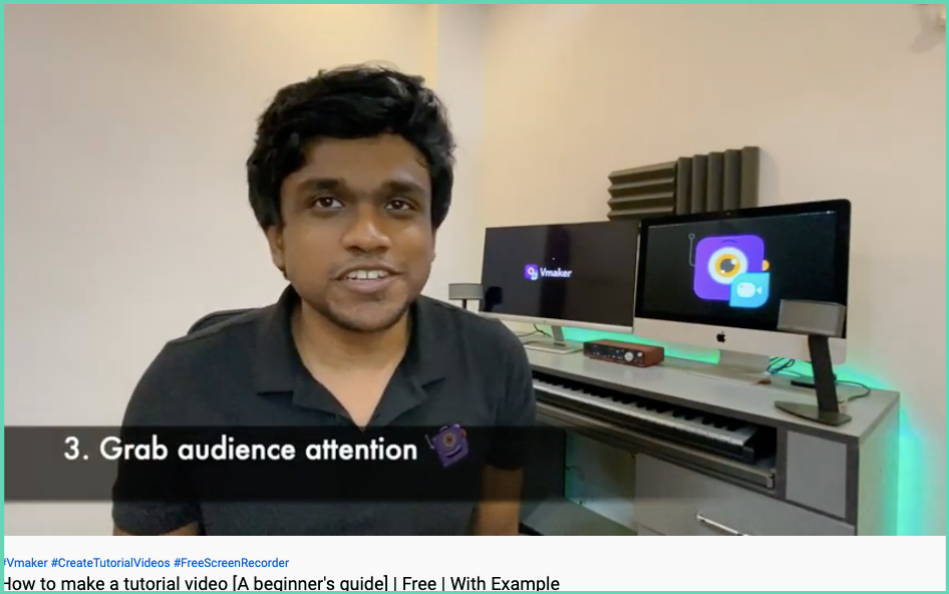
If your tutorial has steps, add a transition that highlights each one. The viewer knows where they are in the flow and how much is left.
Use stats to back your point
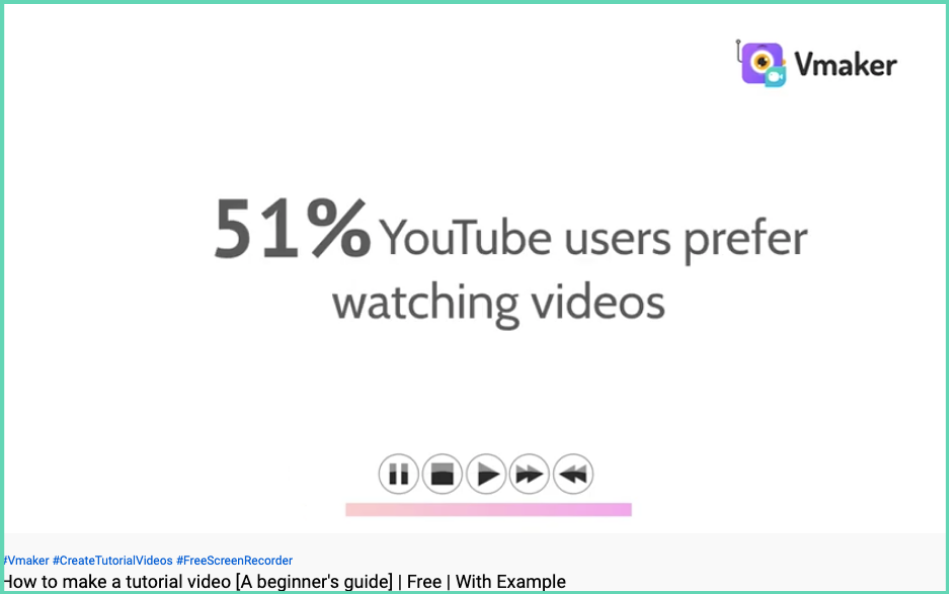
Sometimes viewers are not sure they can pull off the task. A stat at the start makes them more confident. The example above uses tutorial-video stats to convince viewers to try making one.
Offer a quicker alternative
Viewers love a shortcut. If your video can show a faster way to solve the same problem, mention it. They get more value, you get more watch time.
Cut short clips for social media
TikTok, Reels, and Shorts run on bite-sized content (15–60 seconds). You can use Vmaker's long-to-short video converter to pull the best moments out of your full tutorial and ship them as social clips.
Add subtitles for accessibility
Over 85% of social videos are watched on mute. Subtitles also help hearing-impaired viewers and lift engagement. AI subtitle generators do this in minutes.
10. Essential tips for tutorial videos
The basics matter. Get them right.
Match length to the platform
YouTube tutorials work best at 7–15 minutes for full guides, or 3–5 minutes for quick how-tos. Short-form (TikTok, Reels, Shorts) should stay under 60 seconds. Most viewers drop off after 10 minutes, so split long topics into a series.
Keep the script simple
Avoid complex words. They confuse the viewer and pad the runtime. People look for tutorials to understand things faster, not slower.
The Vmaker Chrome tutorial script (linked above) was written with this in mind. Short sentences, plain words, clear steps.
Download it through the link below.
The final tutorial video
Set up your screen for recording
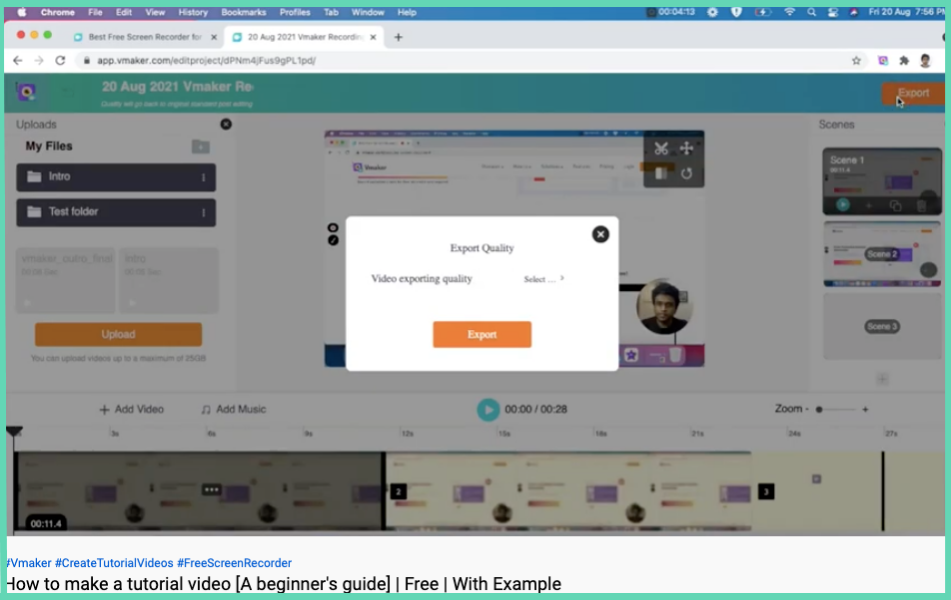
If you are screen recording, close every tab and app you do not need. A clean screen looks more professional and keeps the viewer focused.
In the example above, the screen has just two tabs and no extra browser extensions. Nothing distracts the viewer.
Add an intro and outro
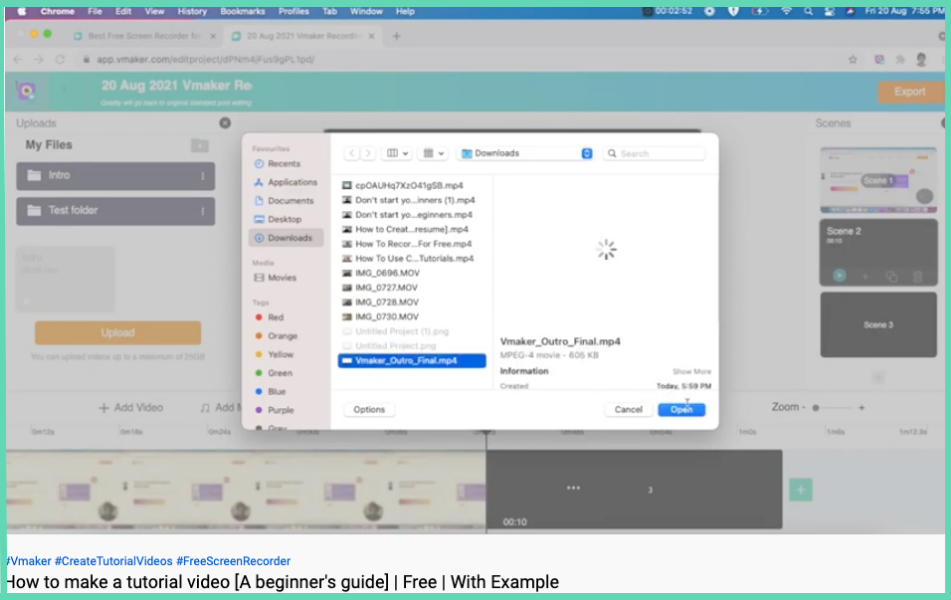
A solid intro and outro tie the video together. Use a tutorial video maker that lets you import your own intros and outros and sync them with the main recording.
Lean on AI for editing
Modern AI editors auto-remove filler words ("um", "uh"), silences, and mistakes. They also suggest cut points, add B-roll, and clean up audio. Editing time can drop by up to 70%.
11. Best tutorial video examples
Here are a few tutorial videos worth studying. Each one nails a different angle.
- How to make animated videos (Tutorial for Beginners). Animaker
The Animaker team breaks down how to make an animated video by building one from scratch.
- How to record Webex meetings. Vmaker
A clean step-by-step on how to record Webex meetings with audio and video.
- Glow Effect. Photoshop Tutorial
This one wins by going deep on a single Photoshop feature instead of trying to cover everything.
- How to find someone's email address (in seconds). Ahrefs
Ahrefs solves a hard problem with multiple tools, and the "in seconds" angle in the title boosts CTR.
- How to write a resume (step-by-step tutorial)
A resume is hard to write even for experienced pros. This video walks through the dos and don'ts.
- The Beginner's Guide to Excel
A clean intro to Excel for beginners.
- How to use Google Drive. Tutorial for Beginners
Most people use Google Drive but only use 20% of it. This video covers the rest.
- How to get started on LinkedIn (step-by-step for beginners)
A solid LinkedIn setup walk-through for new users.
- Zoom Tutorial. Step by Step for Beginners
A clear walk-through of Zoom for first-time users.
- SEO Tutorial for Beginners. Simplilearn
SEO is one of the hottest skills right now and one of the hardest to learn. This video lays out the basics.
- The Beginner's Guide to Microsoft PowerPoint
Most experienced PowerPoint users still miss key features. This guide covers the essentials.
- How to use Google Meet. Detailed Tutorial
A walk-through of Google Meet end to end.
Best tutorial video maker tools
Read our full 10 best tutorial video software comparison for the deep-dive. The shortlist:
- Vmaker. All-in-one screen recorder with AI video editor, AI avatars, and subtitle generator
- ScreenPal (formerly Screencast-O-Matic). Easy-to-use screen recording with basic editing. See Vmaker vs ScreenPal.
- Animaker. Animation and whiteboard videos with AI features
- OBS Studio. Free, open-source broadcasting and recording
- Zight (formerly CloudApp). Quick screen captures and GIFs. See Vmaker vs Zight.
- Camtasia (TechSmith). Pro video editing with templates. See Vmaker vs Camtasia.
- RenderForest. Cloud-based video creation with AI tools
- Loom. Quick video messaging and tutorials. See Vmaker vs Loom.
- iSpring Suite. ELearning and training video creation
- Descript. AI-powered editing with text-based controls
The full tutorial video software guide covers the pros and cons of each.
Tutorial videos are more important than ever. Now is a good time to start making them. Use a free tool like Vmaker to ship your first one this week.
Did we miss a great tutorial or tool? Drop it in the comments. We will check it out and add it.
Frequently Asked Questions
What is the ideal length for a tutorial video?
It depends on the platform. YouTube tutorials work best at 7–15 minutes for full guides or 3–5 minutes for quick how-tos. TikTok, Reels, and Shorts should stay under 60 seconds. Cover only what is needed. No fluff.
Can I create tutorial videos without showing my face?
Yes. You have several options. Screen recording with voice-over, animation, whiteboard, or AI avatar tutorials. Vmaker's AI Video Generator can build a tutorial with a human-like avatar so you never have to be on camera.
How can AI help in creating tutorial videos?
AI helps in many places. Script writing, AI avatars for narration, auto-subtitles in many languages, noise removal, filler-word and silence removal, long-to-short clip conversion, and even smart cut suggestions. Production time can drop 50–70%.
Should I add subtitles to my tutorial videos?
Yes. Over 85% of social videos are watched on mute, and subtitles help hearing-impaired viewers and lift watch time. AI subtitle generators add captions in minutes.
Liked this guide? Here are a few more reads:
Best Screen Recorder Tools for Making Tutorial Videos
Ultimate How-to Video Guide with Examples, Tips, and Ideas
Training Video: Definition, Forms, Tips and Free Tool
How to create training videos with screen recording