Contents
Why crisp video editing matters for communicating a brand's story
7 effective video editing tips to leverage the art of storytelling
6 video editing software options: finding the right fit
Learning from successful storytelling and video editing examples
The Art of Storytelling through Video Editing: Tips and Tricks
What separates a great video from an average one? Storytelling.
When storytelling is combined with the power of crisp video editing, it leaves a lasting impact on viewers.
Today's social media users have increasingly fragmented attention spans. Studies show you have just 3 to 5 seconds to hook viewers before they scroll past your content.
So it is essential for brands to present their communication in a compelling way that connects with their audience instantly.
A brand's narrative is the deciding factor in whether the content makes or breaks its impact in the market. Which raises the question: how can video editing play a key role in helping brands communicate their brand story strongly?
Before diving deep, let's first understand why video editing is so important for brand storytelling.
Why crisp video editing matters for communicating a brand's story
The scope of video editing goes well beyond arranging clips and applying transitions.
Human emotions play a major role in how viewers feel about a brand or its product, so a strong visual presentation matters more than ever.
Here is why crisp video editing is essential in today's competitive market:
Creates an emotional connection with the audience
Tapping into the emotions of the target audience is no easy task, especially when storytelling is being done through digital mediums.
By leveraging professional video editing (now enhanced by AI tools), brands can get their keyframes carefully edited for maximum impact. Suitable background music and transitions can be chosen to establish instant relatability with the audience.
Keeps viewers engaged and interested
Your target audience has tons of content at their disposal, so grabbing their attention in today's fast-paced world is daunting.
Through effective pacing and sequencing of shots, brands can hold their audience's attention all the way to the end of the video.

Enhances brand message and identity
Building brand recall in the minds of the target audience strengthens the brand's image.
Brand assets such as font, colours, and logos reinforce identity when used consistently during the editing process.
Optimises for multi-platform distribution
Today, brands need to create content that works across multiple platforms, from YouTube to TikTok, Instagram Reels to LinkedIn. Smart video editing ensures your story adapts to different aspect ratios, durations, and platform-specific requirements while maintaining its core narrative impact.
7 effective video editing tips to leverage the art of storytelling
Now that the importance of video editing is clear, here are the tips that will help you execute it. These tips are curated based on audience viewing behaviour and how it affects brand communication.
1. Deploy the right techniques
The right video editing techniques produce videos that capture audience attention.
Start with solid composition that builds an engaging environment, then apply careful sequencing of frames for a smooth viewing experience.
Pay extra attention to colour grading. It can make or break the video. A proper colour setting sets the mood for the viewer, which keeps them engaged through to the end.
When using graphs and data visualisations, less is more. Over-presentation of data can undermine the brand story. Clean graphs, slides, or infographics work best when presenting data on video.
2. Leverage the full potential of visuals

Visuals play a dominant role in any brand video. The right visuals elevate the storytelling experience.
Pick the most captivating visuals, place them in strategic positions that align with the script, and edit them to build a compelling narrative.
Proper visual choices complement the brand's vision and the identity it wants to portray to its target audience.
3. Keep human emotions in mind
Emotions are the centre point of any compelling storyline.
Understand the sentiment of your target audience, identify the patterns that drive action, and edit the video to leave a lasting impact.
Different emotions, such as empathy, curiosity, surprise, and joy, can be leveraged for enhanced visual representation through editing.
4. Include twists and turns
People love surprises. Including twists in a brand's storyline boosts engagement significantly.
How the video is edited determines whether the twists land. To evoke curiosity, editors can use sharp cuts and well-timed pauses for suspense, while keeping the cadence aligned with the tone of the story.
5. Apply pacing techniques to maintain interest
Pacing involves proper sequencing and understanding of the impact level of each shot.
The editor needs to make strong decisions about transitions so the key moments get the weight they deserve.
Adjusting the pacing (slow or rapid) keeps the audience engaged through the full length of the video and delivers the brand story effectively.
6. Implement text and graphics for better comprehension
Beyond smooth transitions, bold headlines and good typography make the brand story easier to absorb.
Kinetic typography and infographics reinforce the brand's overall message, highlight key points, and keep the audience engaged.
Many videos rely heavily on text. A good mix of graphics and text improves user understanding.
7. Incorporate storytelling techniques from other media
The world of storytelling is rich with references that can enhance brand communication.
From TV series and comics to feature films and product videos, video editors have a plethora of storytelling styles to draw from: character development, foreshadowing, parallel story presentation, voice-over narration, and more.
These styles serve as inspiration for editing professionals and can maximise the impact of the video on viewers.
6 video editing software options: finding the right fit
Many video editing tools are available in the market. Here are six worth checking out:
1. Vmaker AI
Vmaker AI is a powerful AI video editor that automates the creative part of video editing. Upload raw footage and let the AI produce a publish-ready video in one click.
AI features that bring magic to your video
AI video generator with human-like avatars
Generate AI human-like avatar videos using text, audio, presentations, or video as input with the AI Video Generator from Vmaker AI.
It offers 100+ AI avatars with strong accuracy and over 150 human-like voices across multiple languages.

Long-to-short-form video conversion
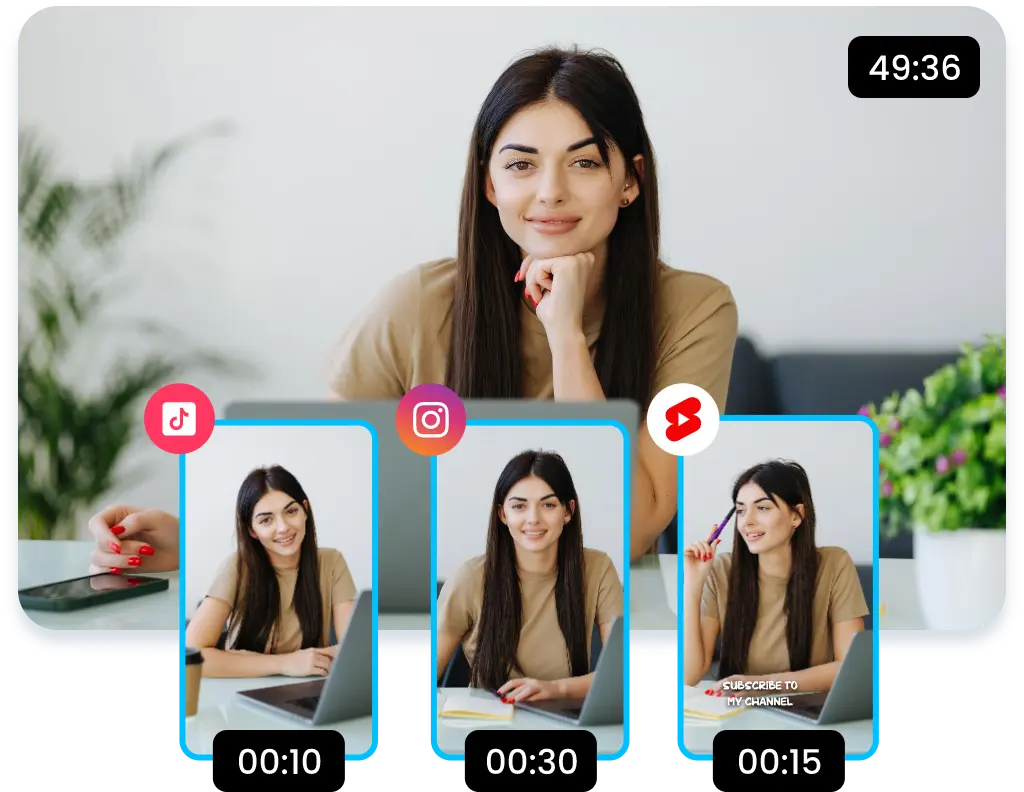
Turn long videos into short and viral YouTube Shorts, Instagram Reels, and TikTok videos automatically.
Video highlights
Create striking highlights for your video to be used for promos or as an intro.
Make your videos go viral
Select and apply the best editing styles with AI to make your videos go viral.
AI subtitle generator
Generate striking subtitles in 35+ languages with multiple animation styles, and translate them into 100+ languages.
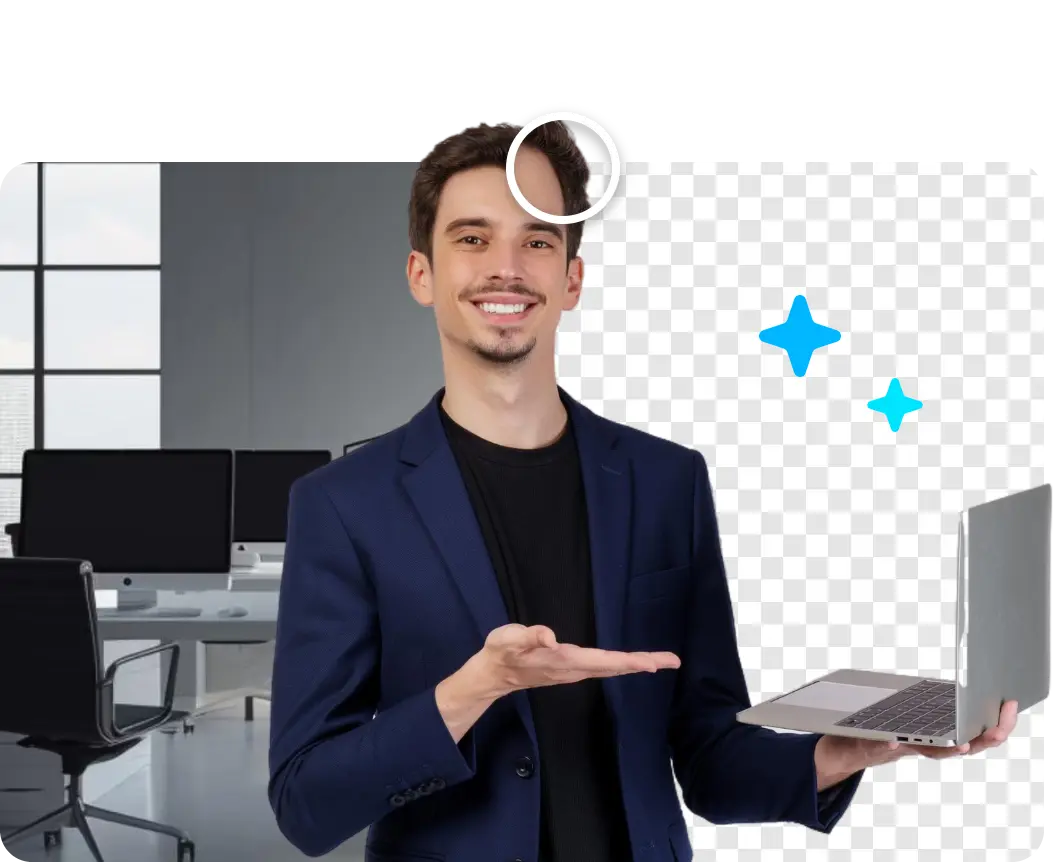
AI background removal
Select and remove video backgrounds from talking-head videos and replace them with aesthetic backgrounds of your choice.
AI-powered audio enhancement
Vmaker AI automatically removes background noise, enhances voice clarity, and balances audio levels for professional-quality sound.
Vmaker AI also has every feature you need to refine your videos after AI processing: video cutter, video merger, video trimmer, video cropper, filters, colour correction, noise removal, video resize, audio enhancer, adding audio to video, reverse playback, rotate, flip, playback speed control, adding text to video, and video looper.
2. Camtasia
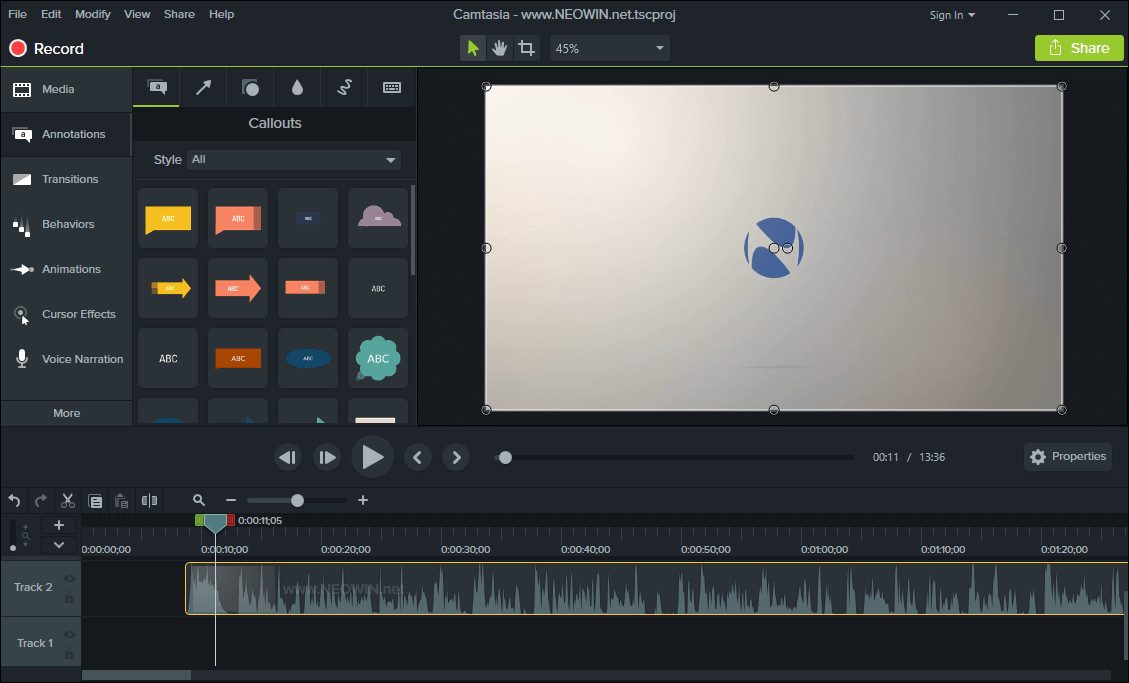
Camtasia is known for its easy functionality that lets learners adapt quickly to the editing process.
A key feature is the drag-and-drop arrangement of clips, which makes it straightforward to assemble footage according to your editing plan.
Camtasia now includes AI-powered features for automatic captioning, noise removal, and smart editing suggestions. It supports walkthrough videos, sales videos, instructional videos, corporate presentations, tutorial videos, and more, with ready-to-use templates.
The software is available for Windows and Mac, with a one-time licence priced at roughly $349.
3. Movavi Video Editor
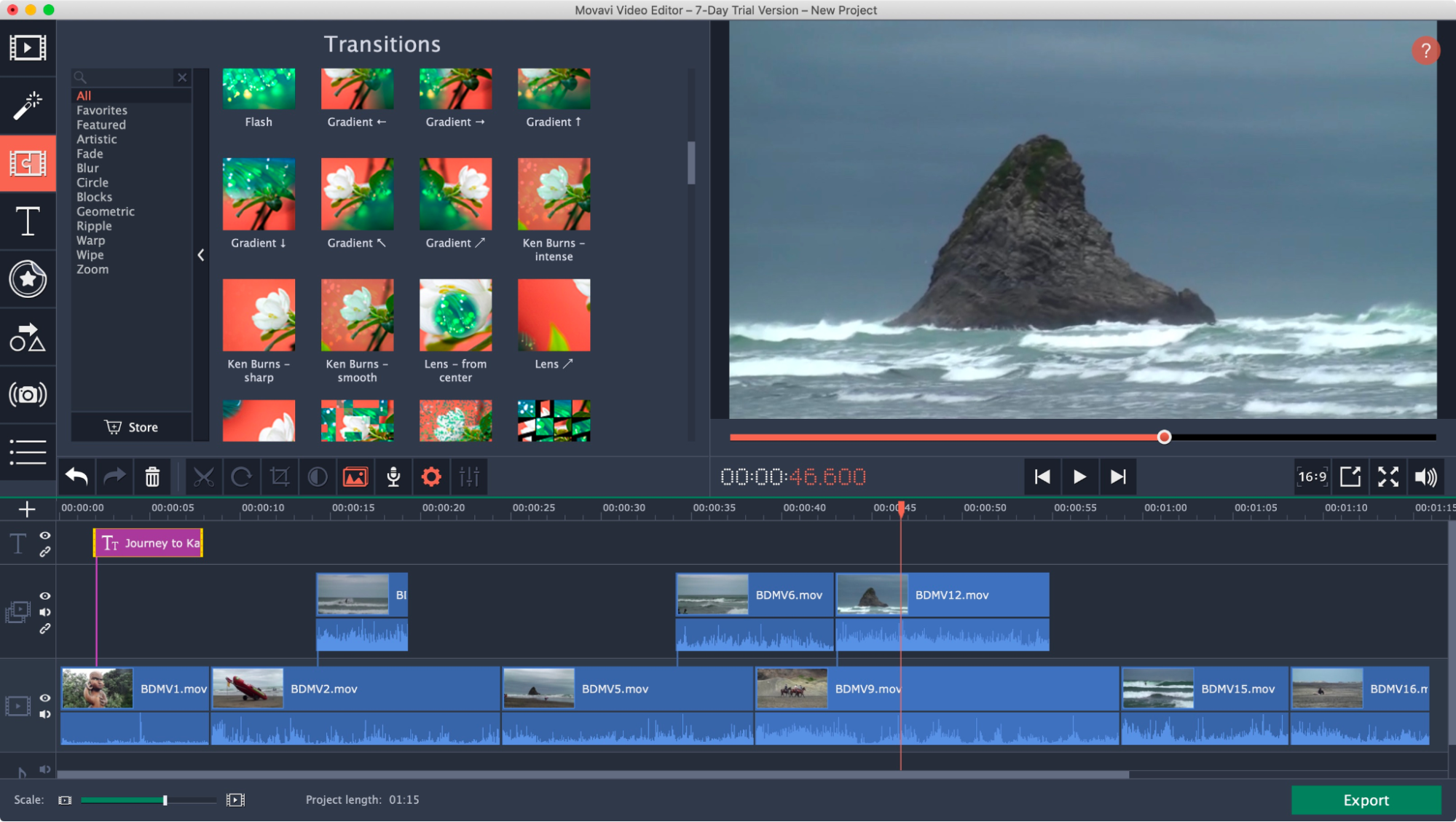
Movavi Video Editor has an intuitive interface that works for newcomers and seasoned editors alike.
The tool offers a range of features, filters, transitions, and AI tools including AI noise removal, motion tracking, and automatic colour correction. It includes pre-made templates, music, video clips, backgrounds, and effects to broaden your storytelling options.
The free version includes a watermark on output, which limits its use for professional brand content. The software works on Windows and Mac with cloud storage integration.
4. Animaker
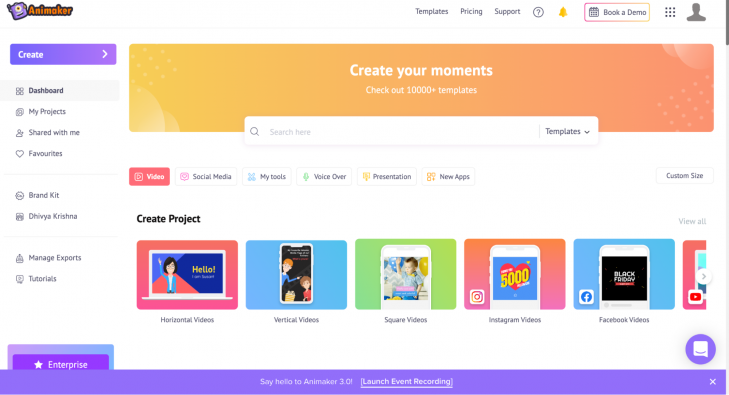
Animaker is designed so users can start editing videos without prior editing experience.
The video editing software has been the go-to choice for content creators, industry professionals, and students for years.
Beyond its many features, the standout for storytelling is character development, which is a key element of any compelling narrative. With AI-powered animation tools, creating custom characters and scenes is more accessible than ever.
The software is compatible with Windows and Mac, and offers a cloud-based editor accessible from any browser.
5. Adobe Premiere Pro
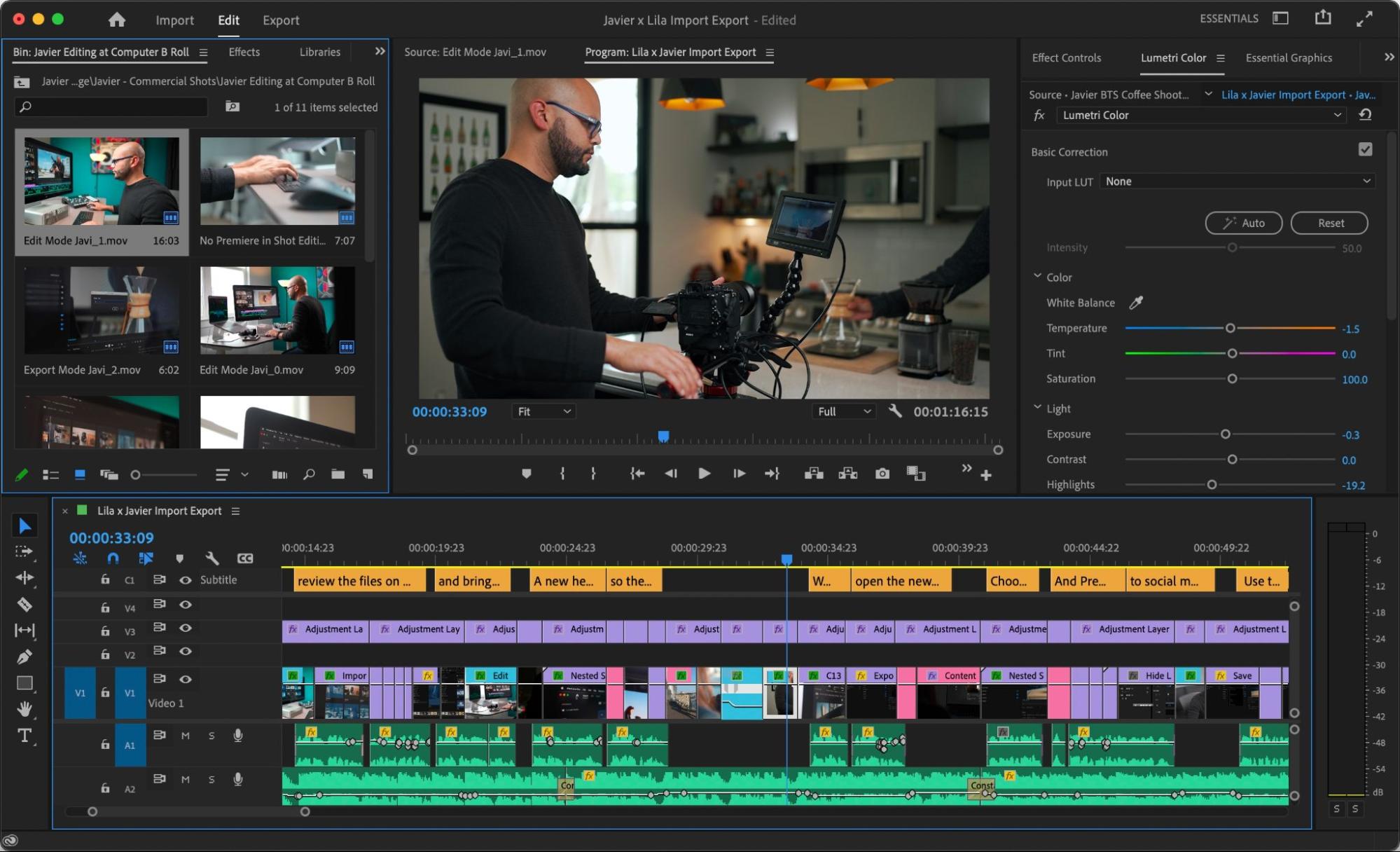
Adobe Premiere Pro is the industry-standard video editing tool from Adobe.
The interface can be intimidating for beginners or amateur editors, but it offers strong stabilisation tools and fast rendering. Recent versions include powerful AI features: text-based editing, automatic scene detection, AI-powered colour matching, and speech-to-text transcription.
A standout feature is the unlimited availability of multi-camera angles, which lets editors elevate brand story presentations significantly. Integration with Adobe Firefly enables generative AI capabilities for extending clips and creating custom B-roll.
The software works on Windows and Mac and integrates seamlessly with other Adobe Creative Cloud apps.
6. Renderforest
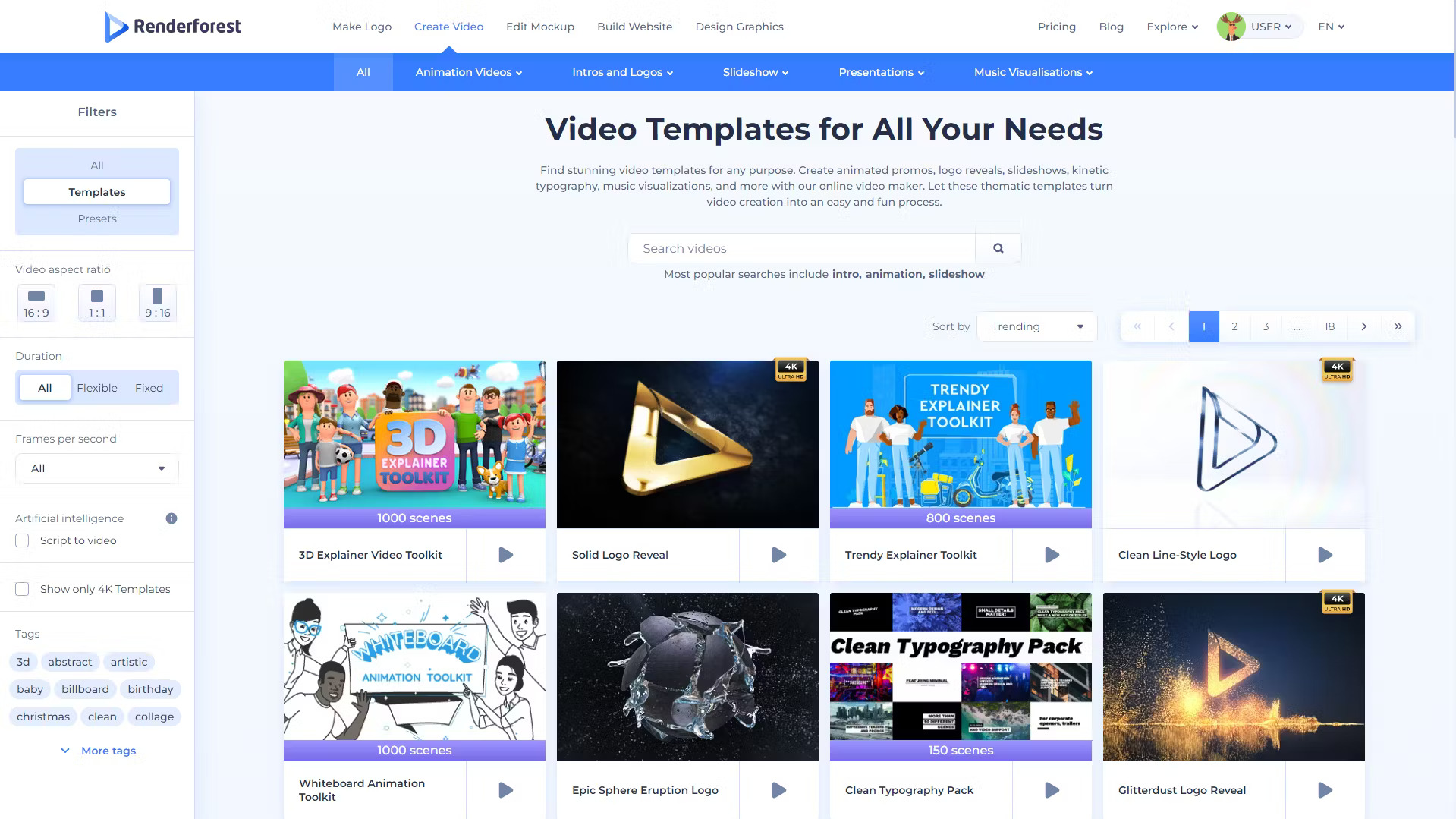
Renderforest offers hundreds of ready-made templates for multi-purpose video editing tasks.
Editors can use animation, typography, music visualisation, intro and outro video makers, and AI-powered features to create high-quality videos on the platform.
Beyond editing, Renderforest provides website mockups, logo creation, and graphic design capabilities, which helps brands strengthen their broader branding efforts. The platform now includes AI video generation and automated brand kit application.
The software is available as a cloud-based platform from any browser, plus mobile apps for iOS and Android.
The right tool depends on the complexity of your projects, your budget, the AI capabilities you need, and your personal preferences. Some tools are best for beginners; others are built for advanced professionals. Pick based on real fit, not popularity.
Learning from successful storytelling and video editing examples
Plenty of examples exist for DIY video editors to draw inspiration from. The three videos below cover different brand categories and show how each tells its story.
1. Benefits of using explainer videos
This video educates its target audience about the benefits of using explainer videos for their brands via a story involving grasshoppers.
The story is complemented with crisp editing: screen transitions, emphasis on key situations, and engaging sound effects.
It shows how brands can engagingly convey their message, enhancing their brand communication.
2. Coin Operated: Animated Short Film
Created by independent artists, this short 3D animated film features a young boy who gets excited by a toy space rocket and imagines it as a real space vehicle.
The video follows the boy as he grows up, sells lemonade to save money for his space trip, and eventually rides the same toy decades later. The arc captures childhood imagination and aging in a single frame.
From a video editing and storytelling perspective, this animated piece is one of the best examples available. It elegantly applies the core principles of editing: emotion, story, and rhythm.
3. Siblings: Animated Short Film
Sibling rivalries are universal, and at times, they can get worse than expected. But there is always room for forgiveness, and siblings have a natural capacity for understanding each other.
This video captures the bond between siblings through a captivating story, edited in a way that gets viewers thinking about the consequences that follow a heated argument.
The editing team makes excellent use of pauses and emphasis at relevant story milestones, building a compelling environment that holds the viewer through to the end.
Conclusion
Video editing plays a dominant role in presenting a brand's story. The art of storytelling is incomplete without the crisp editing that drives retention on brand videos.
With AI-powered editing tools now widely available, brands of all sizes can create professional-quality storytelling videos without extensive technical expertise. Effective storytelling still requires editors to invest in research and creativity. That investment is what produces innovative and memorable video marketing campaigns.
Video editing is a powerful way for brands to connect with their audience and build lasting relationships.
Frequently Asked Questions
1. What is the best video editing software for brand storytelling?
The right software depends on your needs. For AI-powered automation, Vmaker AI excels at turning raw footage into polished videos. For professional-grade editing with advanced AI features, Adobe Premiere Pro is the industry standard. For beginners, Animaker and Movavi offer intuitive interfaces with strong storytelling templates.
2. How has AI changed video editing for storytelling?
AI has changed video editing by automating time-consuming tasks like captioning, colour grading, noise removal, and even suggesting optimal cuts. AI can now generate B-roll footage, create avatars for narration, and automatically convert long-form content into short-form clips optimised for different platforms.
3. What is the ideal video length for brand storytelling?
It depends on the platform and content type. For social media (TikTok, Reels, Shorts), aim for 15 to 60 seconds. For YouTube, 7 to 15 minutes works well for in-depth brand stories. For website landing pages, 60 to 90 seconds is optimal. The key is to match your story's pacing to your audience's platform expectations.
4. How do I make my brand videos more engaging?
Focus on the first 3 seconds to hook viewers, use dynamic pacing with varied shot lengths, incorporate emotional elements that resonate with your audience, add captions for accessibility, use strategic music and sound design, and always lead with value rather than hard selling.