Contents
5 best screen recorders to record Skype calls on Windows
5 best screen recorders to record Skype calls on Mac
10 Best Screen Recorders to Record Skype Calls on Windows/Mac
If you are looking for credible screen recording software to record Skype calls, meetings, podcasts, and webinars easily, you have landed at the right place.
In today's post, we present a comprehensive list of the 10 best screen recorders for Skype calls, curated based on the features, pricing, compatibility, advantages, and disadvantages of each product.
Skype offers a built-in recording feature so users can record calls without installing third-party software. But the built-in recorder lacks a few basic features that limit how useful it is.
Here are a few common problems users face with Skype's built-in recorder:
- Skype does not include a built-in editor, so you may not be able to edit a recording of a webinar or podcast.
- The recorder support is limited to certain desktop operating systems.
- The call recording is automatically deleted after 30 days.
- The recording does not capture both sides separately.
- If you are not the call organiser, you may not be able to download the recording.
If you are a podcaster or webinar host looking to record Skype calls, you can get the job done with screen recording software. Most screen recorders come with a strong feature set, so you can record professional-quality video and manage multiple call recordings easily.
Now let's analyse different screen recording software to record Skype calls for both Windows and Mac users.
Note: To help both Mac and Windows users, we have split the list into two parts. The first 5 screen recorders are compatible with Windows, and the next 5 are compatible with macOS.
5 best screen recorders to record Skype calls on Windows
1. Vmaker
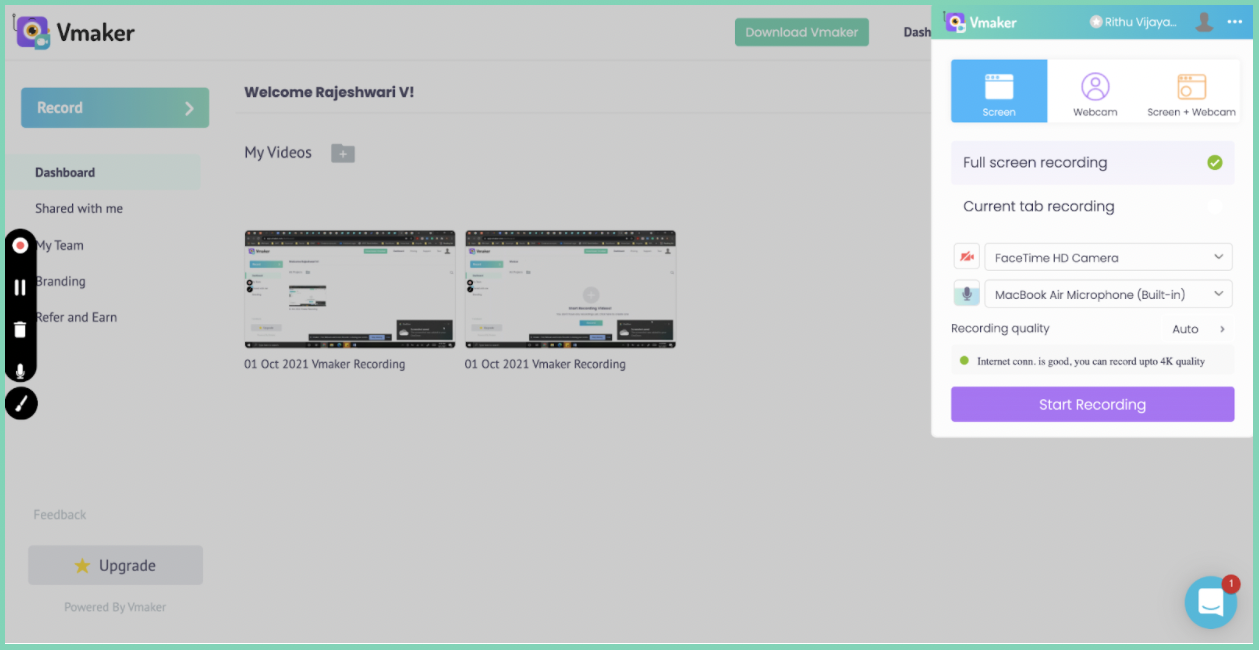
Vmaker is one of the most user-friendly screen recorders, letting you record meetings, Skype calls, webinars, tutorials, and screencasts. It gives you multiple recording options to record, create, and edit videos easily, plus a range of filters, virtual backgrounds, and frames to make your recordings more engaging.
Features for free users
- Watermark-free recordings
- Unlimited cloud storage
- Multiple recording modes
- Noise cancellation
- Unlimited video recording
- AI video editor
- Records both internal and external audio

Features for advanced users
- Screen annotations while recording
- 4K HD recording
- Virtual backgrounds
- Custom branding
- Available in multiple languages
Pricing
Vmaker has three pricing plans:
- Lite: $0
- Starter: $7/month or $84/year
- Team: $10/month or $120/year
Advantages
- Easy to use
- Good customer support
- Most features needed to create and record videos are available for free
Operating systems
Vmaker is available four ways:
- Mac app
- Windows app
- Chrome extension
- iOS app (beta)
2. Evaer Skype Recorder
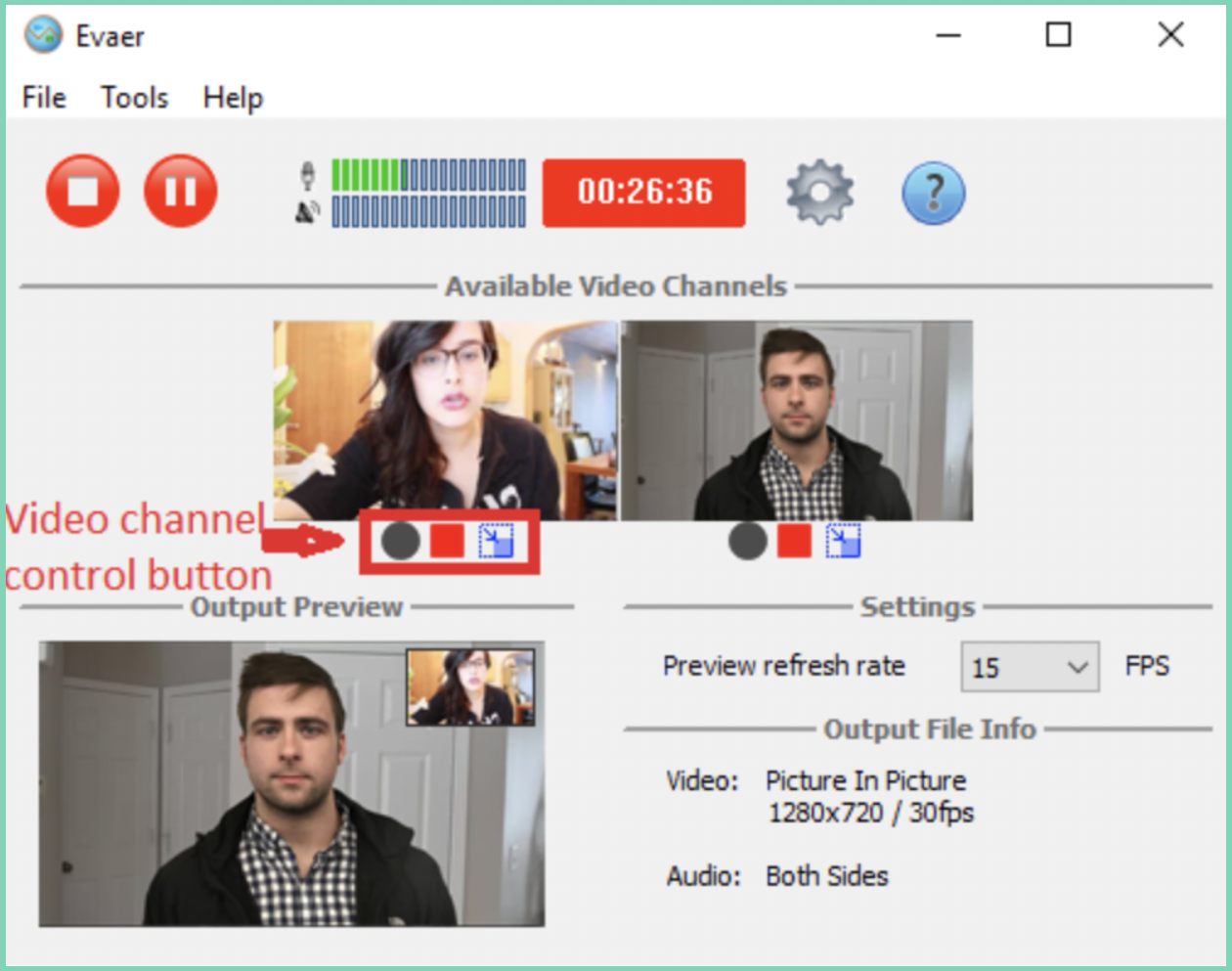
Evaer is a video call recording tool that records Skype calls in various modes. It is easy to use and needs no configuration after installation. To avoid any privacy breach, it notifies both users when the call is being recorded.
Features
- Switch videos while recording Skype calls
- Record side by side
- Recording up to 1080p resolution
- Supports Microsoft Teams
- Preview video while recording
Pricing
- Free trial: available
- Standard and professional licenses available at a one-time cost
Advantages
- User-friendly
- Records superior audio and video quality
Disadvantages
- No editing features
- The free trial has a short recording limit
Operating systems
Evaer supports Windows.
3. OBS Studio
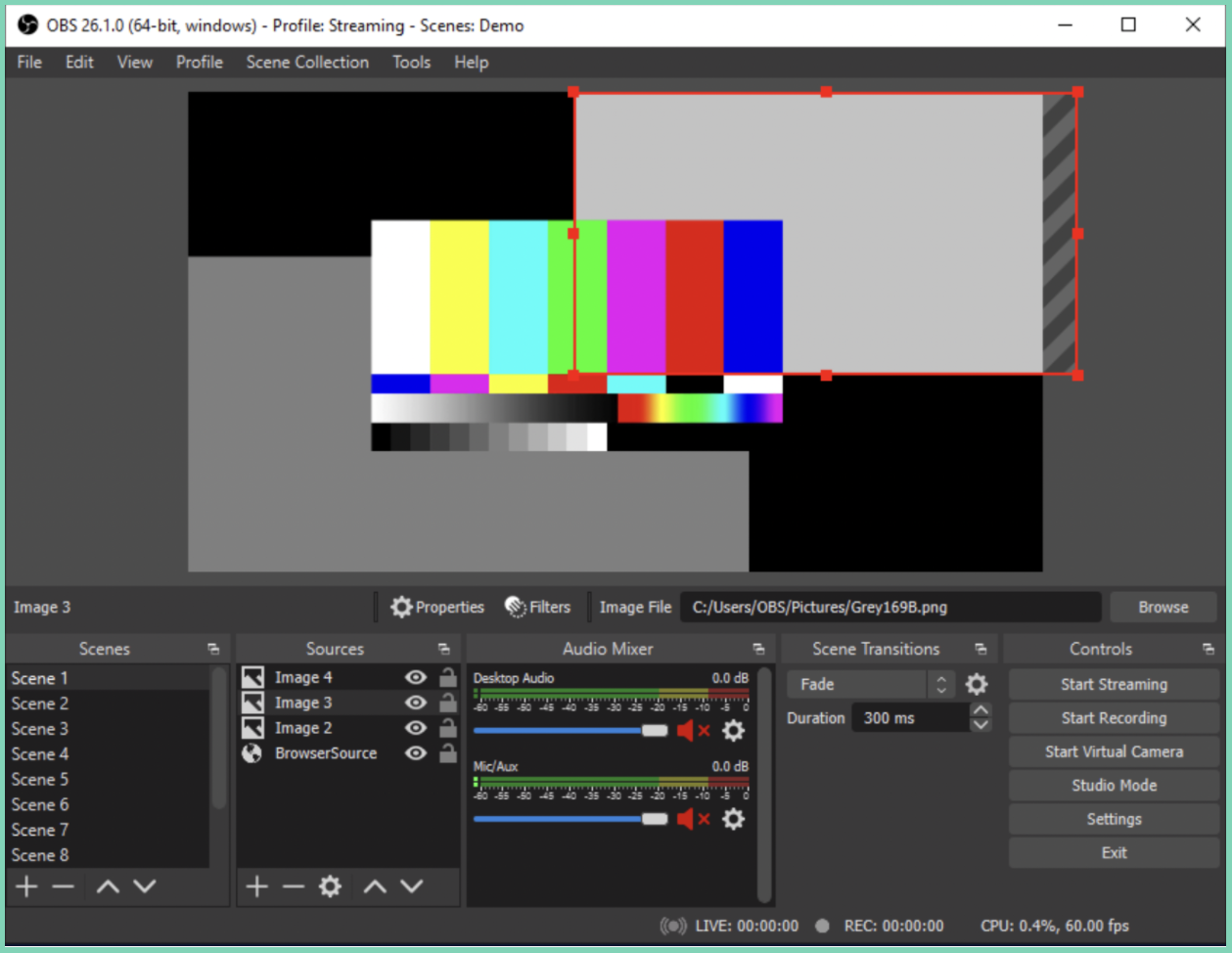
OBS (Open Broadcaster Software) is an open-source screen recording and streaming tool built for creators to record and mix video with ease. It provides multiple recording options and additional filters.
Features
- Video mixing
- Multi-source recording
- Noise suppression
- Personalisation options
- Audio mixing
- Powerful configuration options
- Preview functionality
Pricing
Completely free.
Advantages
- Free
- Easily customisable
- Easy to switch between pre-made scenes
Disadvantages
- The interface is less intuitive
- Requires some additional storage space
Operating systems
Supports Windows, macOS, and Linux.
4. ApowerRec
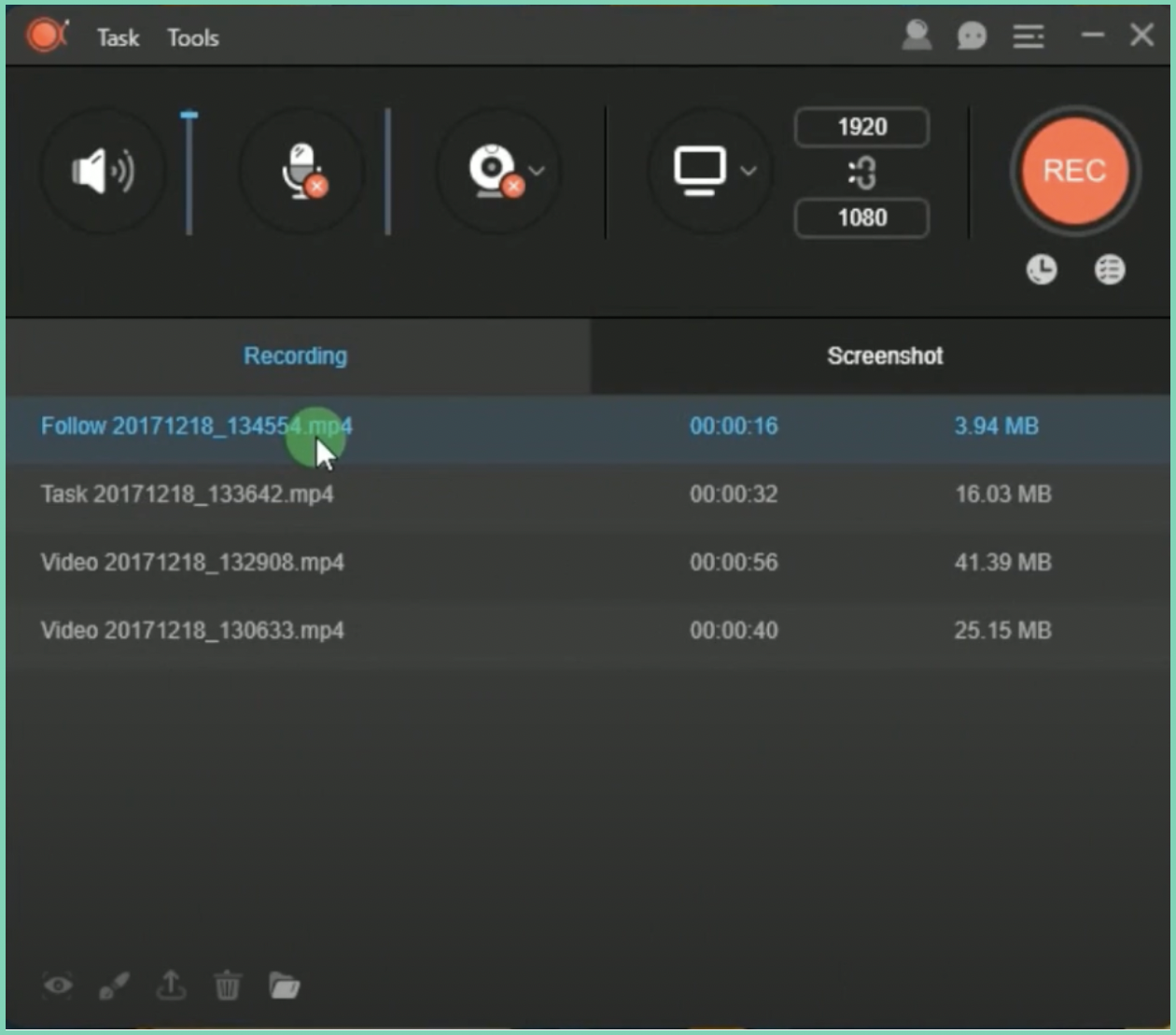
ApowerRec is a screen recorder that captures all types of screen activity, including live chat conversations and screen shares. It lets you switch across multiple recording modes and captures both internal and external audio seamlessly.
Features
- Screen annotations
- Multiple output formats
- Built-in editor
- Records both internal and external audio
Pricing
- Free trial: available
- Paid plans available on a yearly or lifetime basis
Advantages
- No watermarks
- Real-time editing
- Highly customisable
Disadvantages
- Requires an additional launcher application
- Limited support for multiple monitors
Operating systems
Available for Windows and Mac, plus a web-based version.
5. Pamela for Skype
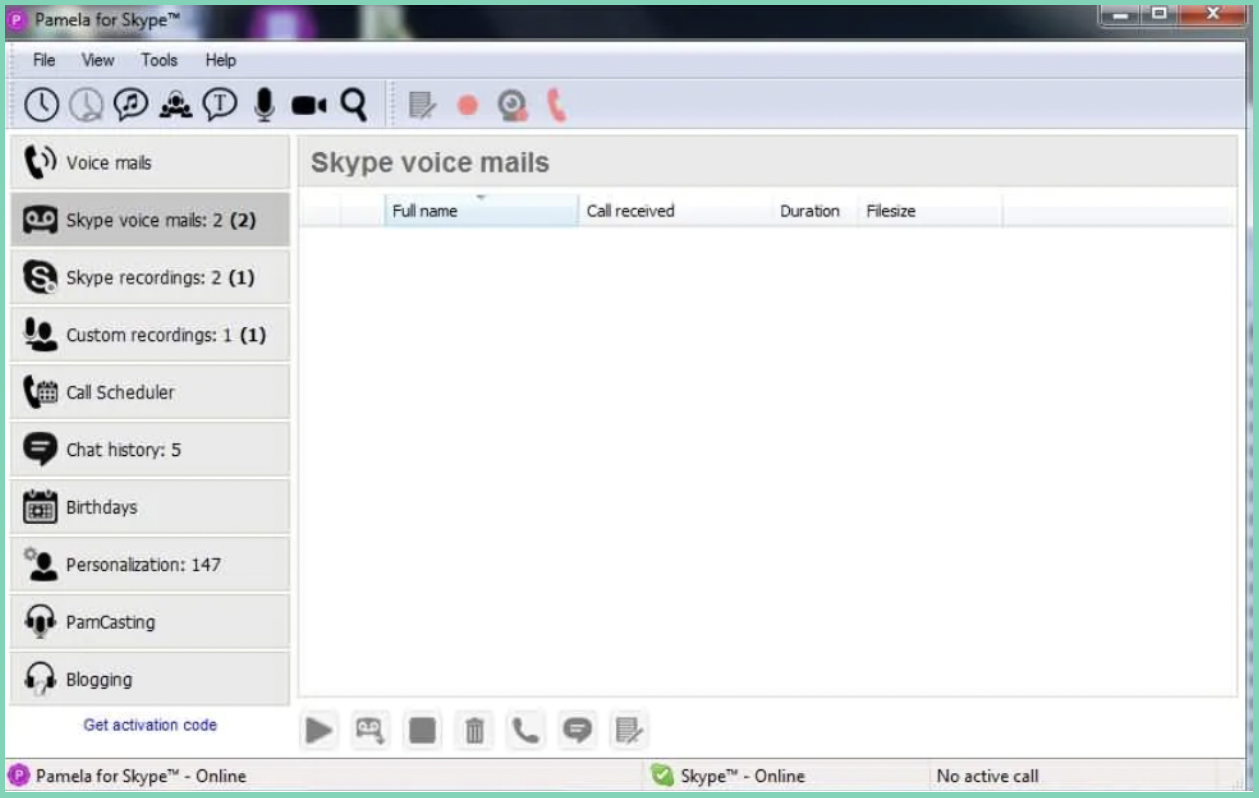
Pamela is a Skype audio and video recording tool commonly used by small businesses. It helps professionals schedule calls and manage team meetings effectively.
Features
- Built-in automatic answering machine
- Contact customisation
Pricing
- Basic plan: free
- Paid editions available (call recorder, business, and professional tiers)
Advantages
- Free Skype call recording on the basic plan
- Advanced conference call manager
Disadvantages
It does not support macOS or Linux.
Operating systems
Compatible with Windows.
5 best screen recorders to record Skype calls on Mac
1. Camtasia
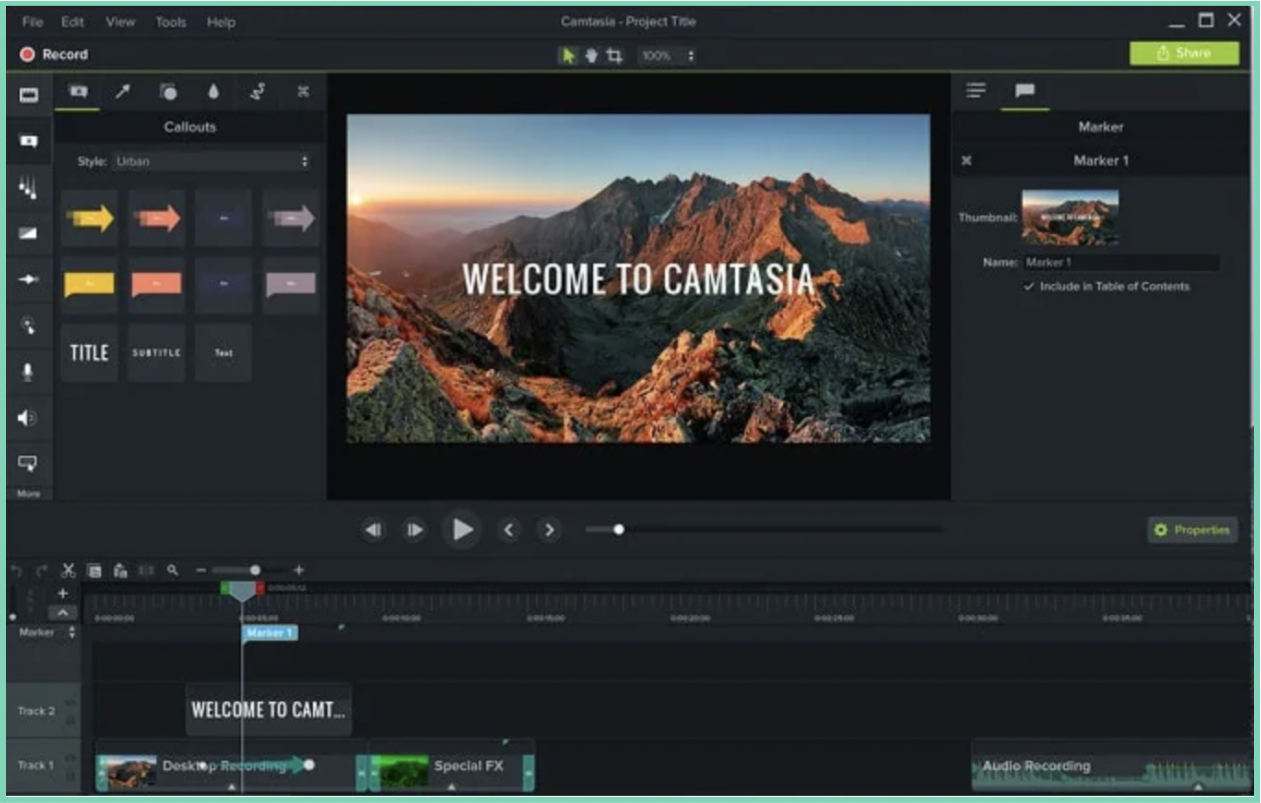
Camtasia is a well-established brand that has been around since 2002. Developed by TechSmith, it helps people create tutorial videos, presentations, and screencasts. It comes with a built-in editor and many pre-made templates to help beginners get started.
Features
- Screen annotations
- PowerPoint integration
- Speech-to-text
- Replaceable background
Pricing
Camtasia is sold as a one-time license, and it sits at the premium end of the market.
Advantages
- Easy to use
- Supports different data formats
Disadvantages
It is one of the more expensive options, which can be a barrier for individuals and small teams.
Operating systems
Works on both Windows and macOS.
2. Movavi
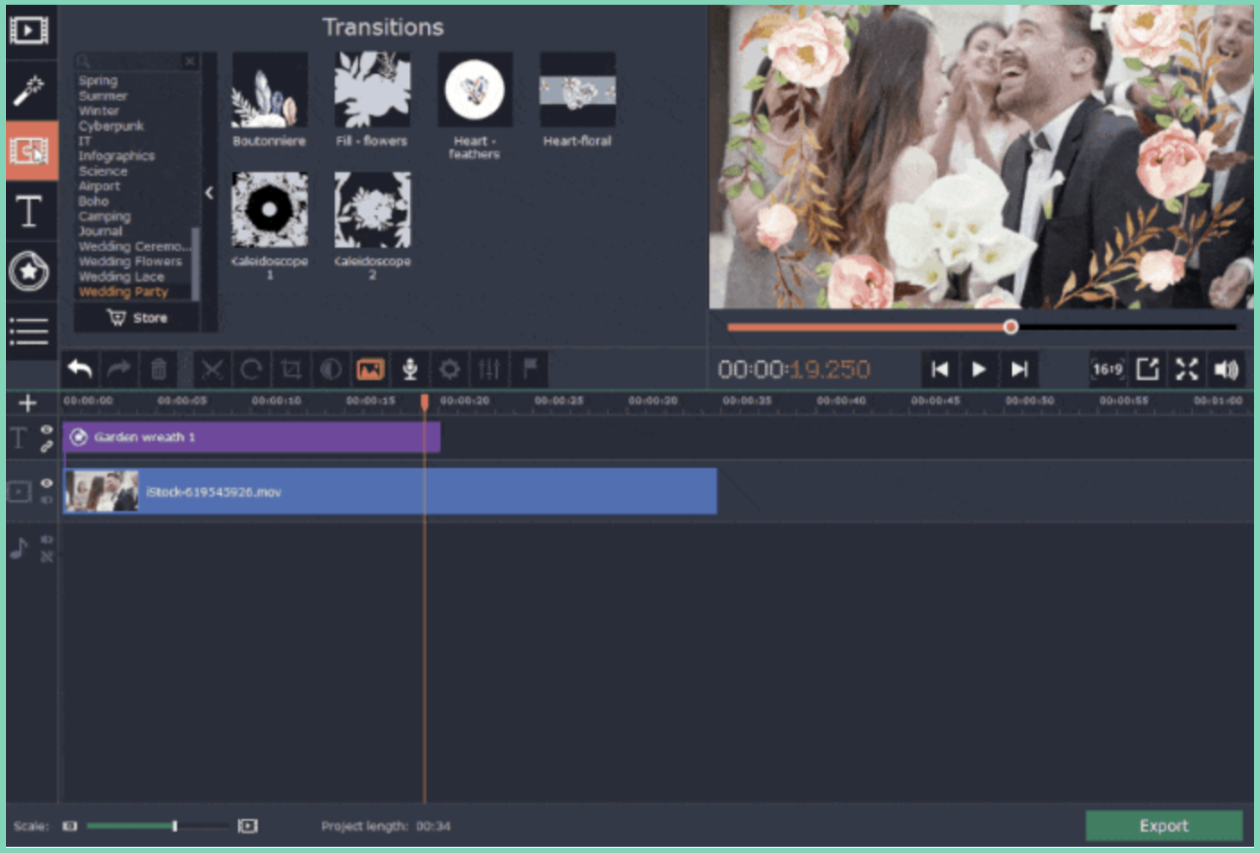
Movavi is a popular screen recorder for recording Skype calls, webinars, tutorials, streaming videos, and online events. It comes with a built-in video editor that lets you add animations and special effects to your recordings.
Features
- Works offline
- Recording scheduler
- Shows mouse emphasis and keystrokes
- Records up to 4K resolution
- Records both screen and webcam
Pricing
- Available on a yearly or lifetime subscription
Advantages
- Works offline
- Easy to use for beginners
Disadvantages
To get watermark-free recordings, you need to upgrade to a premium account.
Operating systems
Supports both Windows and macOS.
3. Screencast-O-Matic
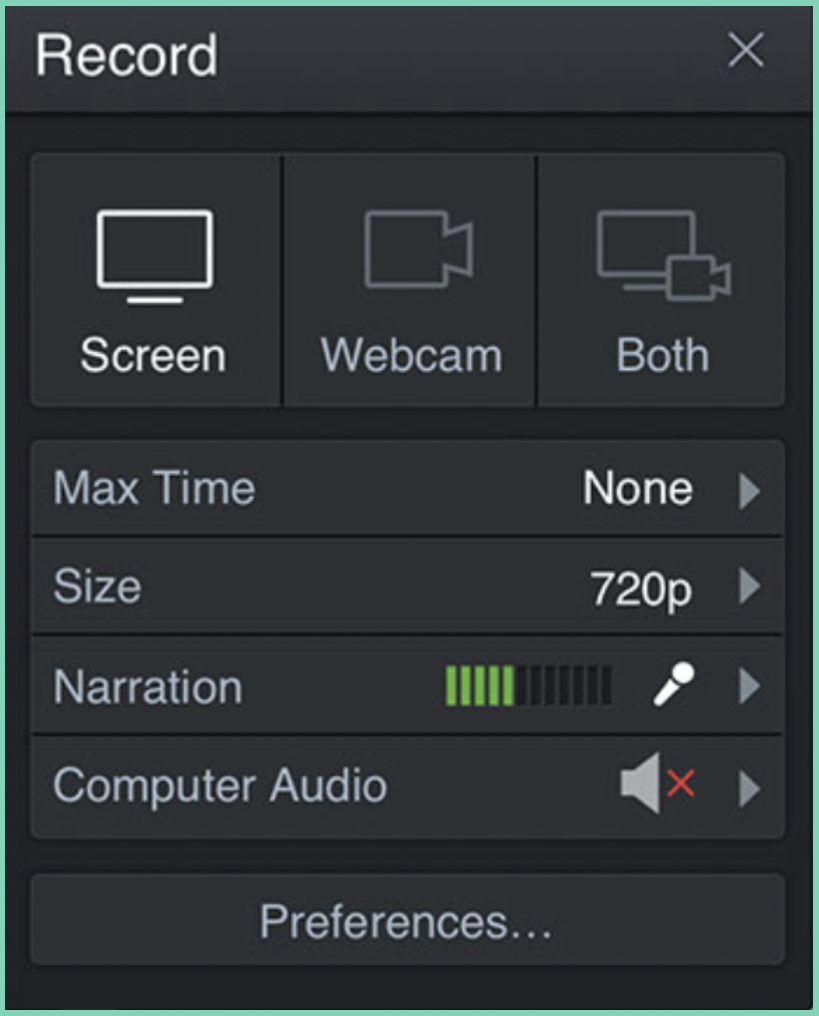
Screencast-O-Matic is one of the leading screen recorders available online. It lets users record, edit, and communicate ideas through video and images, and enhance their videos with voice narration and background music.
Features
- Speech-to-text
- File sharing
- Backup and recovery
- Customisable branding
- Capture screenshots while recording
- Records both internal and external audio
Pricing
- Free plan: $0
- Paid plans available (deluxe and premium tiers)
Advantages
- Upload videos directly to YouTube
- Stock library of images, video, and music tracks
Disadvantages
The free plan has a recording time limit. To record longer, you need a paid plan.
Operating systems
Supports macOS, Windows, iOS, and Android.
4. Callnote
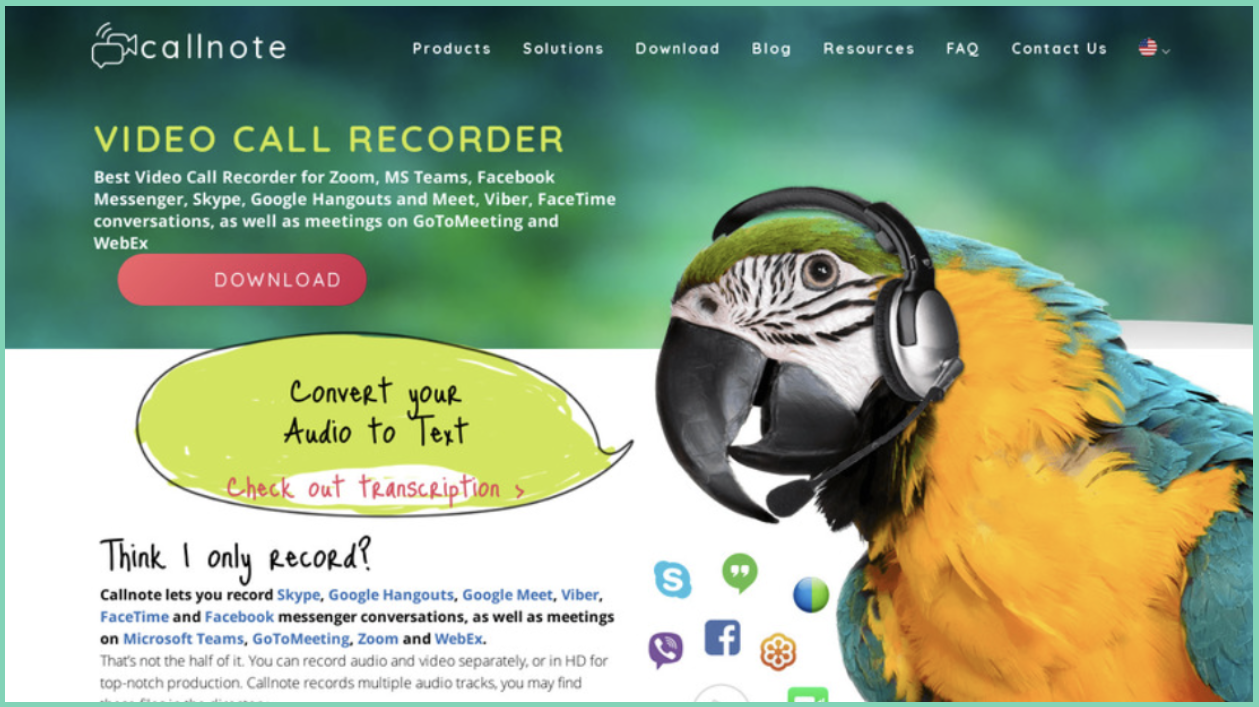
Callnote is a popular video call recorder for recording Skype calls, Google Meet, and Microsoft Teams meetings. It also provides editing and transcription, using automated technology to transcribe recordings in multiple languages.
Features
- Speech-to-text transcription
- Easily shareable
- Call tagging
- Archiving and retention
Pricing
- Basic plan: free
- Premium and pro plans available
Advantages
- Built-in editor
- Stores recorded Skype calls in Google Drive and Dropbox
Disadvantages
Free users can record a limited number of videos per month.
Operating systems
Supports both macOS and Windows.
5. Aiseesoft
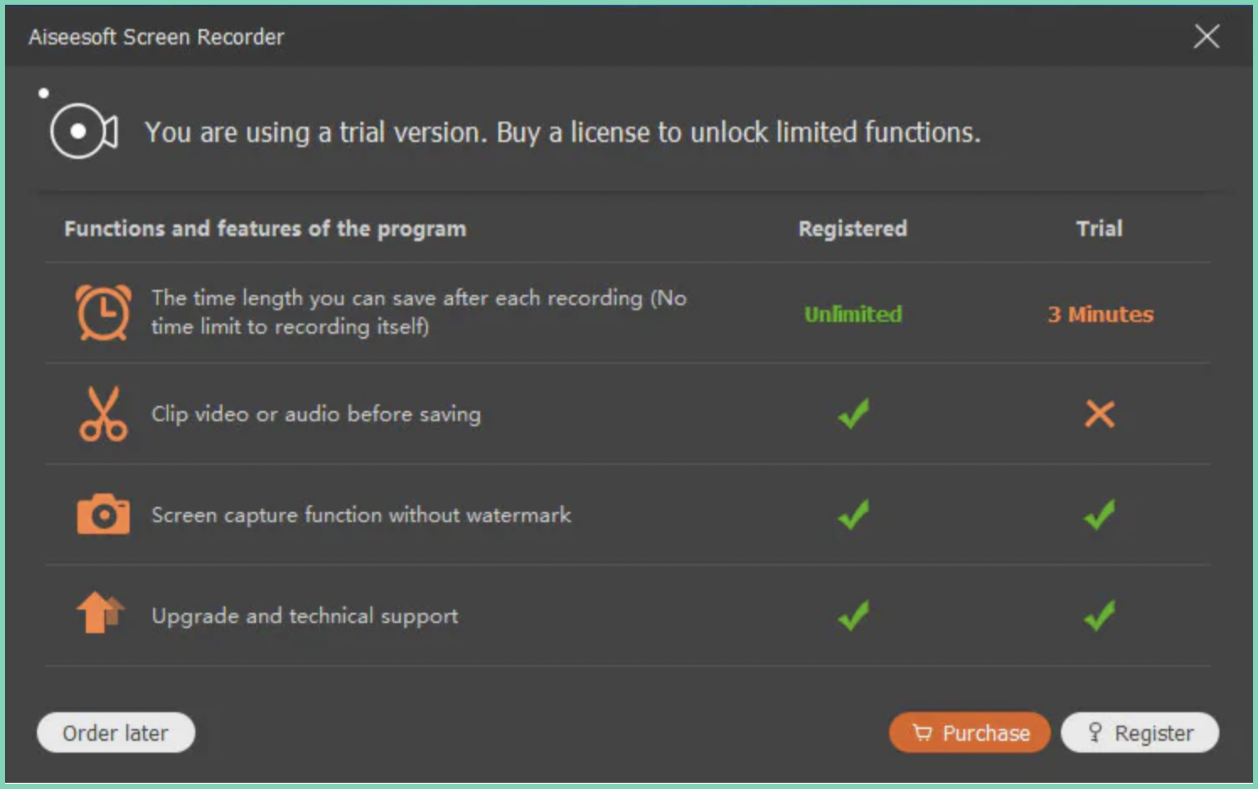
Aiseesoft is a lightweight screen recorder for recording Skype calls, online lectures, meetings, and games. Alongside its screen recorder, Aiseesoft also offers data recovery software for Android and iOS users.
Features
- Webcam overlay
- Captures screenshots
- Offline editing
- Multiple format support
- Media library
Pricing
- Free trial: available
- Paid license available
Advantages
- Good quality retention
- Output customisation
- Supports Windows, Android, and iOS
Disadvantages
The free trial limits export length and features compared to the paid version.
Operating systems
Supports both macOS and Windows.
Another easy option to record Skype calls is a screen recording Chrome extension. These take very little storage space and let you record Skype calls, meetings, and webinars with a click. Popular choices include Vmaker, Screencastify, Hippo Video, Nimbus Screen Recorder, and Loom.
By now you should have a clear understanding of the features most screen recorders offer. Pick the one that best suits your needs.
Frequently Asked Questions
1. How do I record Skype calls?
Skype calls can be recorded in two ways.
The first is to use the recording option built into Skype.
The second is to use external screen recording software like Vmaker. You can install it as a Mac app, Windows app, or Chrome extension by signing up for Vmaker. Once installed, follow three simple steps:
Step 1: Open the application and select your recording mode and quality.
Step 2: Click "Start Recording".
Step 3: Click "Stop Sharing" to stop. If you want to edit your Skype recording, choose the "Edit" option. Otherwise, share or download it as is. Remember to inform all participants and get their consent before recording.
2. Can I record a Skype call for free?
Yes. You can record a Skype call for free using any of the free screen recording tools available online.
3. What are the best free Skype video recorders online?
Some of our top picks:
- Vmaker
- OBS Studio
- Callnote
- Screencast-O-Matic
- Audacity (audio only)
Recommended Reads
- Best Screen Recorders to Record Zoom Meetings
- Best Screen Recorder Chrome Extensions
- Best Screen Recorders to Record Google Meet
- Top Screen Recording Software to Check Out (Free & Paid)