Contents
Content Repurposing Is a Search Visibility Strategy
How to Repurpose Video Content Using the H.I.S.A Framework
7 Ways to Repurpose Video Content Into Many Assets
How AI Content Repurposing Speeds Up the Process
How Vmaker AI Simplifies Video Repurposing Workflow
How to Repurpose Video Content With AI for More Search Visibility Across Platforms
A 30-minute YouTube video rarely gets discovered only on YouTube. People find content through Google searches, TikTok clips, Instagram Reels, LinkedIn posts, newsletters, and increasingly through AI-powered search tools. Yet many creators publish a video once and leave all of its value inside a single platform, instead of using AI video repurposing to distribute their video content across multiple channels.
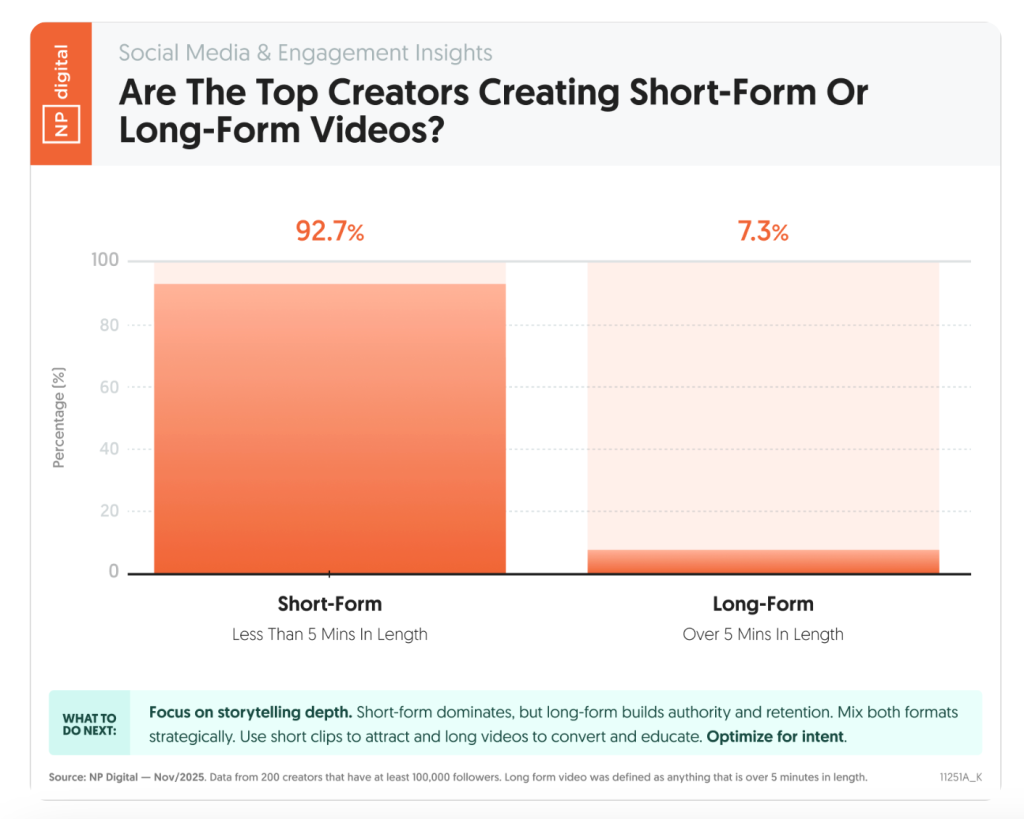 Source: NP Digital, Short-Form vs Long-Form Videos
The challenge isn't always creating more content, it's creating more opportunities for people to discover the content you've already made. A single video can contain valuable insights, stories, and expertise, but if it only exists in one format on one platform, its reach is naturally limited.
That's where content repurposing comes in. Instead of creating new content from scratch, you can transform one video into multiple assets that can be distributed across different channels. This helps increase visibility and allows audiences to discover your content in the format they prefer.
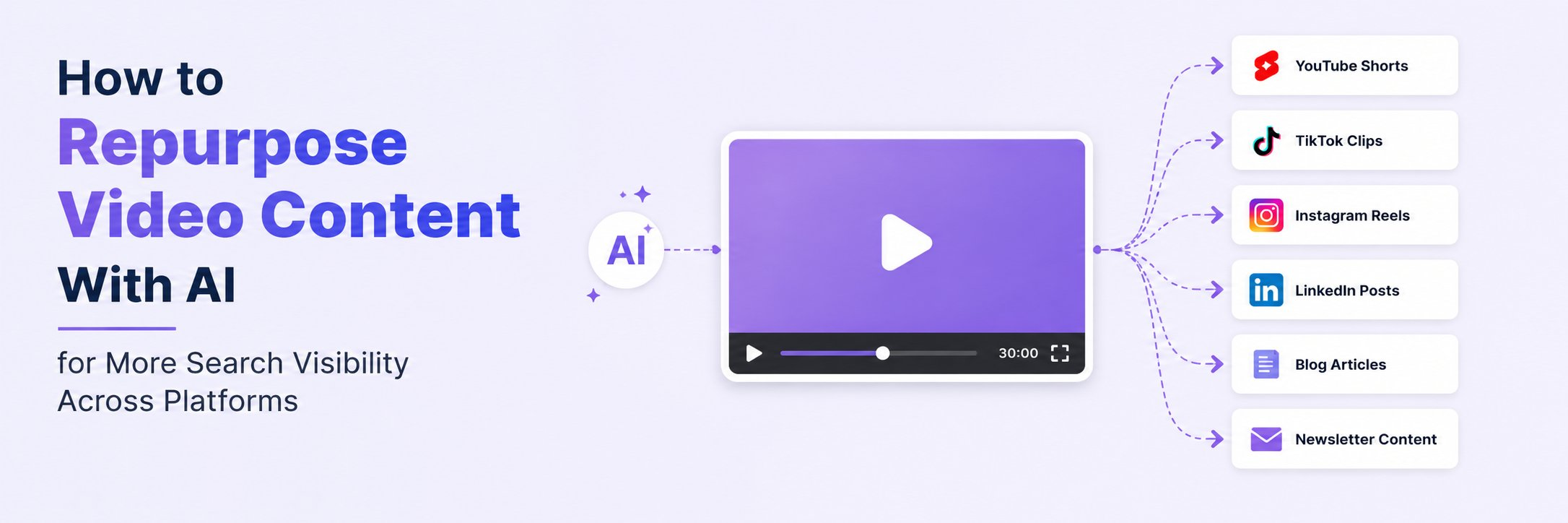
For example, a single YouTube video can be repurposed into:
- YouTube Shorts
- TikTok clips
- Instagram Reels
- LinkedIn posts
- Blog articles
- Newsletter content
The impact can be significant. According to NP Digital's analysis of 258 brands, companies that repurposed content generated 114,977 monthly views, while those that didn't generated 45,516 monthly views. That's more than 2.5x higher visibility, highlighting the value of distributing content across multiple platforms rather than relying on a single upload.
https://youtube.com/shorts/uA1c93ZN4AM
Content Repurposing Is a Search Visibility Strategy
Many creators still think about visibility in terms of ranking a YouTube video or publishing a blog post. But discovery no longer happens on a single platform.
Today, audiences search for information across:
- YouTube
- TikTok
- AI-powered search tools
Audiences often discover the same topic through different formats depending on the platform they're using. Even Google increasingly surfaces videos for many how-to and educational queries.
For example, a search for "how to repurpose video content" often returns a mix of blog articles, YouTube videos, and other multimedia results. This reflects a broader shift in how people consume information, they don't always want to read an article; sometimes they prefer to watch a video or a short-form clip.
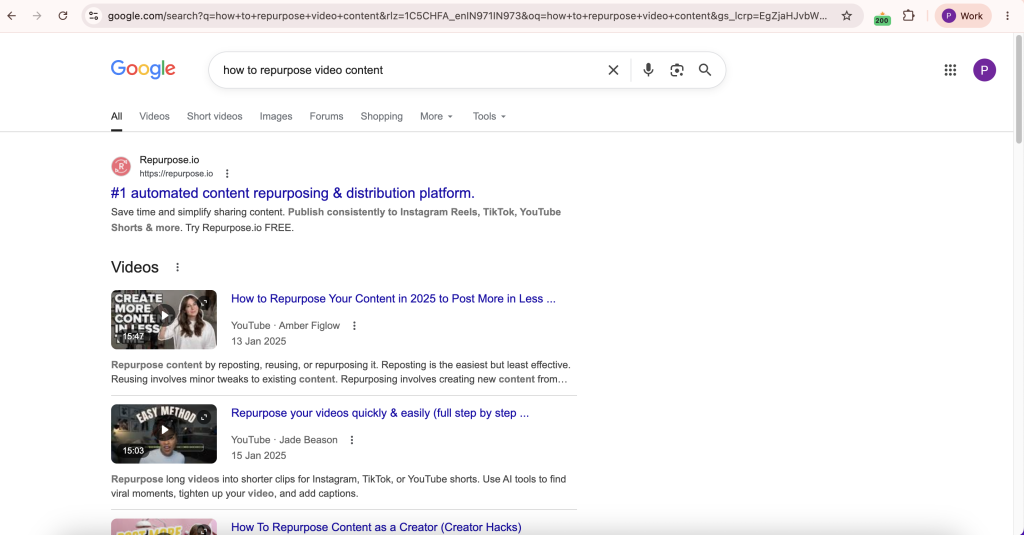
The takeaway is simple: a single piece of content can appear in multiple discovery environments when it's repurposed into different formats. Instead of relying on one asset to rank or perform well, you're creating multiple pathways for audiences to find your content. Using long-to-short video generation tools, creators can automatically transform long-form content into platform-specific clips that increase discoverability across search and social platforms.
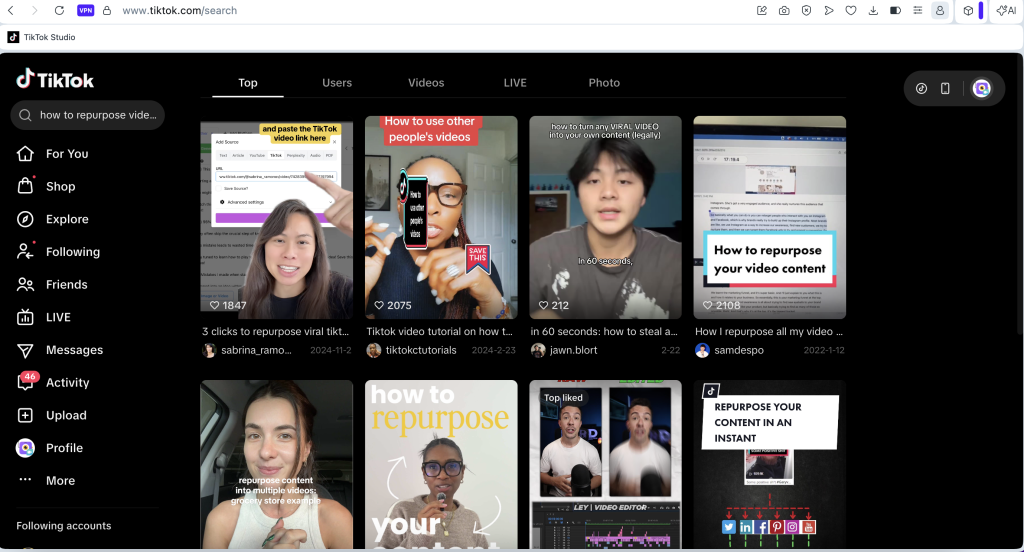
Say for TikTok search,
And YouTube search,
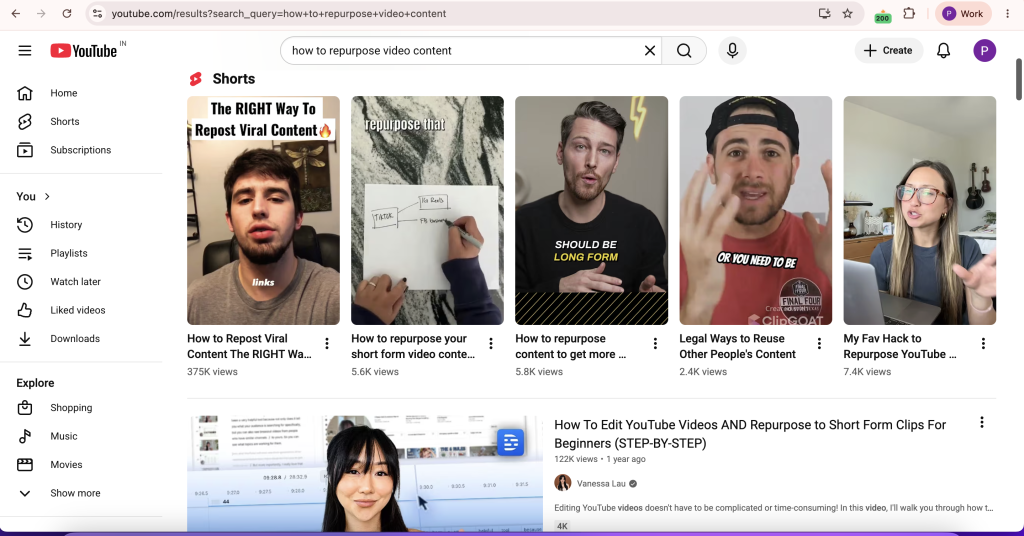
Note: Similarly, YouTube has expanded the visibility of Shorts within search results. For many informational and how-to queries, Shorts now appear alongside traditional long-form videos, creating another opportunity for creators to capture search-driven traffic with repurposed content.
How to Repurpose Video Content Using the H.I.S.A Framework
One of the biggest challenges in content repurposing is deciding which moments deserve to be repurposed. Not every part of a 30-minute podcast, webinar, interview, or YouTube video will perform well as a standalone piece of content.
The best clips tend to trigger a specific reaction from the audience. They either spark curiosity, teach something useful, create an emotional connection, or validate an experience the viewer already has.
Before creating Shorts, Reels, blog posts, or social media content, identify moments that fit the H.I.S.A Framework.
H: Hooks
Hooks are the moments that make people stop scrolling. Look for sections where the speaker:
- Challenges a common belief.
- Shares surprising data.
- Makes a bold statement.
- Reveals an unexpected outcome.
Examples:
- "Most creators are wasting 80% of their content."
- "You don't need more content. You need better distribution."
- "This one change doubled our video reach."
These moments are often ideal for YouTube Shorts, TikTok videos, and Instagram Reels because they create immediate curiosity.
I: Insights
Insights deliver practical value. Look for:
- Frameworks.
- Step-by-step processes.
- Industry observations.
- Tips and strategies.
- Actionable advice.
Examples:
- How to repurpose video content efficiently.
- A content distribution strategy that improves reach.
- Ways to turn one video into multiple assets.
Insight-driven clips perform particularly well on LinkedIn, YouTube, and blog content because audiences actively search for solutions to specific problems.
S: Stories
Stories help people connect with content. Look for:
- Personal experiences.
- Customer success stories.
- Failures and lessons learned.
- Behind-the-scenes examples.
Stories are often easier to remember than facts because they provide context and emotional connection.
For example, a creator explaining how a single webinar generated dozens of content assets is often more compelling than simply stating the benefits of repurposing.
A: Audience Questions
Audience questions reveal what people are already interested in. Look for:
- Webinar Q&A sessions.
- Podcast listener questions.
- Customer support questions.
- Frequently asked questions.
These moments often perform well because they address real problems and closely match how people search online.
For example:
- How do I repurpose YouTube videos for TikTok?
- Can I convert a video into a blog post?
- What's the best way to repurpose webinar content?
Each question can become a standalone Short, social post, article, or FAQ section.
7 Ways to Repurpose Video Content Into Many Assets
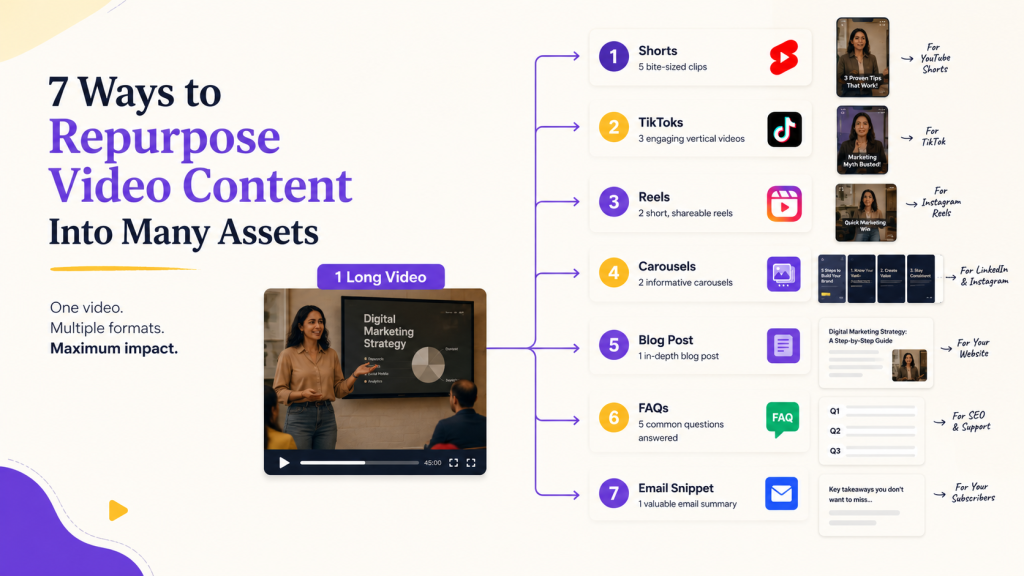
Once you've identified high-value moments using the H.I.S.A Framework, the next step is to adapt them for different platforms and audiences.
1. Turn a YouTube Video Into Shorts
Extract key moments from a long-form video and convert them into short vertical clips. These clips can highlight:
- Important takeaways
- Surprising statistics
- Strong hooks
- Audience questions
2. Repurpose YouTube Videos for TikTok
TikTok audiences typically prefer concise, fast-paced content. Instead of uploading an entire video, isolate a single idea and present it as a standalone clip. This works particularly well for:
- Tips
- Tutorials
- Opinions
- Industry insights
3. Repurpose YouTube Videos for Instagram Reels
Instagram Reels are ideal for educational content, quick lessons, and visual storytelling. Consider repurposing:
- Before-and-after examples
- Industry tips
- Key takeaways
- Short tutorials
Adding captions is especially important since many users watch without sound.
4. Repurpose Video Into LinkedIn Posts
Not every insight needs to remain a video. Extract key quotes, frameworks, or lessons and turn them into text-based LinkedIn posts.
For example: a single insight from a video can become a LinkedIn post, carousel, or thought-leadership piece that reaches professionals who may never consume the original video.
5. Convert Video to a Blog Post
Long-form videos often contain enough information to become full-length articles. A podcast interview, webinar, or tutorial can be transformed into:
- How-to guides
- Case studies
- Industry analysis
- Educational articles
Converting video to blog post content allows you to target search queries that may never discover your YouTube channel. The article version can rank for informational keywords while the video continues attracting viewers on YouTube.
6. Turn Webinar Highlights Into Newsletter Content
Many webinars contain valuable insights that never reach people who missed the live session. Instead of letting that content disappear, summarize:
- Key takeaways
- Action items
- Expert quotes
- Audience questions
into a newsletter. This helps extend the lifespan of webinar content while providing value to subscribers.
7. Create FAQ Content From Audience Questions
Questions asked during webinars, podcasts, interviews, and live streams often reveal recurring audience concerns. Each question can become:
- A YouTube Short
- A TikTok clip
- A LinkedIn post
- A blog article
- A knowledge base entry
Because these topics originate from real audience conversations, they often align closely with search intent.
How AI Content Repurposing Speeds Up the Process
One of the biggest challenges in content repurposing isn't creating new ideas, it's adapting existing content for different platforms.
A single webinar may contain enough material for Shorts, social posts, blog content, and FAQs. The challenge is identifying those opportunities and turning them into publishable assets without spending hours reviewing footage.
This is where AI content repurposing tools help. Instead of manually searching through a recording, AI can identify high-value moments, generate platform-ready clips, and transform transcripts into written content.
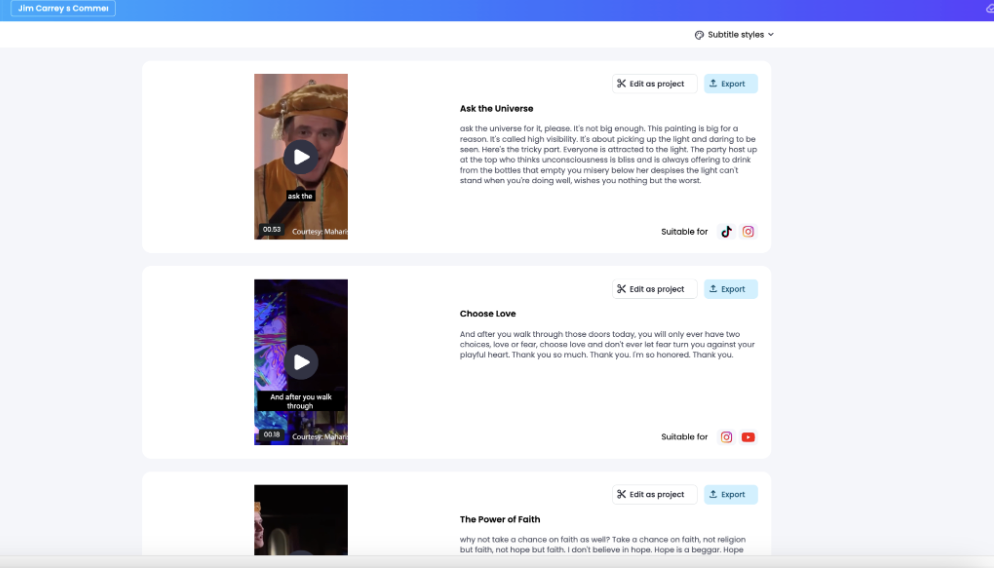
As a result, creators can distribute the same insight across multiple discovery channels faster, making it easier to maintain a consistent content distribution strategy.
How Vmaker AI Simplifies Video Repurposing Workflow
Creating clips isn't about randomly cutting a long video into shorter pieces. The highest-performing clips usually trigger a specific audience reaction. They make people curious, teach them something useful, tell a memorable story, or answer a question they already have.
This is the principle behind the H.I.S.A Framework, which Vmaker AI uses to identify clip-worthy moments automatically.
Step 1: Upload Your Video
Upload a webinar, podcast, interview, presentation, or YouTube video link to Vmaker AI. Once uploaded, the AI analyzes the video's transcript, conversation flow, and speaker interactions.
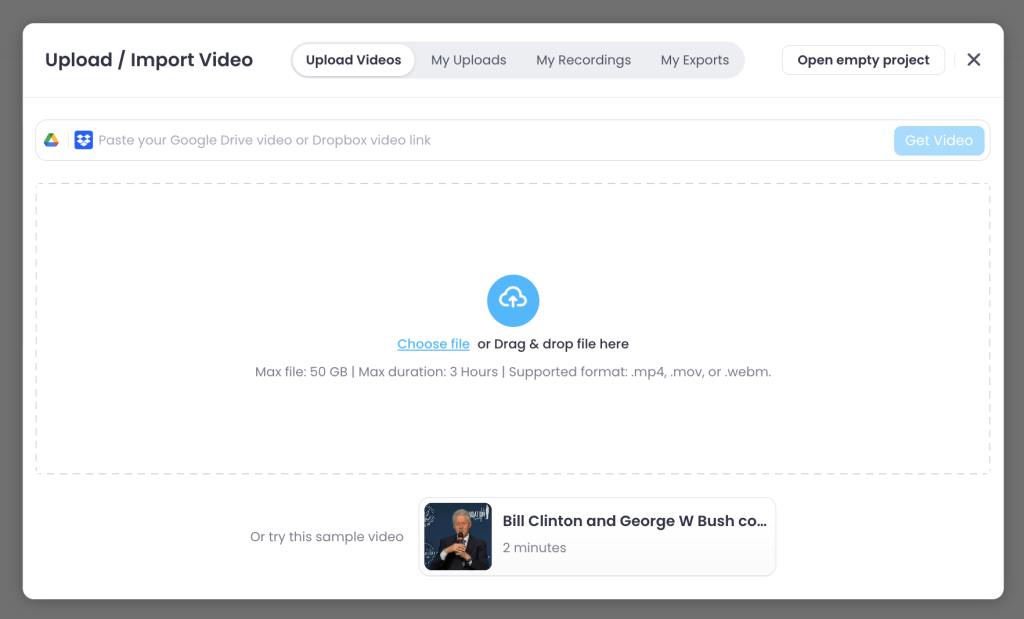
Step 2: AI Identifies High-Value Moments
Vmaker AI analyzes the content and identifies moments that match the H.I.S.A framework, including:
- Hooks
- Insights
- Stories
- Audience questions
Instead of manually reviewing footage, creators can focus on the moments most likely to perform.
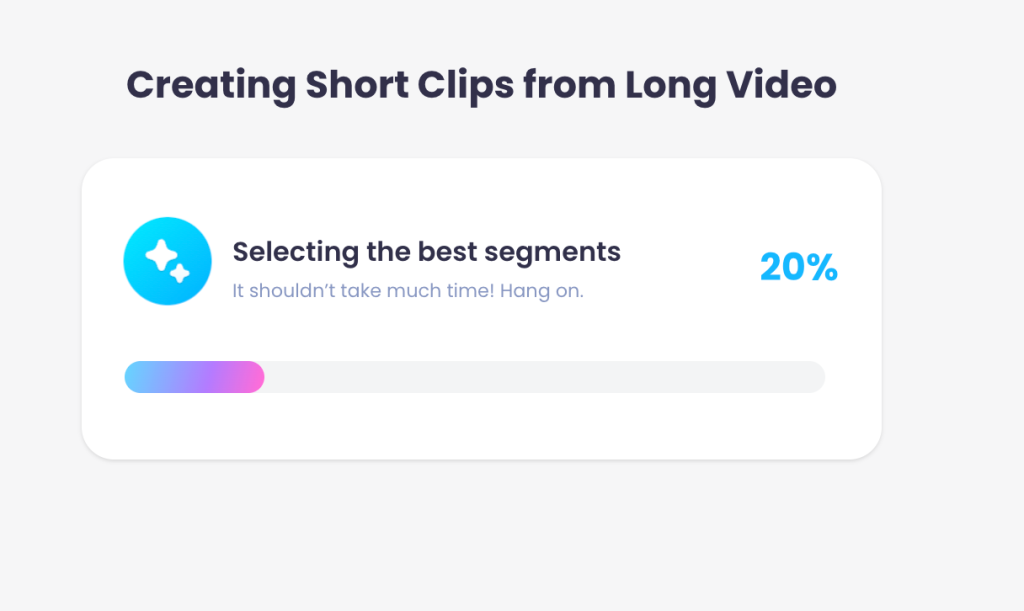
Step 3: Generate Shorts Automatically
Once the strongest moments are identified, Vmaker AI automatically converts them into platform-ready clips.
- YouTube Shorts
- TikTok videos
- Instagram Reels
- LinkedIn-ready clips
Step 4: Download and Distribute
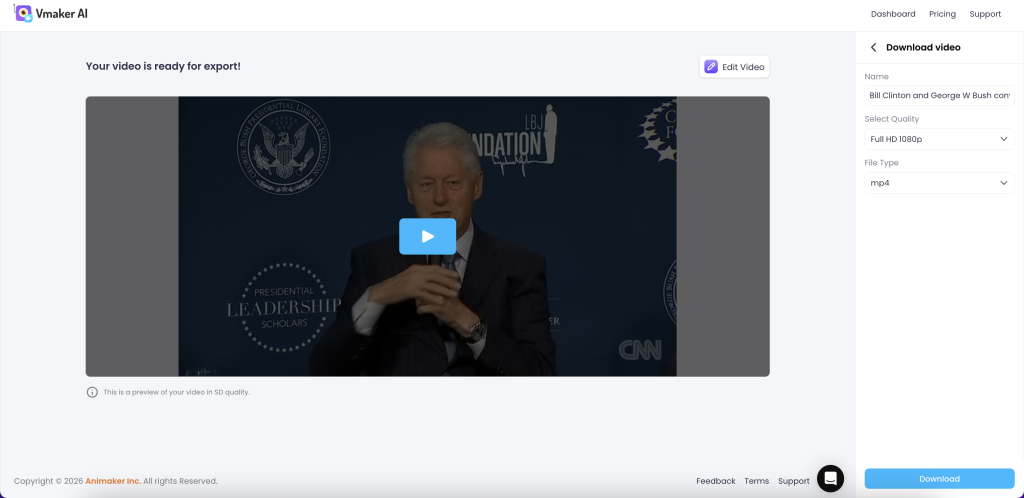
Once finalized, clips can be published across multiple platforms to increase visibility and extend the lifespan of the original content.
Final Thoughts
The creators generating the most visibility today aren't necessarily creating more content. They're creating more opportunities for discovery.
Learning how to repurpose video content allows you to expand your presence across search engines, social platforms, newsletters, and AI-powered discovery tools.
Whether you're trying to repurpose YouTube videos for Instagram Reels, repurpose YouTube videos for TikTok, repurpose interviews, repurpose webinars, or convert video to blog post content, the goal remains the same: turn one video into many assets and make your expertise discoverable wherever your audience is searching.