Contents
Manual Editing: Creative Control in Hand
Top Players in AI Video Editing Tools to Convert Long Videos to Shorts
Which Effort Should You Choose?
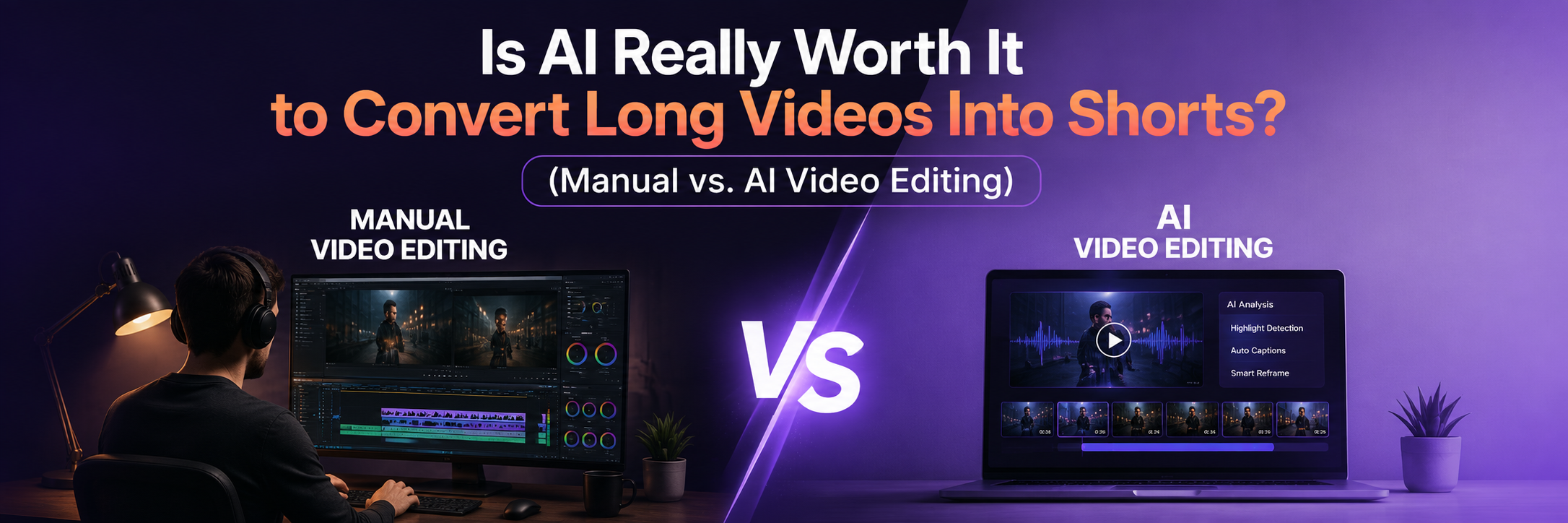
Is AI Really Worth It to Convert Long Videos Into Shorts? (Manual vs. AI Video Editing)
It's the question every creator forum, LinkedIn thread, Reddit thread, and YouTube comment section keeps circling back to. Half the room says yes, obviously, AI can already find the highlight, cut it, caption it, and reframe it in under a minute. The other half says no, and that anyone who thinks otherwise has never had to fix a bad AI cut five minutes before a client deadline.
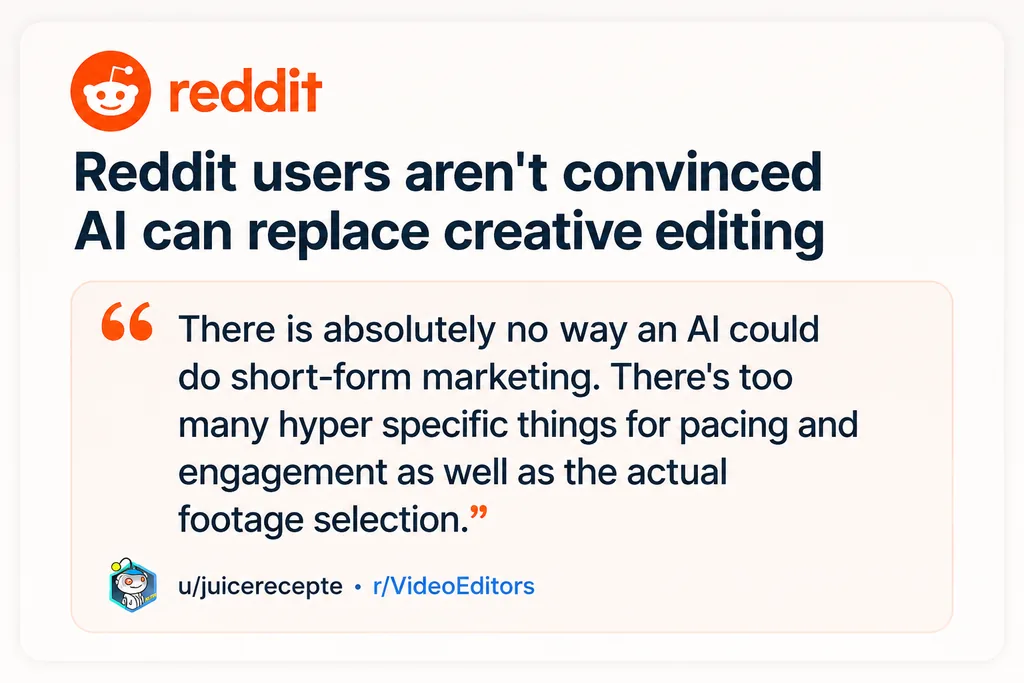
And because of this, one question keeps coming up: Is AI Really Worth It?
We didn't want to guess. So we looked at what actually happens once the AI-generated clip lands in a creator's hands.
Vmaker AI's Long Video to Short Video Editor is used by 2M+ creators across podcasts, education, gaming, marketing, and business to turn long-form recordings into short-form clips. And the behavior after the AI does its job is the real answer to the debate: around 15% of creators review the output, add stock footage, or tweak the edit before publishing. The other 85% publish as-is.
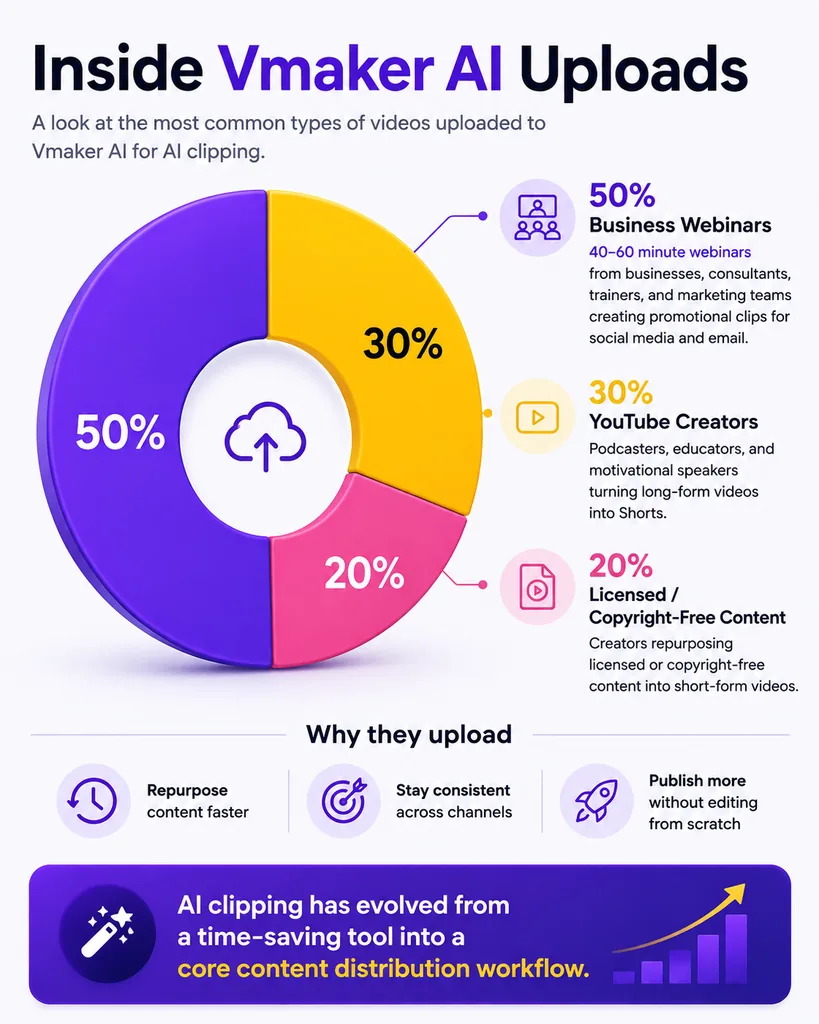
That's not "AI editing videos." That's AI doing the first 90% of the job, and editors deciding whether the last 10% is worth their time.
So which side of the debate actually holds up? Let's break it down, starting with the workflow AI is being compared against.
Manual Editing: Creative Control in Hand
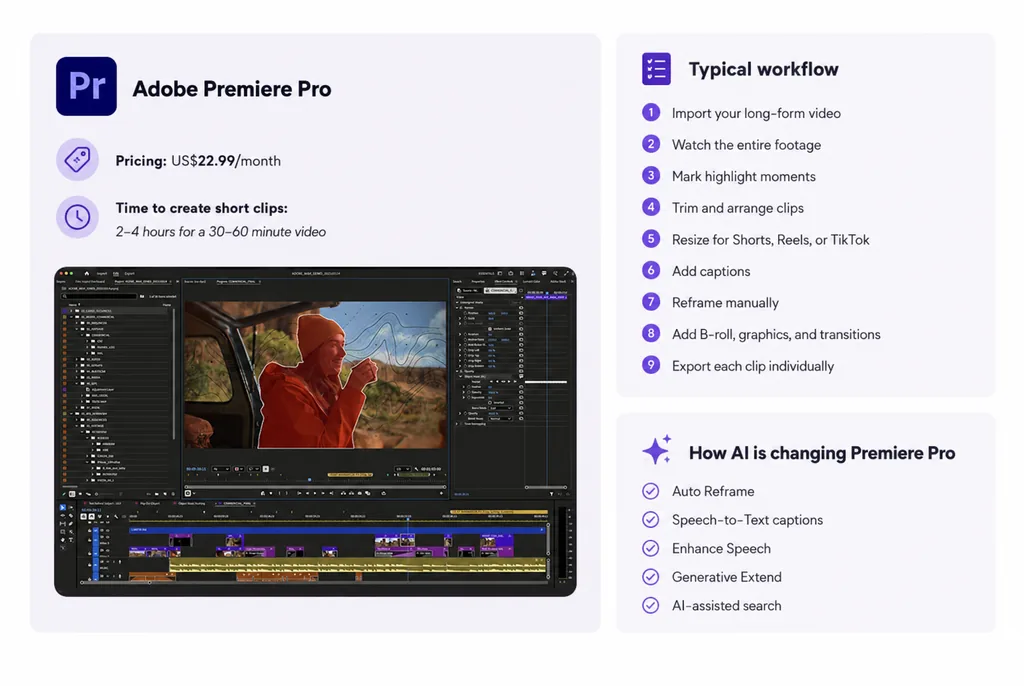
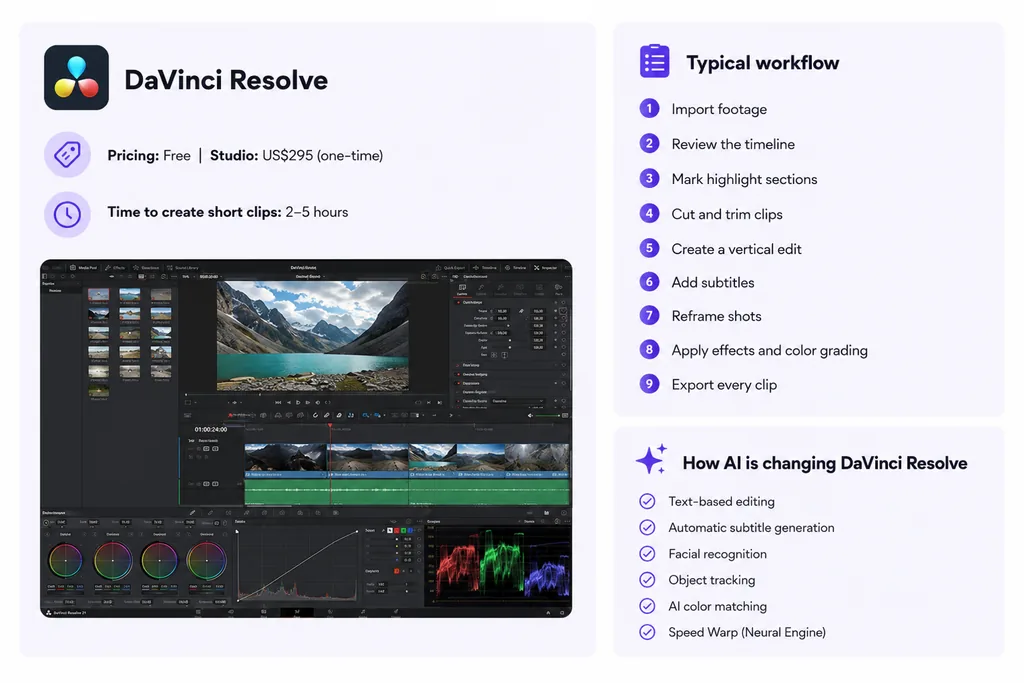
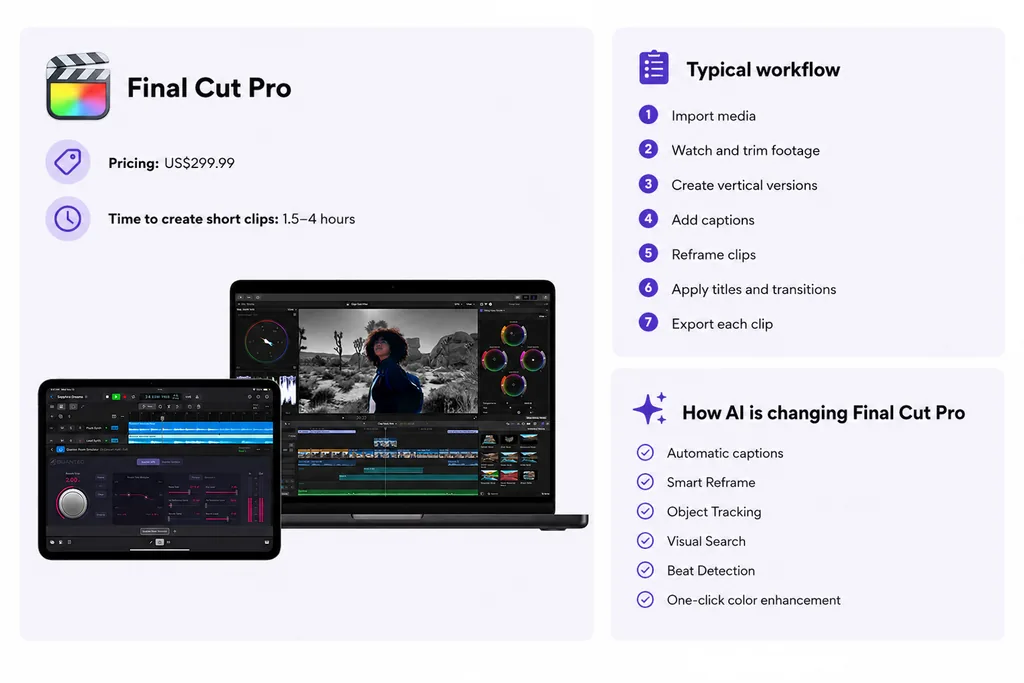
Before AI video editing became mainstream, every short-form clip was created manually. Editors would watch the entire video, identify moments worth clipping, trim the timeline, resize the video for vertical platforms, add captions, adjust framing, insert B-roll, fine-tune transitions, and export the final edit.
While this workflow offers complete creative control, it also demands a significant investment of time. For a single 45-minute podcast or YouTube video, the process often looks something like this:
- Watch the entire video to identify standout moments.
- Mark timestamps and create individual clips.
- Trim and polish each clip.
- Resize the video for TikTok, Instagram Reels, or YouTube Shorts.
- Add subtitles and correct transcription errors.
- Reframe the speaker whenever the composition changes.
- Add B-roll, graphics, zooms, or transitions where needed.
- Export every clip individually.
The biggest advantage of manual editing is precision. Every decision is intentional, you decide exactly where a clip begins and ends, how subtitles appear, when to zoom in, and how the final video should feel. This level of control is why manual editing remains the preferred choice for cinematic productions, brand campaigns, documentaries, and videos where every frame is carefully crafted.
The trade-off is time and cost. Even experienced editors can spend hours turning one long-form video into multiple short clips, especially when they're repeating the same tasks for every video they publish.
Top Players in the Field
Adobe Premiere Pro
Software: https://www.adobe.com/products/premiere.html
DaVinci Resolve 21
Software: https://www.blackmagicdesign.com/products/davinciresolve
Final Cut Pro
Software: https://www.apple.com/final-cut-pro/
Top Players in AI Video Editing Tools to Convert Long Videos to Shorts
AI video editing has moved beyond simple auto-trimming. Most modern AI clipping tools now combine highlight detection, captions, reframing, and platform-specific formatting to help creators repurpose long-form content faster.
However, each tool approaches the workflow slightly differently. The right choice depends on the type of content you create, how much control you want over the final edit, and how much manual refinement you're willing to do.
Let's look at how three popular AI video editing tools handle the long-form-to-short-form workflow: Vmaker AI, OpusClip, and Vizard AI.
Vmaker AI
Try it out here for free: https://www.vmaker.com/tools/long-video-to-short-video-ai
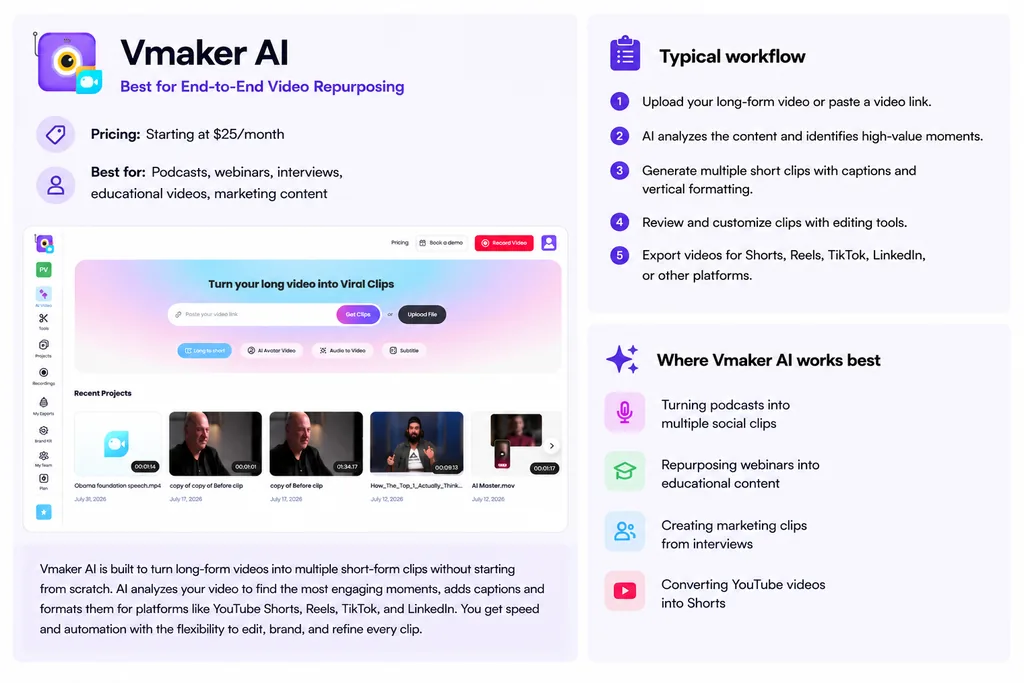
How to edit long videos and convert them into short clips with Vmaker AI:
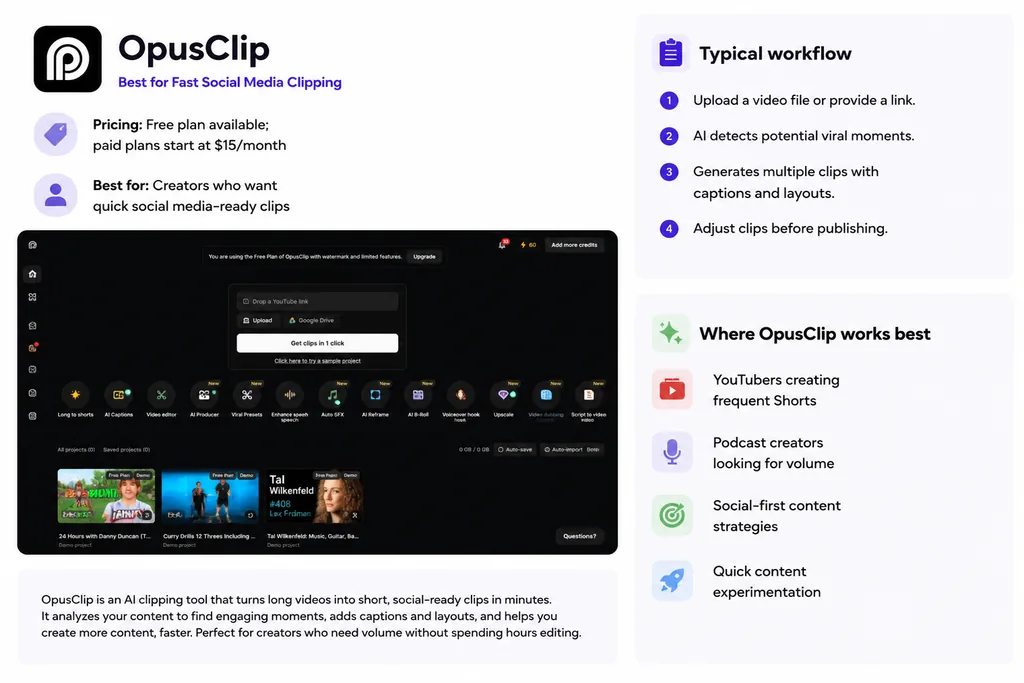
OpusClip
Try it out here for free: https://www.opus.pro/
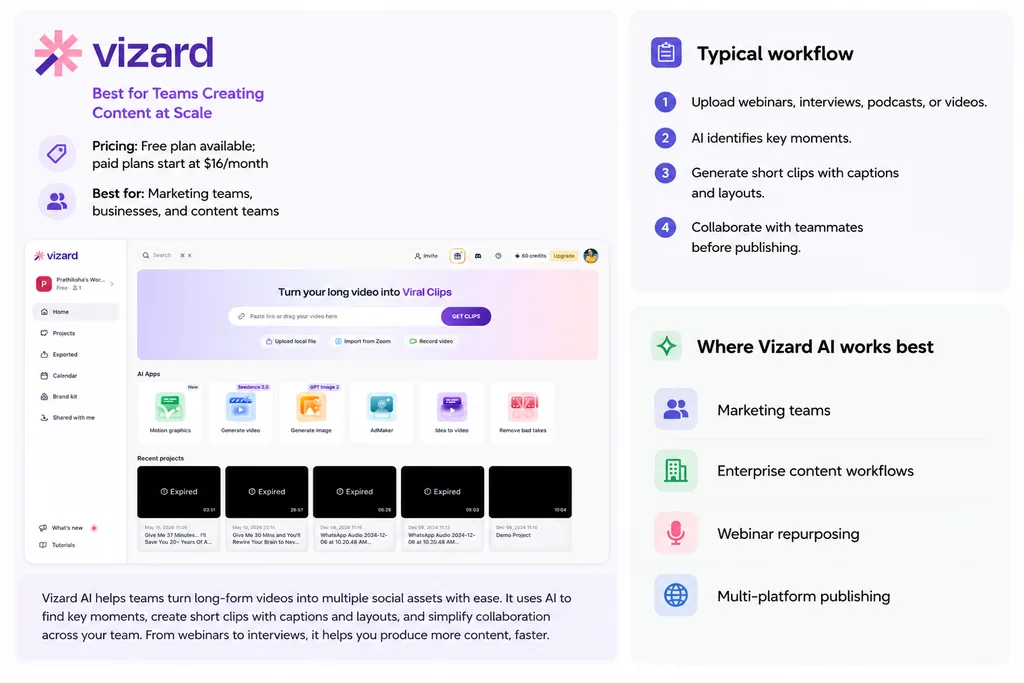
Vizard AI
Try it out here for free: https://vizard.ai/
Is AI Really Worth It?
Based on what a sample of 5000+ Vmaker AI creators are actually doing, yes. Not because AI does everything, but because of what it removes: the hours spent scrubbing a 45-minute recording to find the fifteen seconds worth clipping, the manual reframing for every platform, the caption timing. That's the part with zero creative upside, and it's the part AI now handles in minutes.
What it doesn't remove is judgment. The 15% of creators who go back and tweak their AI-generated clips aren't proof that AI fell short, they're proof of what a good first draft is supposed to do: get you 90% of the way there, so the only work left is the 10% that actually needs a human eye.
That's also the honest answer to the question people keep asking alongside this one, will AI replace video editors? No. It replaced the repetitive part of the job, not the part that requires taste.
So the real math on "worth it" isn't AI vs. manual, it's: how many hours a week are you currently spending on work that has no creative payoff, and what would you do with that time back?
If you're publishing multiple Shorts a week from podcasts, webinars, or long-form recordings, that math tends to settle fast.
Which Effort Should You Choose?
The answer depends on the type of content you create.
Manual editing still makes sense when every creative decision matters. A cinematic YouTube documentary, brand film, or advertisement may require detailed timeline adjustments that AI cannot fully understand.
An AI video editor makes more sense when the goal is volume and consistency. If you are publishing multiple Shorts every week from podcasts, webinars, interviews, or educational videos, spending hours searching for clips manually becomes difficult to sustain.
A practical workflow for many creators is now:
- Long-form recording
- AI-generated clips
- Human review
- Final edits
- Publishing
The creator remains responsible for the story, style, and final decision. AI simply removes the repetitive parts that slow down the process. The question is no longer whether AI can replace video editors. The more useful question is:
How much of your editing workflow should AI handle, so you can spend more time creating better content?
FAQs
How do I make a YouTube Short from a long video?
Pick a moment that stands alone, trim it to under 60 seconds, reframe to 9:16, and add captions. You can do this manually in an editor, or paste the long video into an AI tool that finds the moments, reframes, and captions them for you. YouTube Shorts allows up to 3 minutes, but 15 to 60 seconds tends to perform best.
What's the ideal length for a YouTube Short vs. a Reel?
On Shorts, 15 to 60 seconds tends to perform best; Reels often do well in the 15 to 30 second range. Shorter usually means higher completion rate, which both algorithms reward.
Can AI actually pick good moments from a long video?
Yes, reasonably well. AI clipping tools analyze the transcript for hooks, strong statements, and self-contained moments. It's not flawless, so most people still do a quick review pass before publishing, but it's a far faster starting point than scrubbing manually.
Do I need to reframe my video manually for vertical platforms?
If you're editing by hand, yes, you'll need to crop each clip to 9:16 yourself. AI clipping tools like Vmaker handle this automatically as part of the clip generation.
How many shorts can I get from one long video?
It depends on the source, but a 45 to 60 minute podcast or webinar typically yields somewhere between 8 and 12 usable clips, assuming there's enough varied content (opinions, stories, Q&A moments) throughout.