5 Reasons Why You Should Use a Screen Recording App For Code Review
A developer spends roughly 5 hours per week reviewing code. That is about 12.5% of a typical work week.
This is not a bad thing. Reviewing code is one of the core responsibilities of senior developers in any engineering team.
Code review is an excellent practice. The team works together to surface typos and the biggest nemesis of any developer: bugs. This activity keeps quality high, documents findings clearly, and ensures the product works as expected.
For every developer who writes code and submits it for review, the review process is an important milestone in their growth as a software engineer. In a typical environment, code is reviewed by developers from outside the original project. That gives the code writer a fresh perspective on what they may have overlooked, and creates room for collaboration, idea exchange, and learning from other teams.
Giving code review feedback
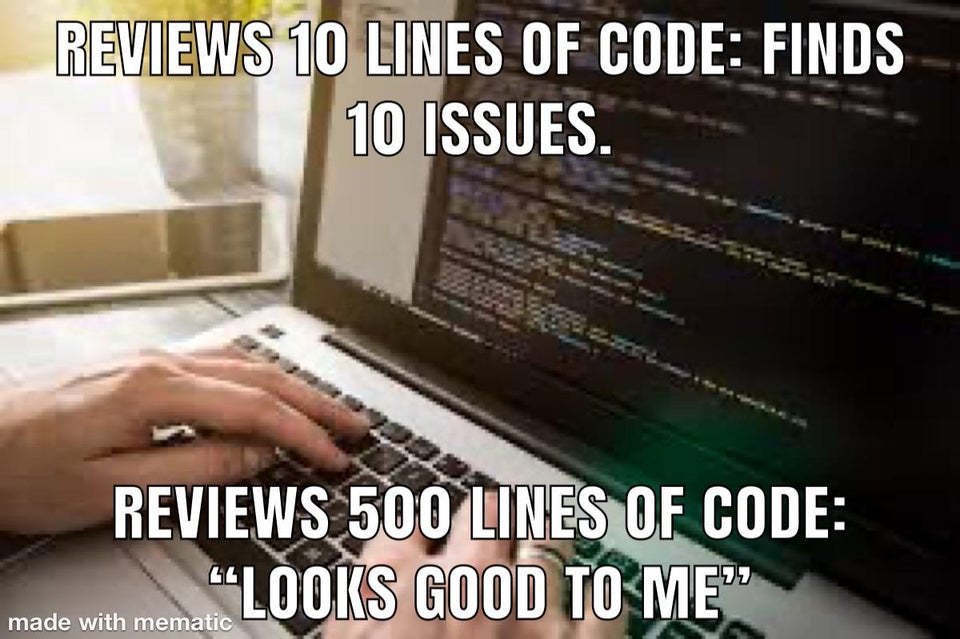
Image source: Reddit
There is a lot of content out there on the best practices for code review. There is much less on the communication tools used to share that feedback with the team.
Not enough thought goes into the "how" of communicating code review feedback to a peer. It has been followed as a custom passed from one generation of developers to another.
The point here is not to attack the custom, but to suggest a better approach. Today, most code review feedback is shared via emails, screenshots, online meetings, chat, and phone calls. Each has a downside:
- Emails: Can run too long (or too short), and feel impersonal
- Screenshots: Static images, not interactive
- Chat: Asynchronous, and a lot of time gets spent going back and forth
- Meetings and calls: Synchronous, and tiring when they drag on
To fill the gaps these tools leave, screen recording is a strong option for sharing code review feedback. With asynchronous channels like email and chat, you can show what you mean instead of typing it out paragraph by paragraph.
Screen sharing is also a strong alternative for cutting down phone calls and meetings. Reserve synchronous time for the most urgent issues, and use screen recordings for everything else. The urgent work gets handled immediately, and the rest does not drag on.
Now, the benefits of using a screen recorder for sharing code review feedback.
Keep it personal

As kids, we would run around the house enthusiastically to show our latest creative pursuit to anyone who would look. We did it for the personal attention and feedback, which was a huge motivational boost. As adults, we still want that intrinsic boost. In the workplace, the vast majority of employees feel disengaged when their manager gives no feedback or very little of it.
If feedback is that important, sharing it via email, chat, or screenshots takes away the personal element. In an email, beyond addressing the receiver by name, there is little room for personalisation. Typing out a wall of feedback is a slog for the reviewer and a wall of text for the code writer.
With a screen recording tool, you can share your screen, point at the code, and talk through the feedback. The recipient hears your voice and sees the code highlighted at the same time. It is the closest thing to a personal review meeting in asynchronous form.
Create instructional videos
Screen recording goes beyond code review feedback. Given how simple it is to create a video with a screen recording app, you can record short instructional videos on documentation best practices, code architecture, debug flows, and tooling setup. These videos pay back many times over: every new team member learns from them, and the team avoids re-explaining the same things every onboarding cycle.
Doing the same explainer over a call or email each time a new person joins is exhausting. A 5-minute recording captures it once and scales infinitely.
Build a dedicated library
With a free screen recorder like Vmaker, you can create a workspace that acts as a video library for all your recordings. This is where the value compounds: you do not have to hunt for last month's recording when a similar bug surfaces today. Once you have a series of videos, you can share them with new joiners or reuse them for ongoing training.
Annotate crucial areas of the code
Annotation is a strong way to direct attention. It helps both the code author and the reviewer. As an author, annotate the source code before sharing it for review. You may catch flaws before the reviewer even starts. As a reviewer, annotations from the author tell you exactly where to focus, which keeps communication precise and transparent.
Annotation in static screenshots works, but it gets tiring when there are many screenshots stitched together. In a screen recording, annotations appear on the screen for a few seconds: long enough to draw attention, short enough not to clutter the view.
Communicate clearly
Screen recording is not just an asynchronous video tool. It does more than the other tools commonly used for code reviews.
The existing tools are useful but not as multi-dimensional as screen recording. Code review pays back more when you not only share feedback, but also leave behind a resource that can be reused. Screen recording is currently the only format that hits all of these needs at once.
For globally distributed teams, the Vmaker AI video editor can trim recordings, add intros, and clean up dead air in one pass. Auto-generated subtitles in 35+ languages mean non-native English speakers on your team can follow the recording without missing details, which matters when reviewing complex code.
Wrapping up
Whether you are a code author or a reviewer, if you have not tried screen recording for sharing code review feedback, it is worth trying.
Writing code is a challenging job. Giving feedback on code is just as challenging. The review process gets harder when there is a lot to say. Emails and phone calls get tiring. Screen recording is asynchronous yet personal, which is the combination most other tools cannot offer.
If you are ready to try it, check out Vmaker, a screen recording tool that lets you record screen and webcam videos for free.
Bonus guides for development teams:
- How to Write a Bug Report (Free Tool and Template)
- Mastering Communication for Agile Teams
- A Complete Guide to Screen Recording