
Contents
Things to consider before creating a testimonial video
How and when to pitch your customers
How to edit your testimonial videos
Where and how to use your video testimonials
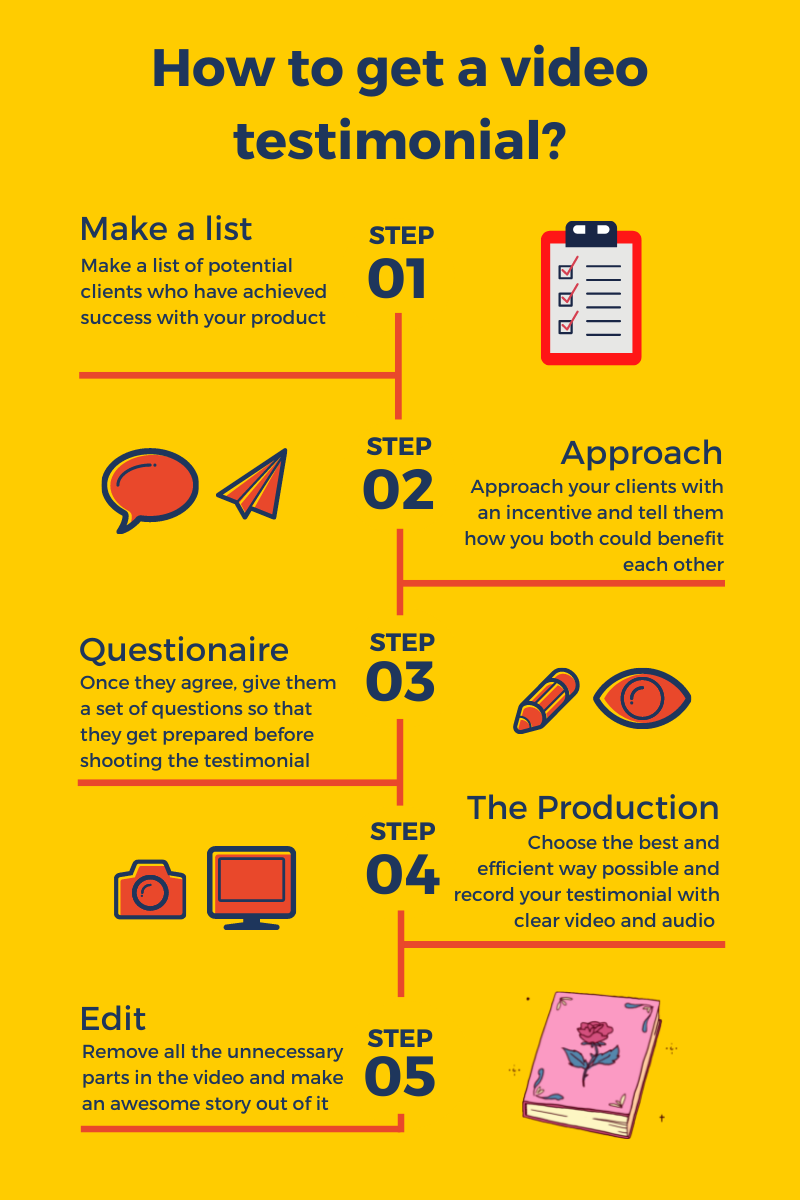
How to Get Video Testimonials from your Customers?
Written testimonials work, but video testimonials carry a level of trust that text simply cannot match.
Written testimonials are easy to write, and a reader has no way to verify a real customer left it.
Video testimonials are harder to fake. That is what makes them more powerful and more convincing.
This guide walks you through the full process of getting a video testimonial: how to approach customers, what to ask them, how to edit the video, and how to use it once you have it.
Things to consider before creating a testimonial video
- The video needs a story. Without one, viewers tune out.
- Plan the video, but do not script it. A testimonial is about the human side of your business. A scripted customer reads as robotic.
- Make the video emotionally engaging. Facts matter, but emotion is what closes a sale.
- The video has to be high quality. At a minimum, lighting and audio must be clean.
How and when to pitch your customers
Timing is everything.
Ask for a testimonial when the customer is at a high point with your product. Right after they hit a milestone with your tool. Right after a project wraps successfully. End of quarter or end of year, when teams are reviewing what worked.
Then give them a reason to say yes.
Your customers are busy. A testimonial request is one more thing on their plate.
This is where incentives help. Offer something to compensate for their time: an Amazon gift card, a goodie bag, a discount on their next subscription. If you have already exceeded their expectations, they will probably do it for free. The incentive is the nudge for everyone else.
Here is a sample email template you can use.
| Subject: Can you help me out? Message: Hi FirstName, I have a quick favour to ask. Would you be open to a short video interview where you share your experience with us? The interview takes 10-15 minutes. You walk through what working with us has been like. Here is an example of how the video will look: [link]. I would be glad to compensate you with [insert incentive] for your time. Let me know if you are interested, and I will share the next steps. Thanks, FirstName. {Your Name} |
Once they say yes, share how the interview will run.
What to ask your customers
You need a story. Asking customers to "share their experience" without structure rarely produces one. Send a list of questions ahead of time so they can think about their answers.
- What was it like before you used our product?
- What problem were you trying to solve?
- Where did you start your search?
- How has the product affected your business?
- What prompted you to consider this product?
- What was the obstacle that almost prevented you from buying?
- Which feature sold you on the product?
- What made you happiest about working with our company?
- What have you been able to achieve since using our product?
- What has exceeded your expectations?
- What is the main reason you would recommend us?
- What about our business surprised you the most?
- Would you recommend the product? Why?
- Is there anything we could have done differently?
- Anything else you want to add?
Keep the questions open-ended. Yes/no questions produce robotic, one-line answers.
What tools to use
It depends on the kind of video you want. Five common ways to capture a testimonial:
- Professional studio setup: Controlled environment with proper lighting, microphones, and camera. Best for high-stakes, hero-video testimonials, but expensive. If you are not a video pro, you will need to hire one.
- Remote video testimonial software: Cheaper and more efficient. Send a link, your customer clicks it, records the testimonial, and submits. Most of these tools include branding and basic editing.
- Screen recorder: A screen recording tool works well when you want the customer to walk through your product as part of the testimonial. Send them a Vmaker license, ask them to record. The recording lands in the cloud at the highest quality, ready for you to review.
- Video conferencing tools: The cheapest option, but it depends on a stable internet connection and you both being online at the same time. The upside: you can ask follow-up questions live.
- Customer's phone camera: Free and quick. The trade-off is audio. If your customer holds the phone too far away, the audio gets noisy.
How to edit your testimonial videos
Once the footage is in, the next step is editing. The Vmaker AI video editor turns raw footage into polished testimonials in minutes. Upload the recording and pick the elements you want: subtitles, B-rolls, background music, text animations. The AI puts everything together automatically.
Add the customer's name and title. Layer in supporting elements like quote callouts and your company branding (colours, logo). Overlay text and graphics keep the video visually engaging.
For testimonials going to international audiences, auto-generate subtitles in 35+ languages and translate them into 100+ languages. Subtitles also boost engagement on social, where most viewers watch on mute.
Where and how to use your video testimonials
Once your testimonial is ready, use it everywhere. Beyond your website, video testimonials work on social channels, email campaigns, paid campaigns, and even as upsell material for existing customers.
Conclusion
A testimonial video is your existing customer telling the story of how your product solved their problem. Build the video so that story is the thing that comes through.
Reach out at the right moment, and give the customer a real reason to say yes.
Keep the video and audio quality clean. No noise, no shaky footage.
A good testimonial video is one of the highest-leverage assets you can create for conversion. The effort pays back many times over.

If you enjoyed this guide, here are a few more reads:
How Videos Can Help You Offer Personalised Support and Improve Customer Satisfaction
How to Stand Out in the Era of Remote Onboarding
The Ultimate Screen Recording Resource Guide
How to Record Google Meet Without Permission