
Contents
Why Do Videos Work Better Than PowerPoint Decks?
Comparing Traditional PowerPoint Presentations vs. Video Presentations
Why L&D and Other Teams Can Focus
Step-by-Step: How to Turn a PowerPoint into a Video Using Vmaker (Even If You’re Not Tech-Savvy)
Why Are Video Presentations the New PowerPoints?
Think back to the last time you sat through a PowerPoint presentation. Static slides, too much text, someone reading word-for-word, and within minutes, your mind starts to drift. You’re not alone. Studies show that the average attention span during an online presentation is now less than two minutes.
It’s not that PowerPoint stopped working; it’s that the way people consume information has completely changed. Today’s audiences scroll, swipe, and expect movement, emotion, and instant clarity. That’s why more teams are turning their decks into videos, where slides become motion graphics, narration adds depth, and messages are delivered with personality.
Once the gold standard for corporate storytelling, PowerPoint presentations now struggle to hold attention in a world dominated by video. Turning them into videos opens up a whole new way to communicate, from training modules that explain themselves, to sales pitches that feel personalized, and marketing stories that stay memorable. In many workflows, teams first convert PDF to PowerPoint to regain editability and structure, then enhance those slides with video, narration, and motion to match modern viewing habits. When you turn a PowerPoint into a video, you’re not just adding sound or motion. You’re transforming your message into something audiences can see, hear, and feel. It’s no longer a deck to flip through, it becomes a story that sticks.
Why Do Videos Work Better Than PowerPoint Decks?
It’s simple: our brains love both pictures and sound. This idea comes from a well-known concept called Dual-Coding Theory, developed by psychologist Allan Paivio. It tells us that when info hits us through visuals and audio together, we remember a lot more.
For instance, when you hear a word and simultaneously see a related image, your brain creates two separate links to that information. This makes it much easier to recall later, because if one link fades, the other can still bring the memory back.
Here’s why video outshines static slides:
- Higher retention: Research shows people remember up to 95% of messages through video, compared to only 10–20% from reading slides.
- Emotional engagement: 59% of senior executives said they prefer watching video to reading text, highlighting how visual storytelling resonates more deeply than static information.
- Better focus: Moving images and narration keep viewers hooked longer than static text.
- Proven by experts: Big names in marketing and education back this up, including studies from HubSpot and college research confirming videos boost learning and engagement.
Put simply, videos speak to two channels in your brain at once, the visual and auditory, and that double impact makes your message stick.
Comparing Traditional PowerPoint Presentations vs. Video Presentations
| Criteria | Traditional PowerPoint Presentation | Video Presentation |
|---|---|---|
| Engagement | Static slides with limited visual movement often cause audiences to lose focus within minutes. | Dynamic visuals, narration, and transitions sustain attention and create a more immersive experience. |
| Message Retention | Viewers retain only 10% to 20% of text-based information presented on slides. | Combining visuals and voice boosts retention up to 95%, making key messages more memorable. |
| Emotional Impact | Logical and factual, with minimal emotional connection. | Storytelling, tone, and motion evoke emotion, trust, and relatability, turning information into experience. |
| Accessibility | Relies on a live presenter; difficult to scale or share across teams. | Easily shareable, replayable, and accessible anytime, with options for subtitles or voiceovers in multiple languages. |
| Content Lifespan | Usually built for one-time use; often forgotten after the presentation ends. | Repurposable across training, marketing, and internal communication, extending content value and reach. |
| Brand Perception | Feels static and traditional, reflecting outdated communication styles. | Feels modern, innovative, and forward-thinking, reinforcing a brand’s digital-first image. |
Why L&D and Other Teams Can Focus
The beauty of turning PowerPoints into videos is that it isn’t limited to one department, it scales across every function in a modern organization. From Learning & Development to Marketing, Sales, and HR, every team benefits from content that communicates faster, travels wider, and resonates longer.
L&D Teams
Video-based training is transforming how employees learn. Instead of relying on live trainers or static slides, teams can now:
- Deliver consistent training experiences across multiple regions.
- Enable self-paced learning that fits different schedules and learning speeds.
- Improve knowledge retention with a mix of visuals, audio, and narration.
- Reduce onboarding time by turning policy or skill decks into short, engaging explainer videos.
HR Teams
For HR leaders, communication is about clarity and connection. Video makes both possible:
Marketing Teams
Marketers already know attention is the new currency. PowerPoint-to-video conversion helps them:
Sales Teams
Sales decks are powerful, but not everyone has time to sit through them. Converting them to video helps sales teams:
Internal Communication & Leadership Teams
Leaders are constantly communicating, to employees, partners, and investors. Video helps them:
Step-by-Step: How to Turn a PowerPoint into a Video Using Vmaker (Even If You’re Not Tech-Savvy)
Transforming your PowerPoint into a video isn’t as complicated as it sounds, especially with tools like Vmaker, which make the process intuitive and fast.
- Step 1: Upload your PowerPoint deck directly to Vmaker.
- Step 2: Choose your preferred layout, with an AI Avatar (for a human presence) or without one.
- Step 3: Add subtitles to make your video accessible and more engaging.
- Step 4: Review and edit your script, tweak or delete any slides before converting.
- Step 5: Choose your AI avatar and voice, then click “Create Video.”
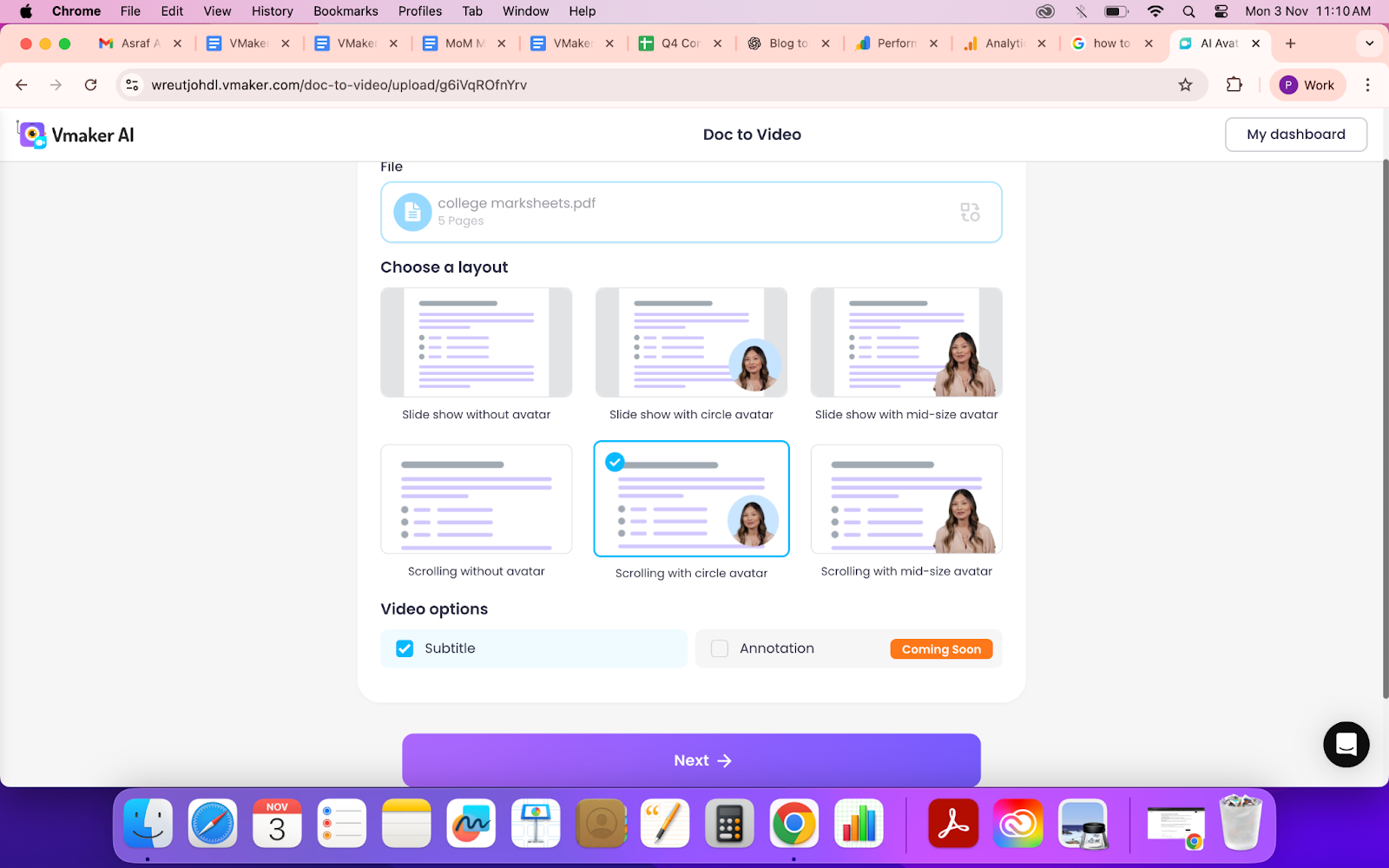
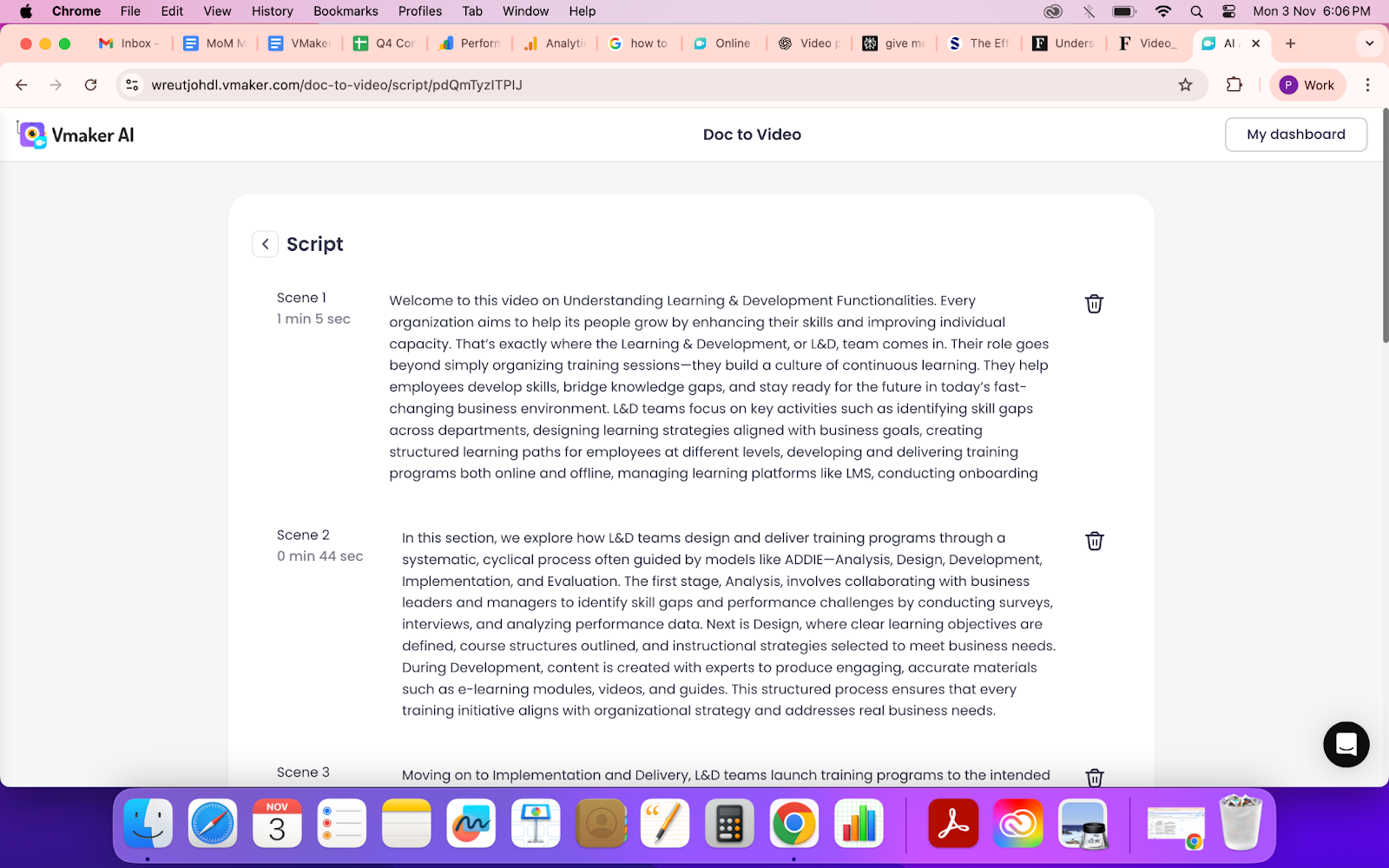
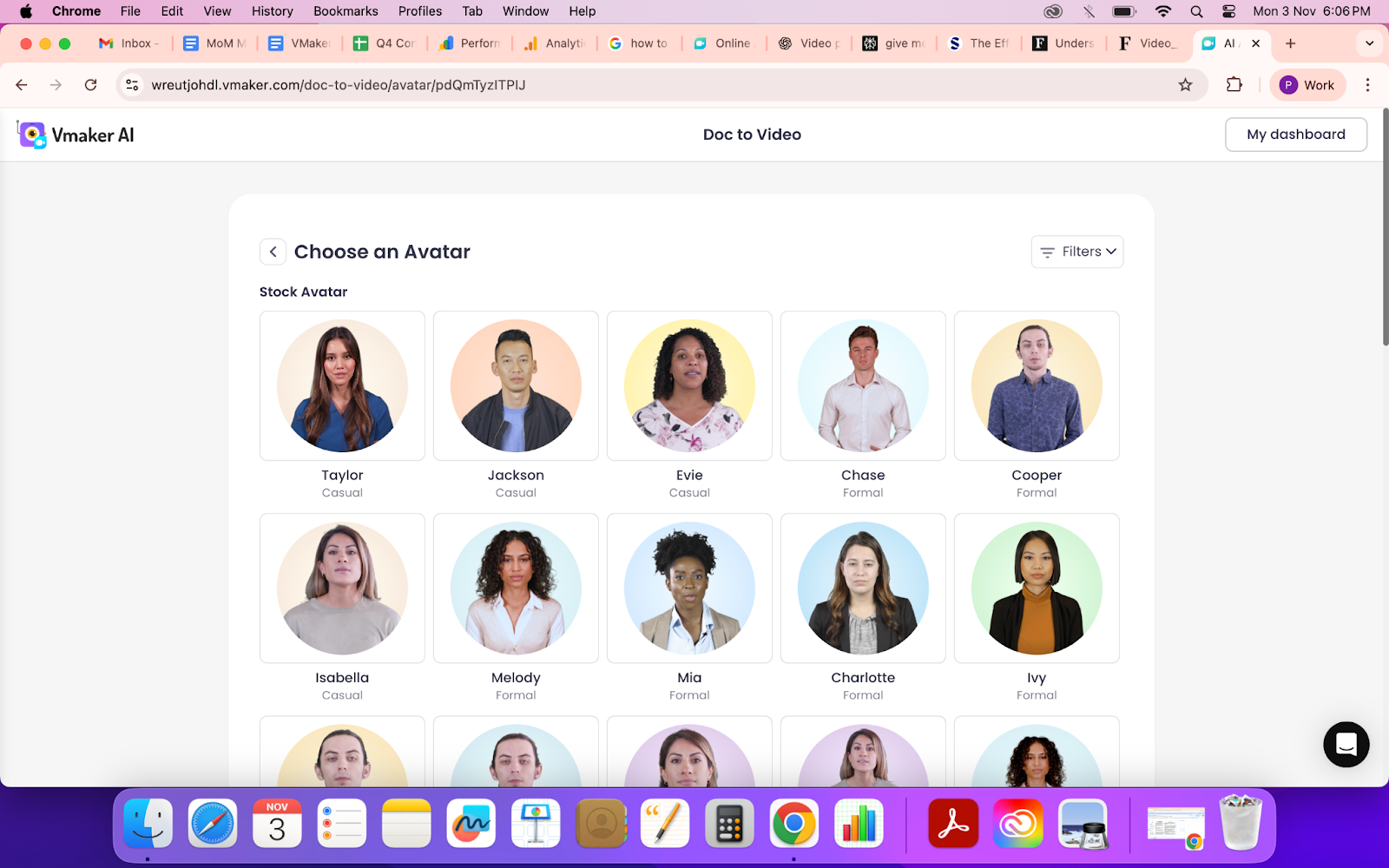
Within minutes, your static deck turns into a polished, narrated video presentation ready to share across teams or platforms.
Camera shy? No problem. You can clone yourself as an AI Avatar in Vmaker, so your digital twin delivers the presentation, maintaining your tone, voice, and personality while you stay off-camera.
Edit With Ease: Vmaker AI
Once your PowerPoint is converted into a video, Vmaker’s editing canvas gives you complete creative control, no complex timelines or heavy tools needed. Everything happens in one intuitive workspace where you can fine-tune your video with just a few clicks:
Whether you’re editing a training video, a pitch deck, or an internal update, the editing canvas makes every change visual, fast, and frustration-free. You don’t need to juggle multiple tools, just drag, click, and preview your updates.
Best Practices for Engaging PowerPoint Videos
Before hitting publish, keep these essentials in mind to make your video truly impactful:
The way we present ideas is evolving, and so must we. Turning PowerPoints into videos isn’t just about keeping up with technology; it’s about communicating in a way that sticks. Video presentations don’t just transfer information, they create emotion, clarity, and connection. They make learning easier, selling smarter, and communication faster. In a world where attention is fleeting, video helps your message stand still. So the next time you open PowerPoint, think beyond slides. Think of how you can turn your ideas into an experience.
And if you’re ready to start, Vmaker AI makes it effortless.
Check out: PDF to Video Converter