Contents
Top AI Video Generators in 2025
Choosing the Right AI Video Generator
Future Focus: Ethical AI in Video Generation
Best AI Video Generators in 2025: A Market Recap, Top Players & What’s Next
The year 2025 has truly conquered the AI landscape, a time when smart technology met unstoppable creativity. Everyone seems to have their own intelligent assistant, and everyday tasks have become effortless. From quick marketing wins to powerful storytelling, AI has found its place in every industry, adapting to different needs and ambitions. Among the most exciting innovations born from this era are AI video generators, tools that are redefining how we create, communicate, and captivate through video.
According to recent market reports, the AI video based makers market was valued at around USD 700 million in 2024, and it's projected to grow to more than USD 60.8 billion by 2030, expanding at a compound annual growth rate (CAGR) of roughly 20%.
This growth is being driven by several key forces:
- The surging demand for video content across marketing, education, and entertainment.
- Rapid advancements in generative AI and deep learning technologies that make AI powered video creator tools faster, cheaper, and more accessible.
- The ongoing digital transformation across industries, where businesses are embracing AI tools to enhance creativity, productivity, and storytelling.
As 2025 unfolds, AI powered video makers are not just tools, they're creative partners, enabling individuals and organizations to turn ideas into polished videos within minutes.
Here, many innovative players have paved their way, each bringing unique features, styles, and creative possibilities to the table. So, let's take a closer look at the top AI video generators of 2025, and explore what users love most about them, and share a bit of my personal experience using these tools.
Top AI Video Generators in 2025
1. Vmaker AI
Vmaker AI is an AI-powered video creation and editing platform designed for creators, influencers, L&D teams, and businesses. It simplifies the video production process by bringing script generation, avatar-led storytelling, b-roll automation, and video editing together in one place.
The platform focuses on reducing manual effort in video creation, helping users move from idea to finished video without switching tools.
Who Benefits Most From Vmaker?
- Corporates & L&D Teams: Can easily convert PPTs, Word files, SOPs, and other training documents into engaging learning videos with AI avatars and voiceovers.
- Educators and Trainers: Can transform lessons, course materials, or lecture notes into structured explainer videos to make learning more visual and accessible.
- Content Creators and Social Media Marketers: Can create videos from text prompts, edit them quickly, and add visuals using integrated media libraries.
- Independent Video Creators: Get a lightweight and intuitive editing experience for recording, trimming, and exporting videos seamlessly.
What's Trending in Vmaker in 2025?
Vmaker AI has introduced key updates to support modern video workflows and AI-assisted storytelling:
- Automatic B-rolls: The AI now selects and inserts b-rolls automatically based on your prompt or script context, eliminating the need for manual clip search.
- Doc to Video: A major upgrade for L&D and training teams. This feature transforms large text documents into talking-head videos with 100+ avatars, 100+ languages, and 35+ subtitle options.
- URL to Video: Instantly turns any webpage link into a structured, presenter-style video by extracting key sections, headlines, and information.
- Dynamic Highlights: Automatically identifies important keywords in your document and brings them to focus with smooth zoom-in and highlight animations.
Top Features Users Appreciate
- A seamless Doc to Video feature that repurposes static PDFs, PPTs, and Docs into structured, avatar-led videos.
- Automatic b-roll integration that aligns with the narrative without needing manual placement.
- A wide variety of AI avatars across different languages and ethnicities for contextual storytelling.
- Smooth editing, trimming, and screen recording capabilities, allowing creators to make quick changes without shifting between tools.
Pros
- 100+ avatars in various languages and ethnicities.
- Seamless way to clone yourself as an avatar.
- Accurate lip-sync and natural voice delivery.
- Multiple AI tools in one workspace, Doc to Video, Short Clip Generator, Highlights Generator.
- Smooth editing and re-editing without platform switching.
- Collaboration-friendly workspace with easy sharing and team access.
Cons
- Avatar customization options remain somewhat limited.
Personal Review
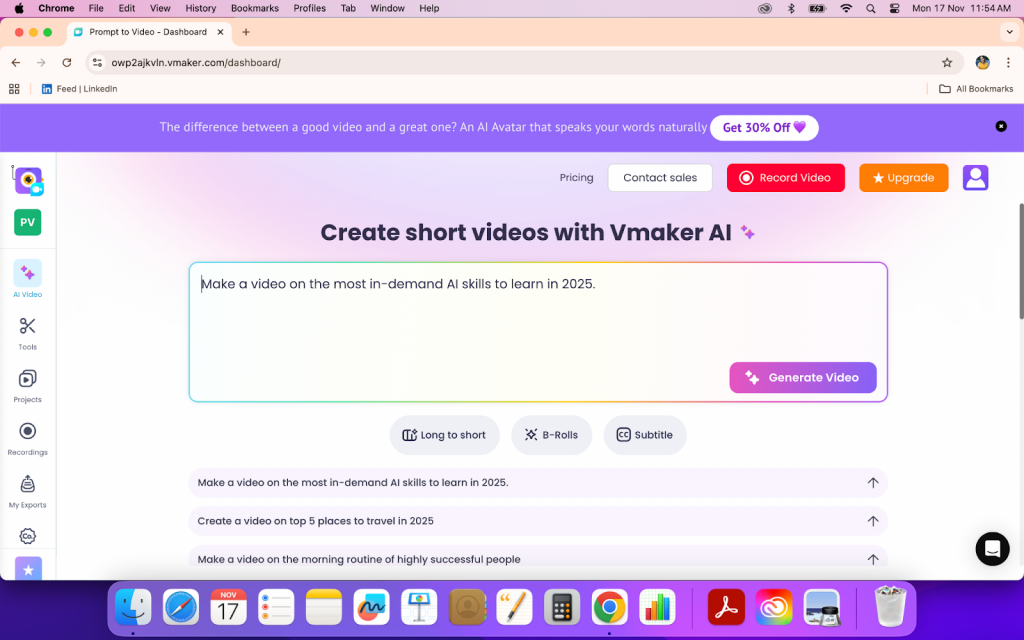
I tried Vmaker's Prompt to Video feature with the prompt "Kathak and Its Charm." The video that came out felt complete, it had a clear script, an AI avatar delivering the lines, background music, b-rolls, and an intro and outro that matched the flow.
I made a few small edits and added some images to fit my idea better. The process was straightforward, and switching visuals or adjusting parts of the video didn't take much time. Overall, it felt like a simple, no-frills way to go from concept to a finished video.
2. Synthesia
Synthesia, being predominantly known for businesses, is being used by enterprises, educators, and teams to create professional talking-head videos without cameras or production setups. It combines AI avatars, voiceovers, and multilingual support to simplify how instructional, marketing, and training videos are made.
Who Benefits Most from Synthesia
- Corporate: Can easily convert learning materials, SOPs, or presentations into engaging training videos with human-like avatars.
- Marketing Teams: Use Synthesia to create explainer videos, onboarding guides, and product walkthroughs at scale.
- Educators and Trainers: Can build curriculum-based or multilingual lessons without needing to record the session.
Top Features Users Appreciate
Users find Synthesia convenient for quick script-to-video creation, with a workflow intentionally built for simple, structured videos rather than full-scale production.
- The Doc to Video capability, ideal for converting structured documents or text into polished AI-led videos.
- A wide range of AI avatars, including photorealistic and custom options for brand consistency.
- Multilingual support with accurate subtitles and translations, useful for global teams.
Pros
- Large selection of avatars in different languages and accents.
- Accurate lip-sync and clear voice delivery.
- Supports subtitles and translation for multilingual videos.
- Ready-to-use templates that speed up video creation for presentations and training content.
- Browser-based, no installation needed.
Cons
- Limited creative control; hard to adjust timing, gestures, or expressions precisely.
- Custom avatars and branding options are available only on higher plans.
- Avatars can sometimes look stiff or lack emotional depth in delivery.
- Limited media and animation flexibility compared to traditional video editors.
- Limited for end-to-end production or narrative-heavy content.
- Pricing can be high for individual creators or small teams.
Personal Review
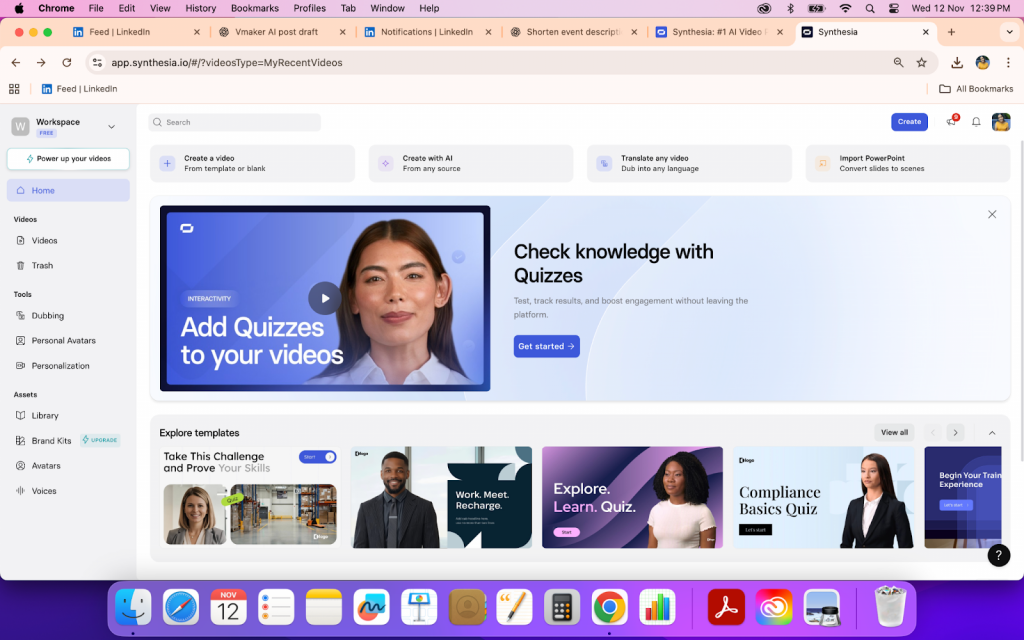
I tried the free version of Synthesia and expected a few more features to be available during the trial. The templates were decent, but navigating and creating a project took a bit of time to get used to.
When I uploaded my PowerPoint, I thought it would automatically generate a version with an avatar explaining the slides or give an easier way to add one. Instead, I had to type the script manually for the avatar to read it.
Once I got the hang of it, the process was straightforward. The templates and avatar options cover the basics, but the platform feels more geared toward structured, presentation-style videos than creative storytelling.
3. HeyGen
HeyGen is an AI video creation platform built around lifelike avatars and multilingual voice synthesis. It's designed for creators, educators, and teams who want to produce professional-looking videos without recording themselves or hiring a production crew.
Who Benefits Most from HeyGen
- Content Creators and Marketers: Can create short-form videos, explainers, and brand stories using realistic avatars and templates tailored for social platforms.
- Small Businesses and Influencers: Can turn promotional scripts, captions, or product copy into engaging AI-generated videos in minutes.
- Teams and Agencies: Can use custom avatars and templates to keep brand messaging consistent across videos.
Top Features Users Appreciate
- Variety of Avatars: Covers multiple accents, tones, and presentation styles.
- Automatic Subtitles and B-Roll Integration: Makes videos look polished without manual editing.
- Browser-Based Editor: Enables smooth workflow and quick exports for creators publishing frequently.
Pros
- Built-in translation and subtitle features for multilingual creators.
- Ideal for short, on-brand, and recurring video production.
Cons
- Limited flexibility in fine-tuning scenes or avatar expressions.
- Custom avatars and premium voices are only available on higher plans.
- Some avatars can still appear slightly mechanical in tone.
- Less suited for long-form or cinematic storytelling.
Personal Review
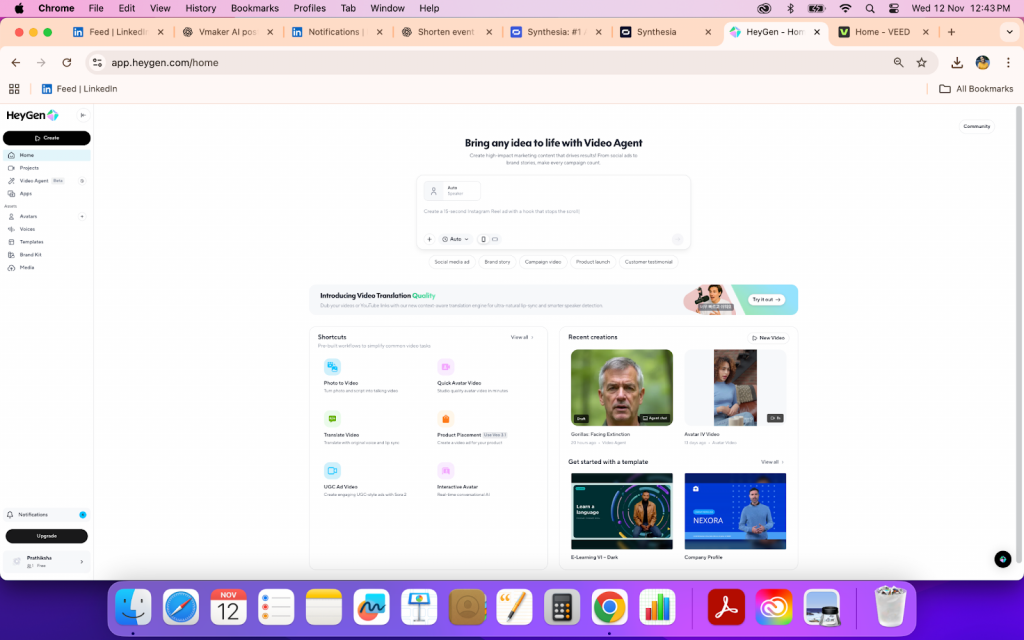
I tried HeyGen's prompt-to-video feature with a short script. The avatar's expressions were fine but still had a slightly mechanical feel. The generation process itself was simple. I liked the chat-style space where the AI helped refine what I wanted to create, though it took a few tries to get a result that matched my expectation.
The free plan gives enough room to explore the basics, and the voice control and product-from-URL features stood out as genuinely helpful. That said, the avatars could use more natural gestures, and the onboarding felt a bit scattered. Overall, it's a practical tool for quick video generation, but it still feels like it's finding its rhythm.
4. Veed IO
VEED.IO is a browser-based video editing platform that balances traditional editing with a few AI-driven features. It's mainly built for creators, marketers, and small teams who want a simple way to edit, subtitle, and polish videos without needing heavy desktop software.
Who Benefits Most from VEED.IO
- Content Creators: Widely used by YouTubers, TikTokers, and social media creators who need to make short, engaging videos.
- Businesses and Marketers: Helps teams produce promotional videos, ads, and brand explainers without relying on professional editors.
- Podcast Creators and Video Professionals: The AI-powered auto-subtitle and transcription tools simplify captioning and help improve accessibility and audience reach across platforms.
Top Features Users Appreciate
- Auto subtitles and translations with good accuracy.
- Transitions, stickers, filters, and text animations for visual polish.
- Cloud-based workspace for remote access and team collaboration.
Pros
- User-Friendly Interface: The layout is clean and intuitive, making it easy even for beginners to navigate. Templates and tutorials help get started quickly.
- Versatile Editing Tools: Includes transitions, animations, captions, stickers, and filters that make videos look well-finished without much effort.
- Extensive Format Support: Handles multiple import/export formats, which makes repurposing content simple.
Cons
- Limited Advanced Features: Lacks deeper editing functions like advanced color grading, motion tracking, or timeline-level control found in pro editors.
- Upload Lag: Users have reported issues with video or audio uploads, which sometimes slow down the workflow, especially with large files.
- Occasional Performance Drops: Longer edits or multiple layers can cause the platform to lag or buffer.
Personal Review
I tried VEED.io mainly to understand how it handles quick edits and AI-assisted workflows. One thing I genuinely liked was how it lets you edit the script even after the video is generated, if I removed a few lines, the AI adjusted the visuals accordingly. That feature made small corrections feel effortless.
The interface is clean and straightforward, and the text styles inside the videos have a casual, mixed look that works well for creators who want something informal and social-friendly. That said, it does start to feel a bit limited when you want to do anything beyond short-form edits. The upload speed for longer clips was slower than expected, and there's occasional lag when previewing changes.
Overall, it's useful for quick video tasks and short explainers, but not something I'd rely on for detailed storytelling or heavy editing.
5. Colossyan
Colossyan is an AI video creation platform designed to turn text or scripts into professional-looking videos with realistic AI avatars. It's mainly used for training, onboarding, internal communication, and explainer videos. The platform's focus on multilingual capabilities and conversational-style avatars makes it appealing for teams that want to simplify video production without needing filming or voiceovers.
Who Benefits Most from Colossyan
- L&D Teams and Educators: Great for creating training or onboarding videos with realistic avatars that hold attention.
- Corporate Teams: Useful for internal communication, announcements, and multilingual content without recording new footage.
- Small Businesses and Creators: A good option for producing quick, polished videos when you don't have access to a video team or production tools.
Top Features Users Appreciate
- Multilingual support with auto-translation for global teams.
- Multiple powerpoint templates.
- Scene-based editing that makes video adjustments simple and clear.
Pros
- Simple and Clean Interface: Easy to navigate even for non-editors. The experience feels intuitive, similar to presentation tools.
- High-Quality Avatars: Users consistently praise the lifelike avatars that make training or learning content more engaging.
- Multilingual Functionality: The translation and voice options work well for companies producing global content.
- Quick Setup: Projects can be created rapidly without extensive setup or training.
Cons
- Avatar Limitations: Some avatars still lack natural expressions, emotional tone, or variety in movement.
- Language Gaps: Certain languages and accents—like Flemish or Thai—aren't fully accurate yet.
- Pricing: The cost can be steep for small businesses or freelancers, especially since unused minutes don't roll over.
- Performance Consistency: Occasional freezing or playback lag, especially during preview or longer video renders.
Personal Review
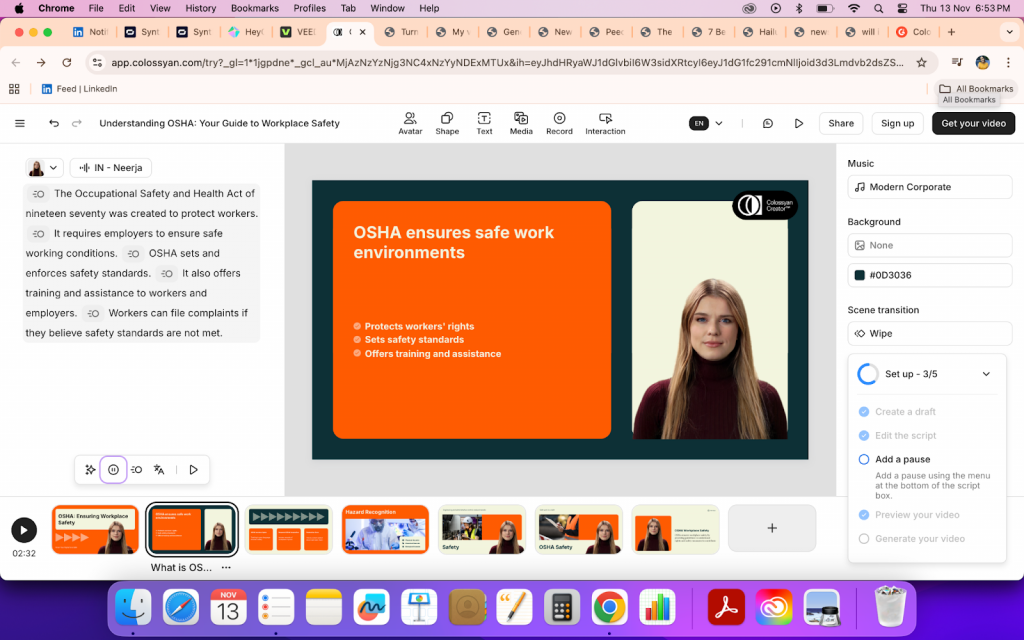
I tried Colossyan by importing a document to see how it handles script-to-video conversion. It had plenty of templates that made organizing the content easy, but the avatar output didn't look very natural. I also found the language settings a bit hard to locate, which slowed things down slightly. The rendering took some time, but the final output looked neat and structured. Overall, it works fine for simple, instructional videos, though it might feel limited for projects that need more expressive visuals.
6. InVideo
InVideo is a web-based video creation platform that focuses on quick and template-driven editing. It's built mainly for creators, marketers, and small teams who want to turn scripts, ideas, or social posts into polished videos without dealing with a steep learning curve.
Who Benefits Most from InVideo
- Content Creators and Marketers: Ideal for making short videos, social posts, and promotional content with pre-made templates.
- Small Businesses: Helps in creating brand videos and ad clips without needing advanced design or editing skills.
- Beginners and Teams: The collaborative editing tools and tutorials make it approachable even for those new to video editing.
Top Features Users Appreciate
- Large collection of customizable templates for different use cases.
- Easy drag-and-drop editing interface with built-in stock media access.
- AI tools for scriptwriting and automatic scene generation.
- Supports quick branding with your logo, fonts, and colors.
Pros
- Beginner-Friendly Layout: The interface feels simple enough to get started without prior editing experience.
- Rich Template Library: Covers a wide range of video types — social posts, explainers, ads, and more.
- Affordable for Basic Use: The free plan gives enough access to understand the workflow and create short videos before upgrading.
- Good Customer Support: Tutorials and responsive chat support help when figuring out new features.
Cons
- Limited Customization Depth: While templates save time, they can feel restrictive for users who want advanced control or more editing flexibility.
- Sync and Export Issues: Some users notice delays during rendering or slight mismatches in text and visuals when exporting.
- Voice and Accessibility Gaps: There's no built-in voice cloning, and accessibility features like subtitles or audio adjustments feel basic.
- Stock Media Restrictions: Premium stock clips sometimes require additional credits, even on paid plans.
Personal Review
I tried InVideo mainly to see how fast I could go from script to a ready video. The templates make it easy to assemble content quickly, and the drag-and-drop setup helps if you just want something clean without too much manual tweaking. That said, the customization options feel limited, especially when trying to make the visuals match the tone of the message.
The script generation could be better, it tends to repeat certain words or phrases, which needs a bit of manual fixing before you proceed. The export process also took slightly longer than expected, and syncing between text and visuals wasn't always accurate. Still, for short marketing videos or quick social edits, it gets the job done without needing professional editing tools. It's practical for straightforward projects, but not something I'd rely on for detailed or story-driven videos.
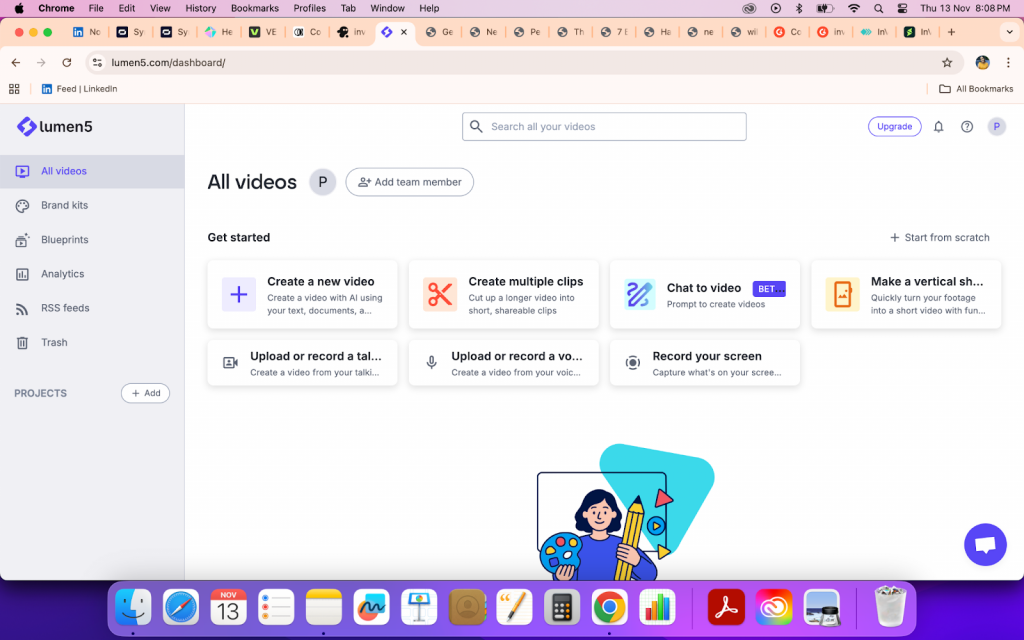
7. Lumen5
Lumen5 is an AI-powered video creation platform that turns text, links, and blog posts into short videos. It's built mainly for marketing teams, businesses, and creators who want to transform written content into visual stories without spending hours editing.
Who Benefits Most from Lumen5
- Marketers and Businesses: Ideal for turning blog posts, press releases, or campaign content into quick promotional videos.
- Content Creators: Helps simplify video production with drag-and-drop controls and stock assets.
- Social Media Managers: Useful for creating bite-sized, presentation-style videos optimized for online sharing and engagement.
Top Features Users Appreciate
- Converts text, articles, or URLs into videos automatically using AI.
- Straightforward drag-and-drop interface with ready-made templates.
- Auto layout and subtitle generation for faster video turnaround.
Pros
- Easy-to-use interface that suits both beginners and professionals.
- Automates video creation from text or blog links, saving time.
- Royalty-free media library with diverse visuals and music options.
Cons
- B-rolls and visuals can sometimes feel irrelevant to the script.
- Voiceover options are limited, and the output feels more like slides than natural storytelling.
Personal Review
I tried Lumen5's prompt-to-video feature to see how it builds videos from text. While it was quick, the b-rolls it generated often felt unrelated to the context. The final video looked more like a moving presentation than a dynamic AI-generated story, which might work for explainers but not for narrative or avatar-based videos.
The interface is simple and easy to follow, and the stock library has enough variety to fill gaps when the AI misses the tone. However, adjusting scenes or changing languages took more effort than expected, and the rendering felt slightly slow. Overall, Lumen5 is practical for making professional-looking marketing clips or social explainers, but not for creators seeking expressive, voice-driven AI videos.
8. Runway
Runway AI is a scene-based video creation platform. Instead of producing an entire video in one go, it focuses on generating individual scenes that users later stitch together. This makes it better for projects that rely on cinematic storytelling, where each scene has its own mood, pacing, and visual style.
Because of this workflow, Runway is used more by creators and filmmakers working on entertainment-driven videos rather than business or marketing content. It supports generating scenes from text, images, or clips, but the overall process is still centered on building a narrative piece by piece instead of producing a complete, ready-to-use video.
Who Benefits Most from Runway
- Content Creators and Filmmakers: Ideal for turning creative prompts or rough concepts into short cinematic sequences.
- Marketing Teams and Agencies: Useful for stylized ad visuals, product teasers, or motion graphics without relying on large production teams.
- Creative Teams and Businesses: Offers collaborative tools that let teams work together on shared projects in real time.
Top Features Users Appreciate
- Text-to-video and image-to-video generation powered by Gen-3 Alpha.
- Real-time collaboration with shared project spaces.
- Cross-platform cloud access without the need for software installation.
- Supports high-quality video exports and a range of creative styles.
Pros
- Intuitive and modern interface suitable for both beginners and professionals.
- Wide range of creative tools, from prompt-based video generation to editing and compositing.
- In-built guides and pop-ups make onboarding easier.
- Team collaboration and sharing options available across plans.
Cons
- Pricing can be high for smaller creators, with advanced tools locked behind premium tiers.
- Consumes credits quickly, especially for experimentation and trial outputs.
- Some users report poor prompt adherence and irrelevant video generations.
- Navigation across advanced tools can feel cluttered and unintuitive at times.
- Requires a stable internet connection, large renders can lag or fail on weaker networks.
Personal Review
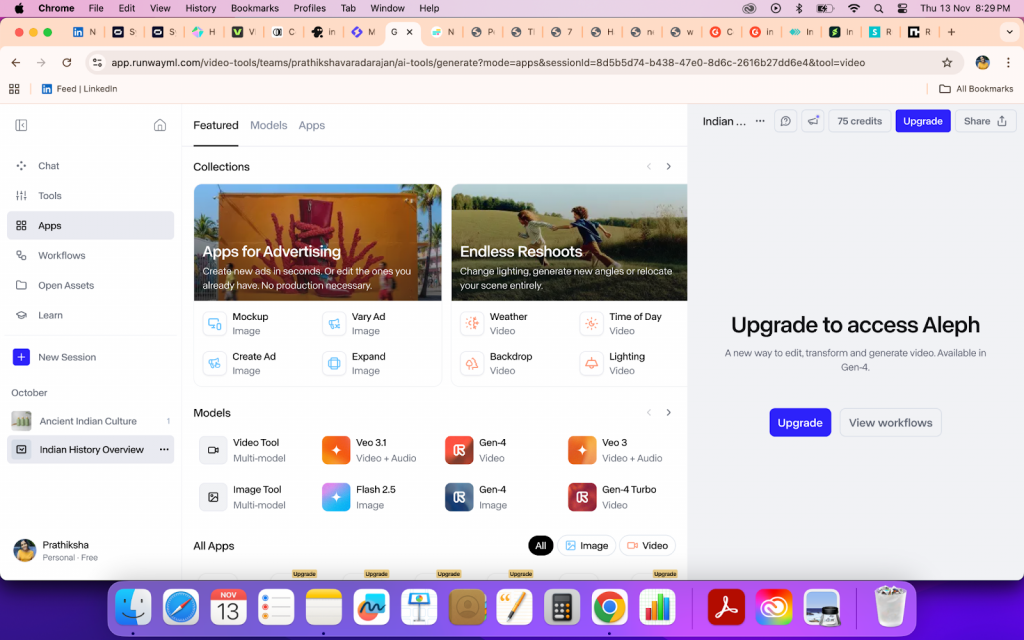
I found Runway to be packed with impressive creative tools and advanced AI capabilities. However, navigating through its various options can feel overwhelming at first, the interface isn't the most intuitive for quick discovery. The prompt-based video generation shows potential, but some outputs tend to repeat or misinterpret details.
That said, Runway clearly aims to push creative boundaries. It's a powerful tool for experimentation and visually rich projects, especially for those comfortable exploring and refining their results over time.
9. Kapwing
Kapwing is a web-based video editing platform built for creators, marketers, and teams who want to produce social-ready videos without complex editing tools. It brings together editing, subtitling, meme creation, resizing, and more into a single online workspace — making it a go-to for quick, polished multimedia content.
Who Benefits Most from Kapwing
- Social Media Creators: Ideal for short-form videos, memes, or YouTube clips.
- Marketing Teams: Great for quick ad creatives or explainer videos.
- Collaborative Teams: The real-time editing feature supports multiple editors in one workspace.
Top Features Users Appreciate
- Drag-and-drop video editing and trimming tools.
- Built-in subtitle, caption, and transcription options.
- Huge library of templates and stock media.
- Real-time collaboration and cloud access, no downloads needed.
Pros
- User-friendly: The interface is simple, quick to learn, and ideal for beginners.
- Browser-based: No installation or heavy software required.
- Strong file compatibility: Supports a wide range of formats including MP4, GIF, and JPEG.
- Collaborative editing: Multiple users can work on the same project simultaneously.
- Solid tutorials and help center: Makes onboarding easy for new creators.
Cons
- Limited advanced editing: Lacks deeper tools like motion tracking, color grading, or stabilization.
- Resolution restrictions: Not ideal for creators needing fine control over video dimensions.
- Occasional glitches: Some users report lag or minor export issues.
- File size limitations: Larger video projects may hit upload caps.
- No mobile app: Entirely web-based, so access depends on internet stability.
- Customization gaps: Template and text options could be broader for professional use.
Personal Review
I tried Kapwing for a quick project to see how well it handled idea-to-video creation. The editor was clean, and the templates made it easy to assemble short content without heavy editing. One thing I noticed, though, is that the AI sometimes keeps asking questions instead of generating a sample video immediately, which can slow down the workflow.
Overall, Kapwing works well for fast-paced projects like social clips, memes, or branded content. It's convenient and practical for simple edits, but not ideal if you need advanced customization or highly polished, cinematic-level results.
Choosing the Right AI Video Generator
Selecting the right AI video generation tool depends on your primary goals, team size, content complexity, and workflow requirements. Here's a practical breakdown:
For Social Media and Marketing: Tools like Veed.io, Kapwing, and InVideo shine when you need fast, engaging content for social platforms. They offer ready-to-use templates, drag-and-drop editing, and social-optimized outputs, making it easy to produce reels, short clips, and promos without advanced editing skills. These tools are ideal for quick campaigns, fast turnaround, and consistent posting schedules.
For Corporate Learning & Development (L&D): Platforms such as Synthesia, Vmaker AI, and Colossyan cater to enterprise training and internal communications. They provide extensive avatar libraries, multilingual support, document-to-video conversions, and integration with learning platforms. These tools streamline structured video creation for onboarding, training, and compliance-focused content, ensuring professional and polished results.
For Content Repurposing & Scalability: If your goal is to convert existing materials, like presentations, SOPs, or documents, into videos, prioritize platforms with strong doc-to-video features and collaboration options. Vmaker AI and Synthesia excel here, enabling teams to co-edit, maintain branding, and scale content creation efficiently without losing quality or consistency.
For Quick Edits & Experimental Projects: If you want a tool for small-scale edits, brainstorming, or prototype videos, Kapwing and VEED.io provide flexibility and speed. They allow quick trimming, captioning, and layout adjustments, making them suitable for social-first content or trial-and-error experimentation.
Future Focus: Ethical AI in Video Generation
As AI video platforms become more powerful, the spotlight not only focuses on speed and realism but also responsible and ethical AI use. Businesses, creators, and educators are more concerned about "how safe, accurate, and fair is this content", rather than "how fast can it generate a video?".
Key considerations for the future
- Deepfake Prevention & Verification: Ensuring AI-generated avatars or content cannot be misused to deceive audiences.
- Bias Reduction: Training AI models to produce diverse, inclusive avatars and avoid stereotypical representations.
- Transparency: Platforms clearly disclose AI involvement, voice cloning, or synthetic elements in videos.
- Content Moderation: Built-in safeguards to prevent harmful or misleading outputs, particularly in sensitive domains like education, marketing, or news.
- Data Privacy: Ethical handling of user-provided scripts, images, and voices to prevent misuse or leakage.
The next wave of AI video technology isn't just about what the AI can do, it's about what it should do. Platforms that prioritize ethical AI, transparency, and user trust will define the future of content creation, building credibility and long-term adoption.
Conclusion
2025 marks a turning point in AI video technology adoption, reflecting not only rapid growth but also increasing sophistication in features, usability, and ethical standards. For creators, marketers, educators, and enterprises, leveraging AI video platforms that align with these evolving expectations can offer a significant competitive advantage, enabling faster content production, enhanced engagement, and consistent messaging across audiences.
By choosing tools that balance realism, efficiency, collaboration, and responsibility, users can stay ahead in a rapidly evolving digital content landscape.